
Testing Consent Mode with the New GTAG Settings in Google Tag Manager
Since the Google tag merged into GTM, consent settings sit in the container Settings panel next to your tags. We tested them one at a time on a plain page with CookieYes, GTM, GA4 and Google Ads, comparing every hit when consent was denied and when it was granted. Seven switches affect consent, and they follow a priority order: the visitor\’s choice wins, then Google Override, then whichever default was applied last, then Data Marking. Several setups looked right in GTM but still sent the wrong data: a CMP tag on the wrong trigger sent the first page_view with no consent state, and with the CMP bridge off, an Accept never reached Google. A denied visit is not silent either, since GA4 still received a cookieless ping with a client ID that carried over once the visitor accepted. Test your own deny and accept flows against what we found.
 Rudranil Chakrabortty
Summary
Google Tag Manager is now a Google tag. One change this brought, among many, is that consent settings that used to live in Google Ads and Google Analytics now appear in the container’s Settings panel alongside tags and triggers. I wanted to see for myself if these changes affect consent management. I tested several settings. The test page had a CookieYes tag and banner (a Consent Management Platform), GTM, GA4, and a Google Ads tag, and for each setting I compared the requests and responses the browser sent and received when the visitor denied consent and when they granted consent.
I found seven switches that affect a visitor’s consent and the data that is sent. I call them Page Default, CMP Default, Google Override, Data Marking, Visitor Choice, CMP Bridge, and Transmission Filter, and I explain each one further down. The settings seem to have a hierarchy, where one is valued more than the other when deciding which one gets prioritized.
Some setups looked fine in GTM, but the wrong data was still sent. When the CookieYes tag was on the wrong trigger, the first page_view was sent to GA4 without any consent state. When CMP Bridge was off, CookieYes saved the visitor’s Accept in its cookie, but the choice was never passed on to Google. A denied visit also does not mean that nothing is sent, because GA4 still received a cookieless ping, and the client ID in that ping became the visitor’s regular client ID once they accepted.
In my view, these settings were added to address one legal requirement at a time, and today a non-expert has little chance of setting them up correctly or figuring out what went wrong. Google needs to bring them together and describe them in plain language. Until that happens, the most useful thing you can do is test your own deny and accept flows and compare them with what we found here.
Why we ran these tests
Consent settings are now spread across four places: the page code, the CMP, the GTM container, and the Google tag, and many site owners touch only one or two of them. I wanted to see what each setting does to the traffic, so I tested them one at a time on a test page. I checked when each hit was sent and what it carried when consent was denied and when it was granted.
Consent work usually comes to me in two forms. A client either wants consent management implemented, or wants to know whether the current setup works well enough that it does not break any obvious policy. In the second kind of project, the problems I see most often are a consent tag throwing an error and tags firing in the wrong order, and most people who work with GTM know how to spot these. This post is about the less obvious problems, where the settings look correct in the interface, and the issue only shows up in the hit details.
I wrote this for website managers, small online business owners, GA4 and GTM admins, marketing managers who sign off on tracking, and anyone who’s had a consent problem in the past and never got a clear answer. You don’t need to know how to code to follow along, though you will see a few hit parameters such as gcs and gcd, and I explain them when they first come up.
Google applies some consent rules by region, so I could not see the EEA-specific handling directly. For each finding, I say whether I saw it in a test, read it in Google’s documentation, or am inferring it, and I list what I could not confirm near the end of the post. None of this is legal advice.
Why now
On May 20, 2026, Google announced that the Google tag and Google Tag Manager would be unified. Once a container is upgraded, the Google tag settings move into a new Settings tab that lists the Google destinations they apply to, while the event tags stay as they are. Standalone Google tags are being upgraded as well, and in GA4, Configure tag settings on a web data stream now opens a Tag Manager container that was created for that stream.
For consent, the main change is where you find the settings. Google Override, Data Marking, and Manage data transmission used to sit in the Google tag’s own settings, which many GTM admins never had a reason to open; now they sit in the container’s Settings tab, close to the tags they control.
I also wanted to know whether the merge changed how consent works. Google says the upgrade will not change the in-page behavior of the Google tags, and Stape notes that destination tags cannot bypass restrictions set at the container level; in my tests, the consent logic behaved as the documentation describes. The new install snippet did cause a problem, though. A consent default placed just below it was applied after Initialization, which is too late for the tags that fire there, and together with Google Override, it meant that the page_view was not sent on a first visit. I go through that case in the failures section.
The timing matters for another reason as well. Since June 15, 2026, Google Analytics uses Consent Mode in Google Ads as the single control for advertising data, a role it used to share with the Google Signals setting, so a wrong consent state now directly affects what is sent to your Google Ads account.
The consent settings themselves were added one at a time. Consent Mode launched in September 2020. Google added the ad_user_data and ad_personalization signals in November 2023, and from March 2024 it required them for audience and personalization features for EEA users, as the obligations under the EU’s Digital Markets Act took effect. Google Override was reported in August 2024, and the data transmission controls in December 2025. Data Marking sits in GA4’s consent settings hub, which appeared in 2025, although I couldn’t find the date the setting itself was added. Each of these came in separately, and together they make up the seven switches I describe below.
The test setup and how to read a hit
I built plain HTML test pages on a subdomain, one page per scenario, with nothing else on them. Every page used the new GTM install snippet. The container had the CookieYes CMP template tag on the Consent Initialization trigger for all pages, the GA4 Google tag on the Initialization trigger for all pages, a Google Ads tag added later for the data transmission tests, and a Custom HTML tag that only writes a line to the browser console, to stand in for a non-Google tag. I watched every run in Tag Assistant’s preview mode, with Chrome DevTools open for the cookies and the network requests.
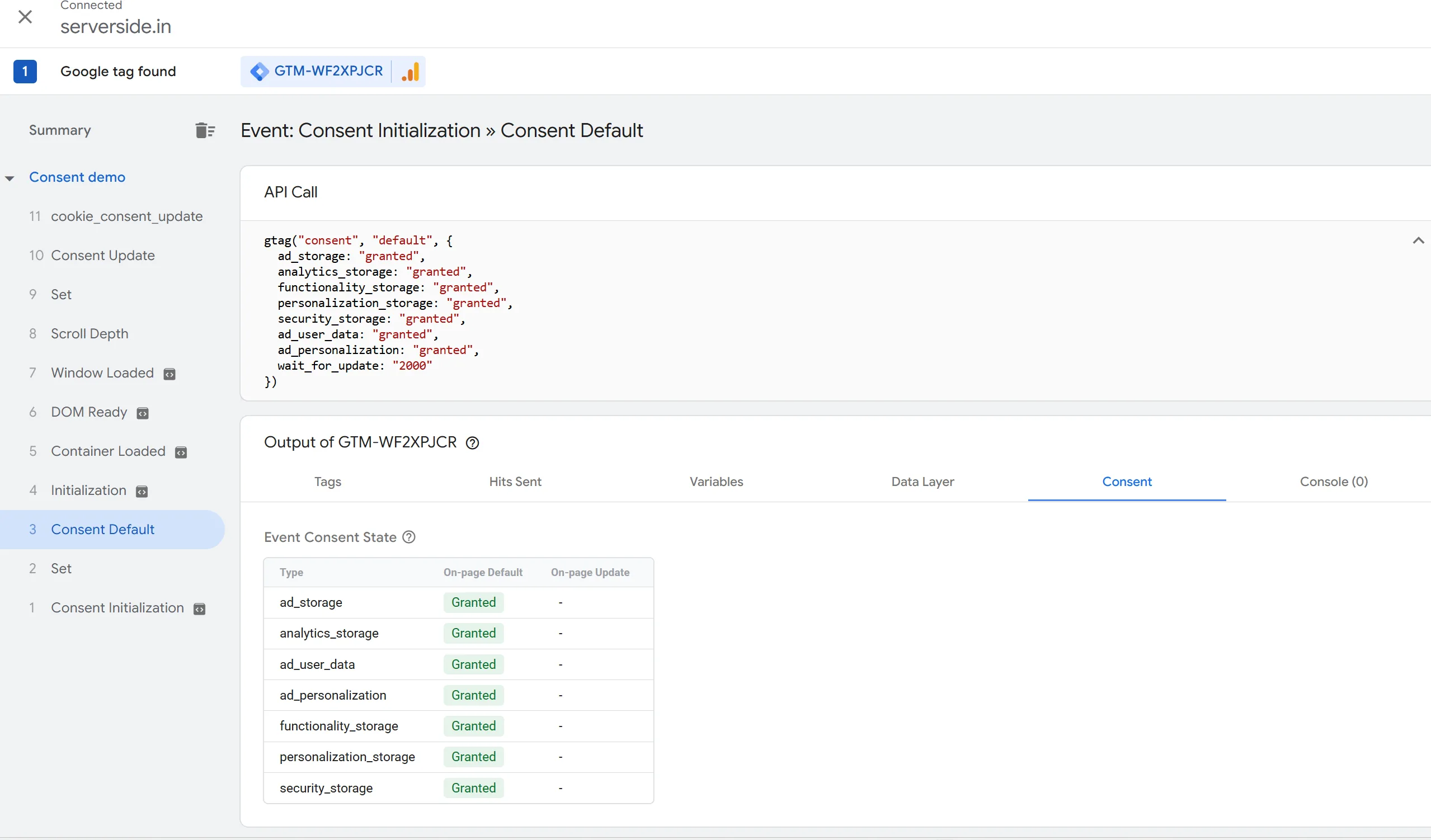
I read each run in three places, in this order: first, the event list on the left of Tag Assistant. Consent calls show up there as Consent Default and Consent Update.
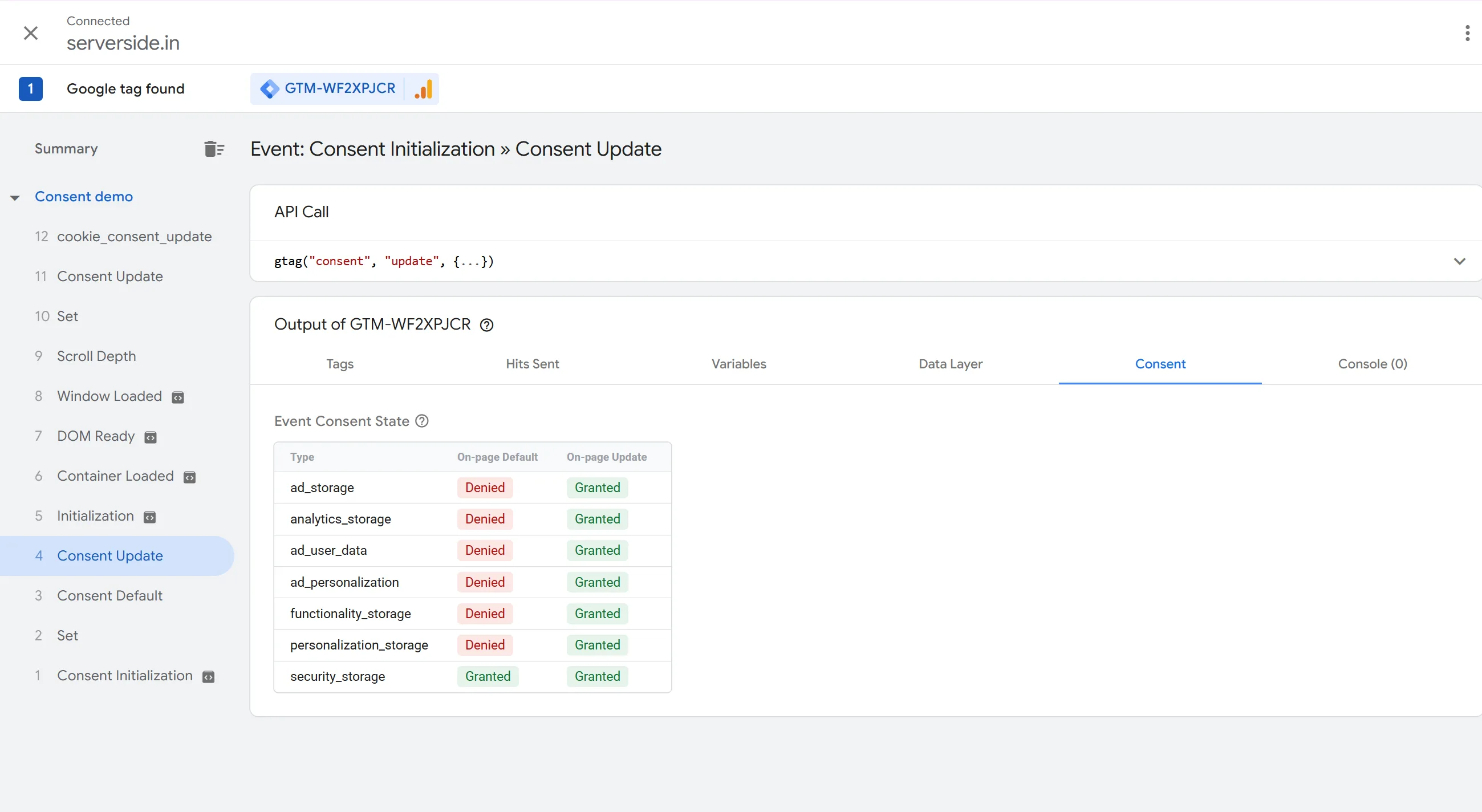
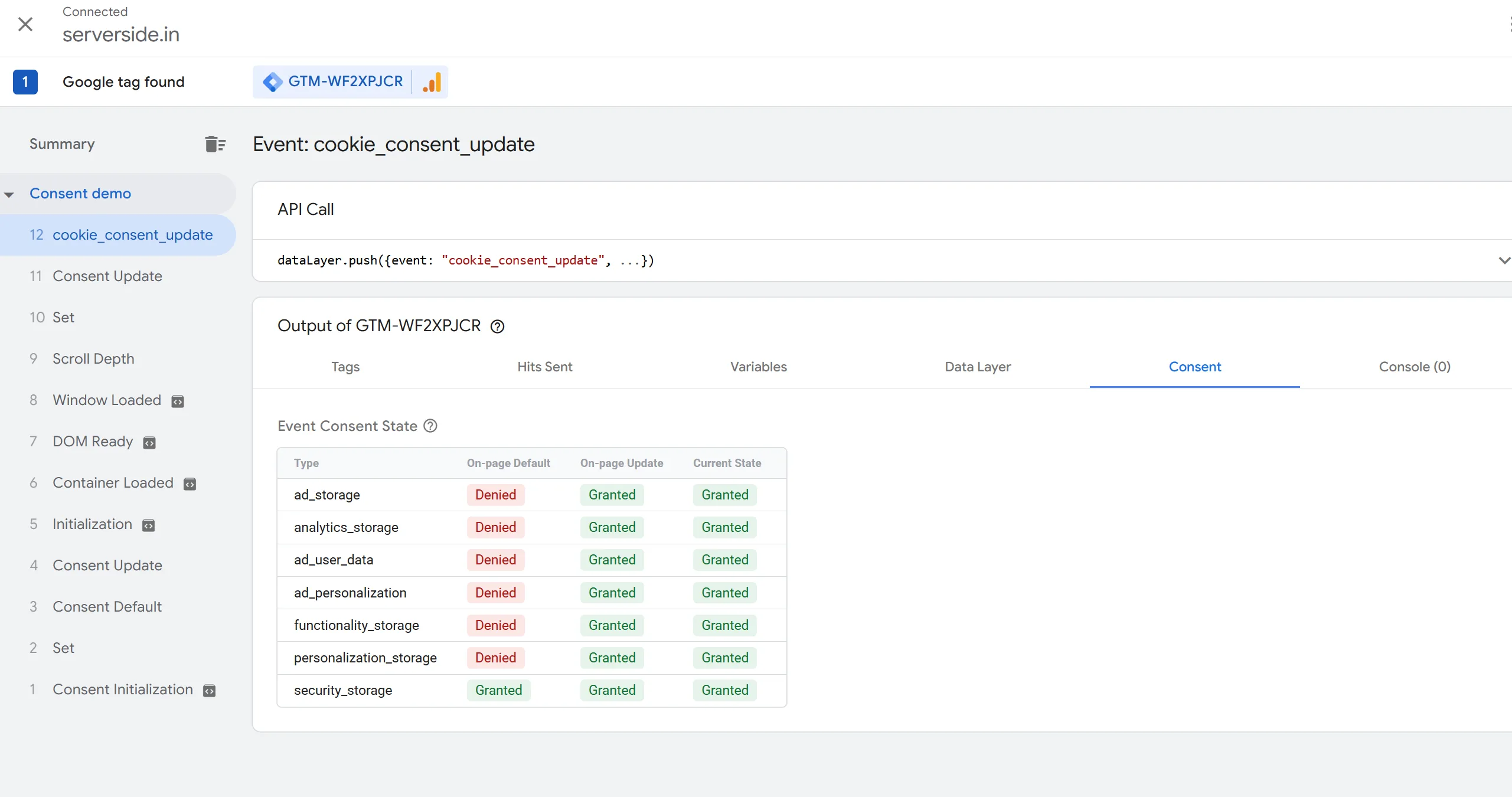
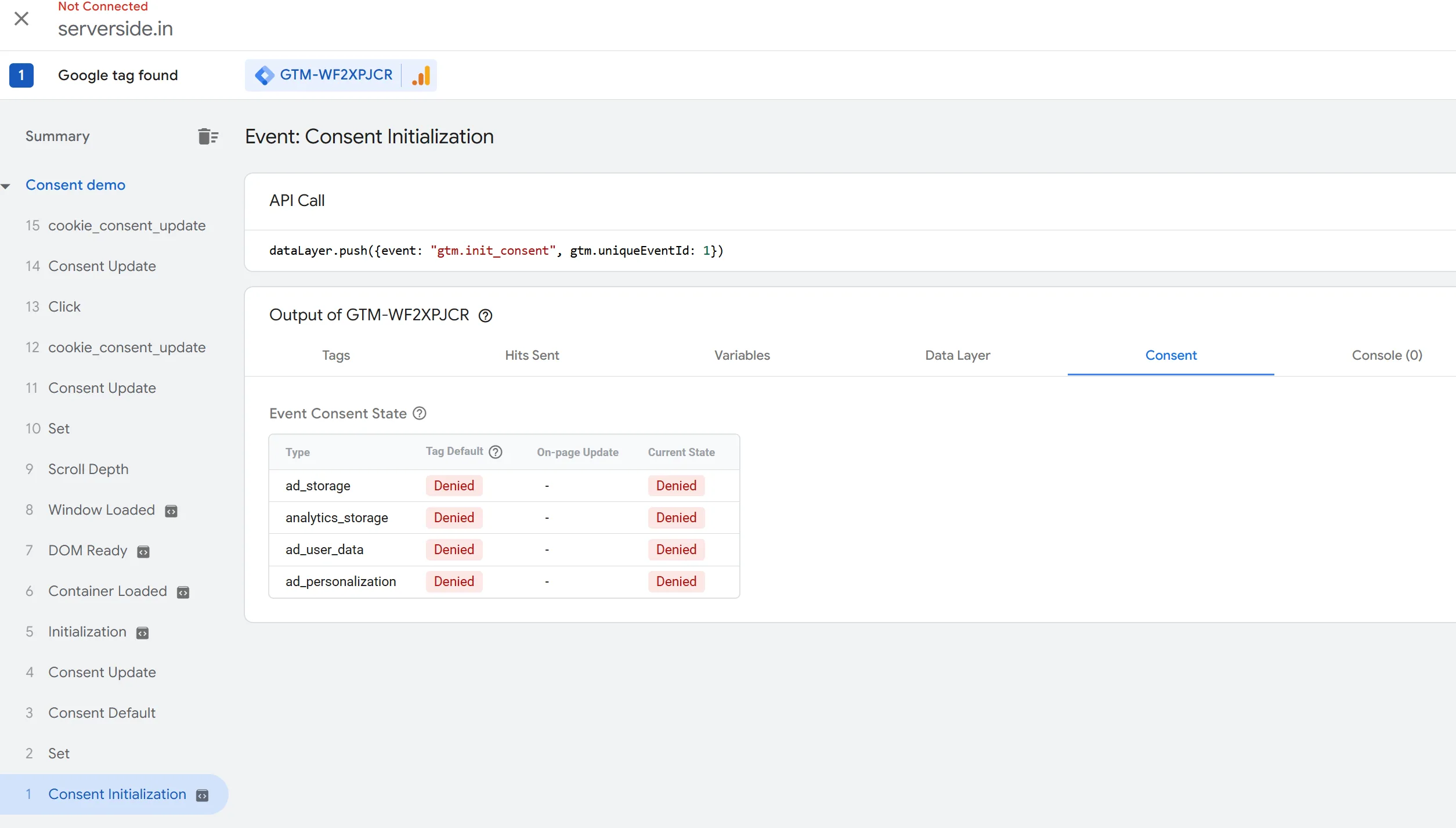
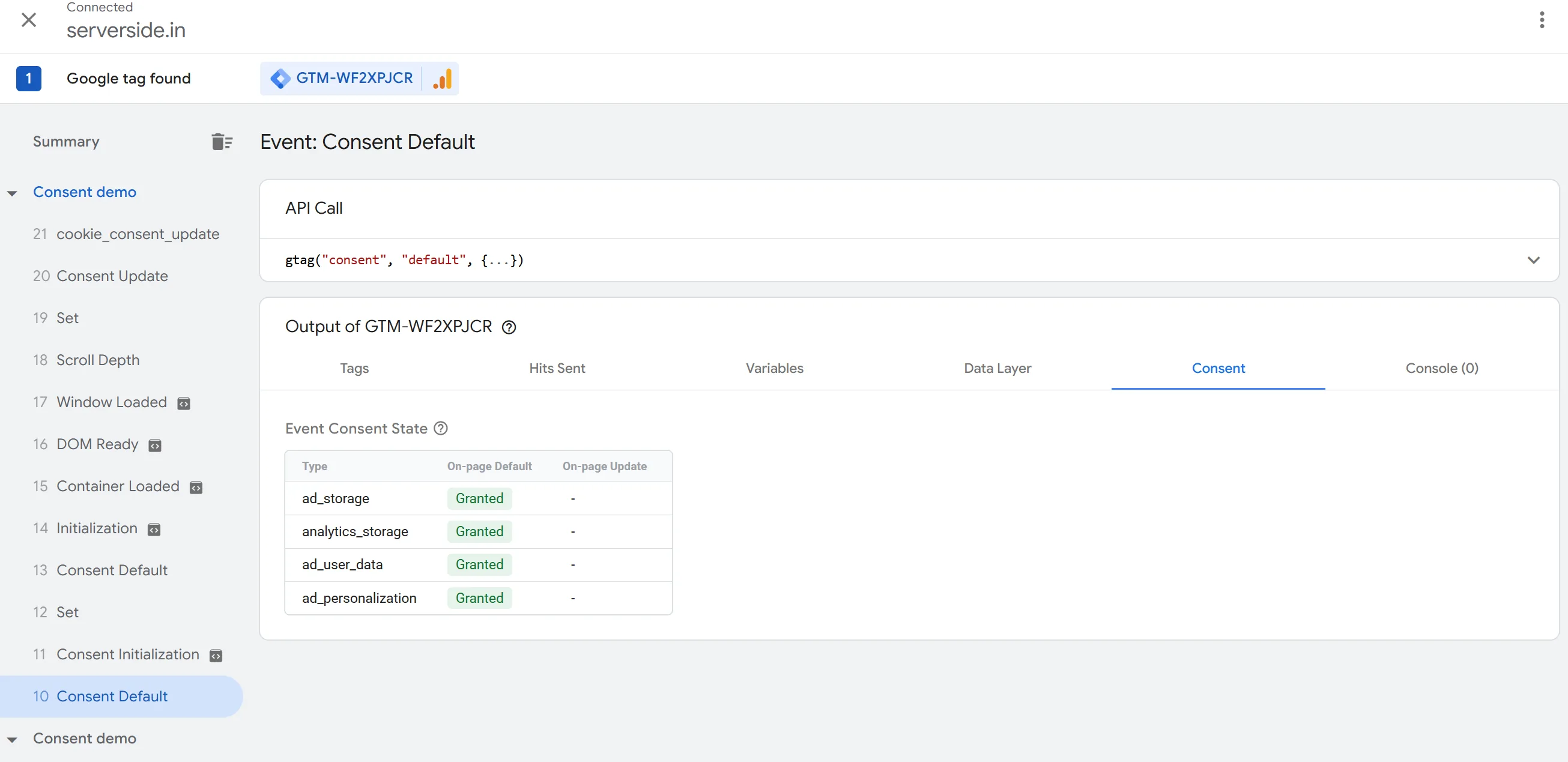
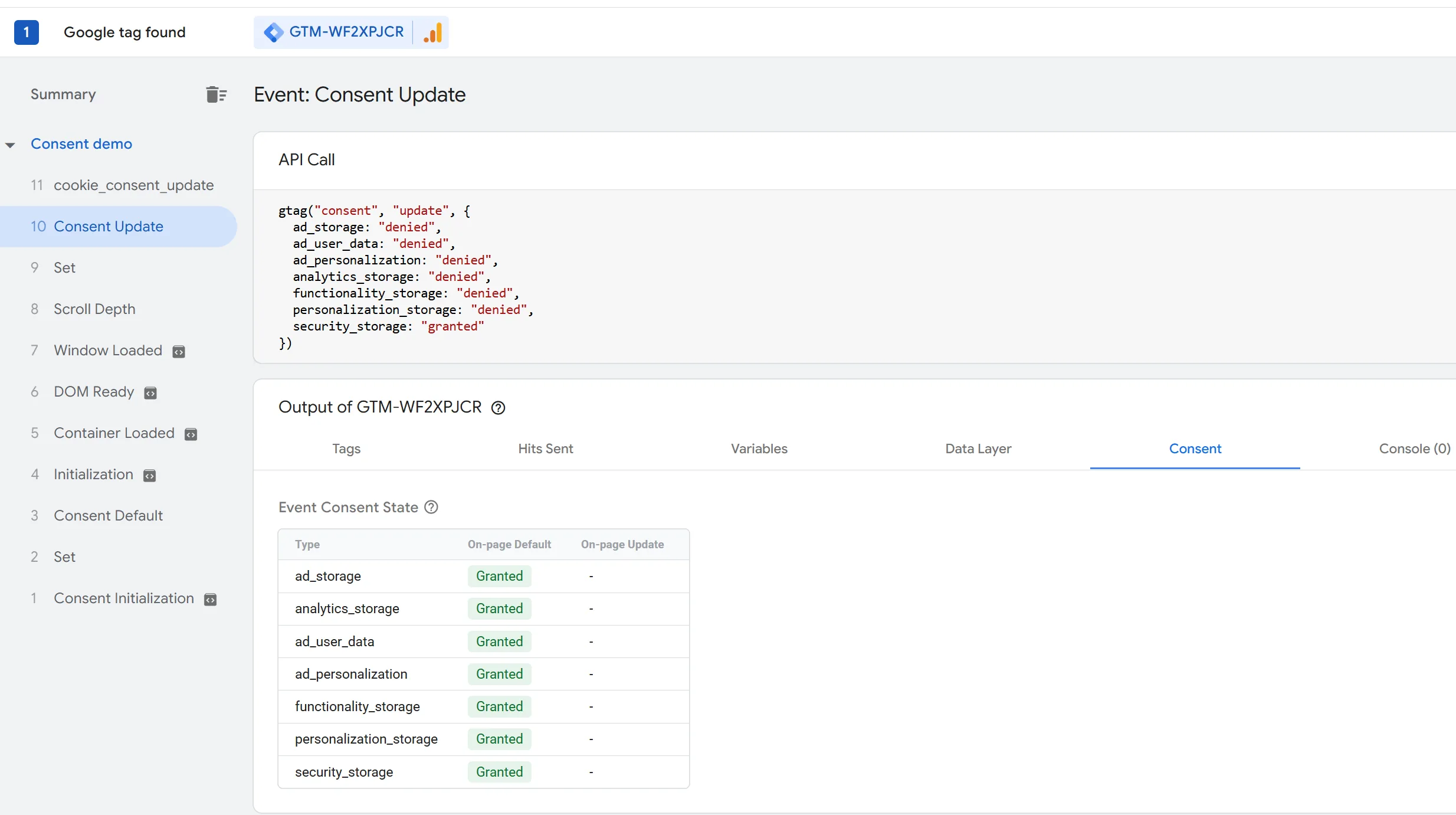
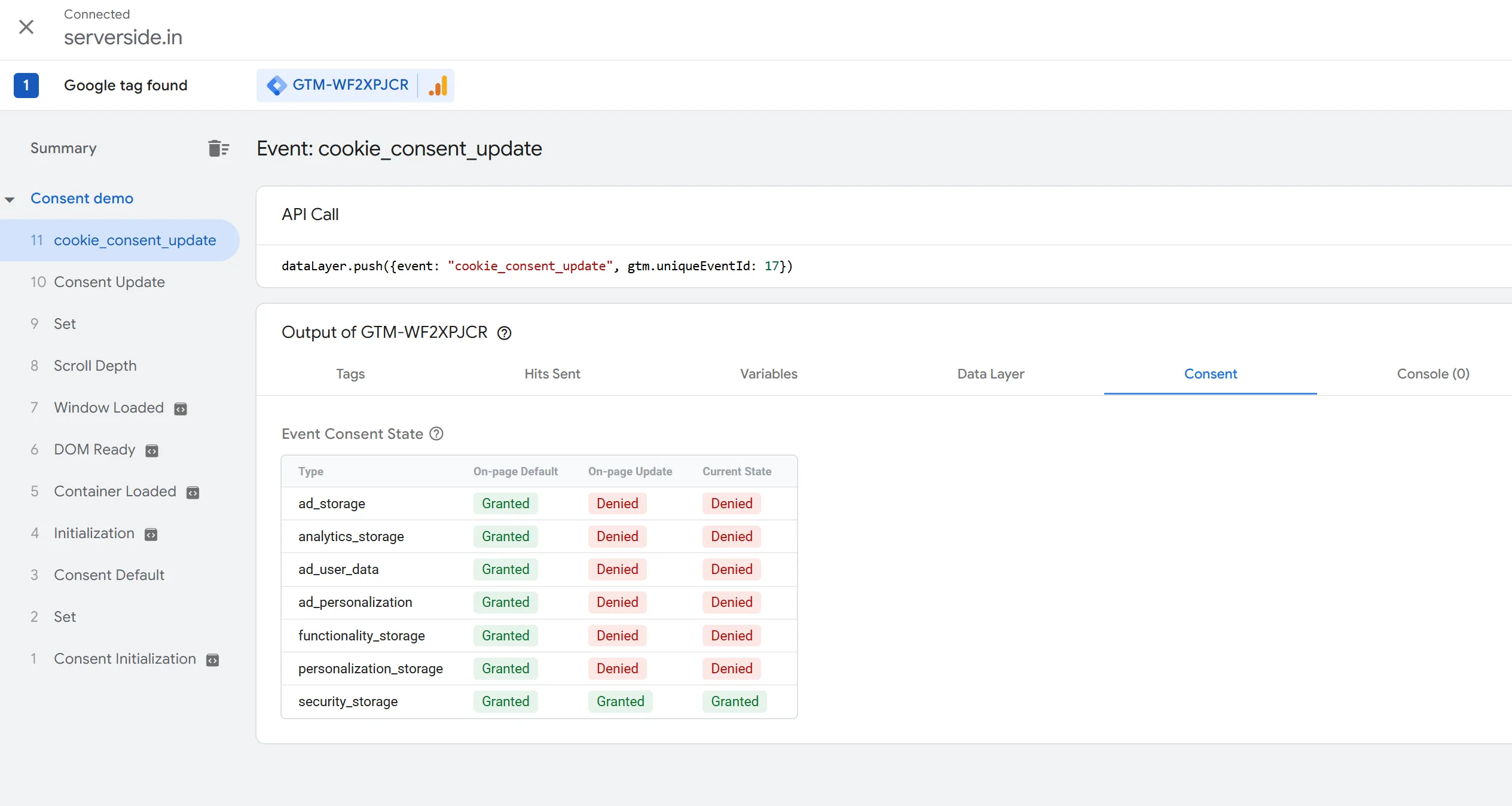
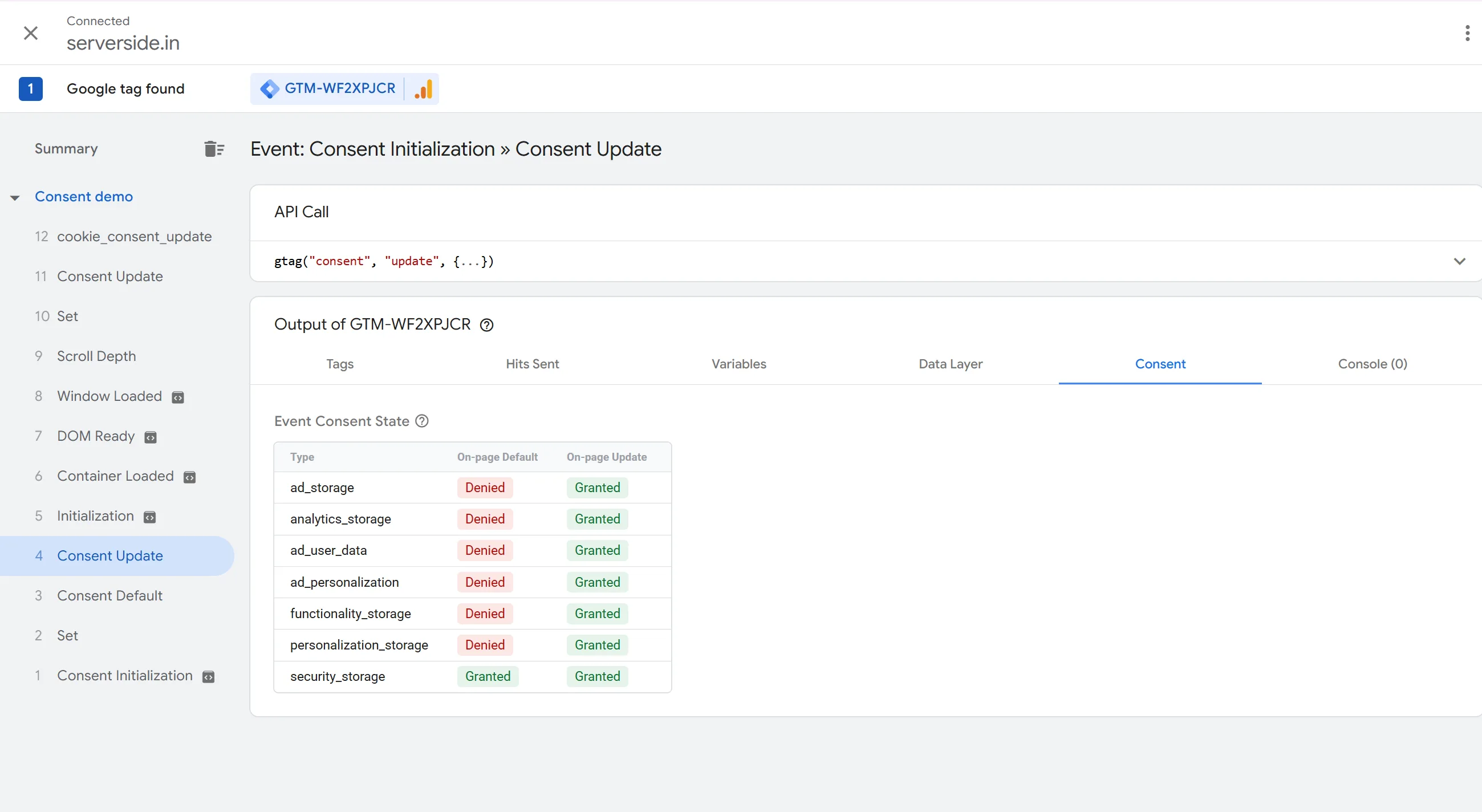
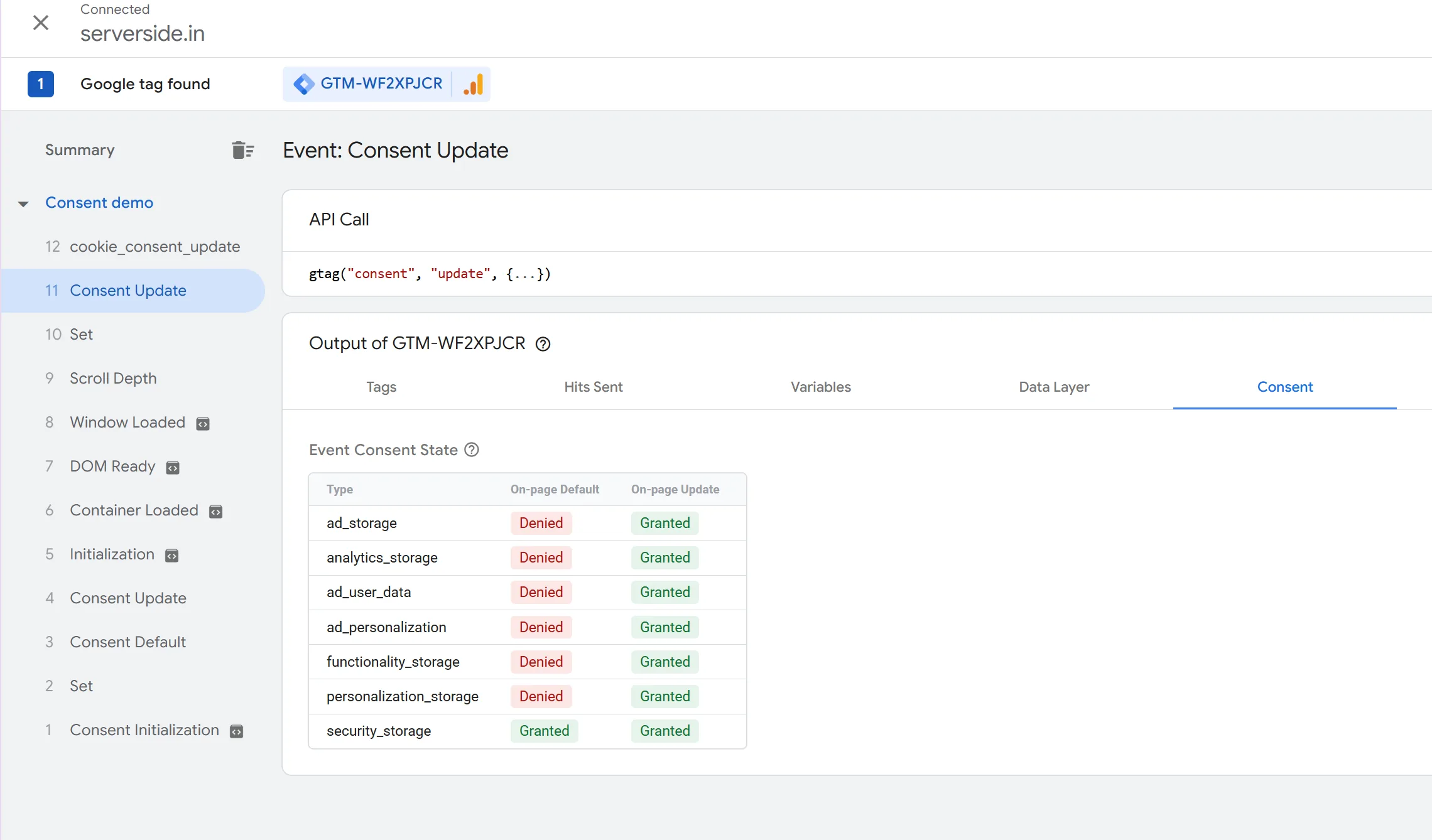
The second place I checked was the Consent tab on the earliest consent event. On-page Default shows what the page or the CMP set as the starting state. On-page Update shows the consent update the CMP sent, either when the visitor clicked the banner or, on a later page load, from the choice stored in its cookie. Current State shows the state applied to the tags: the update if there is one, and the default if there isn’t. When Google Override is switched on, the first column changes its name to Tag Default.
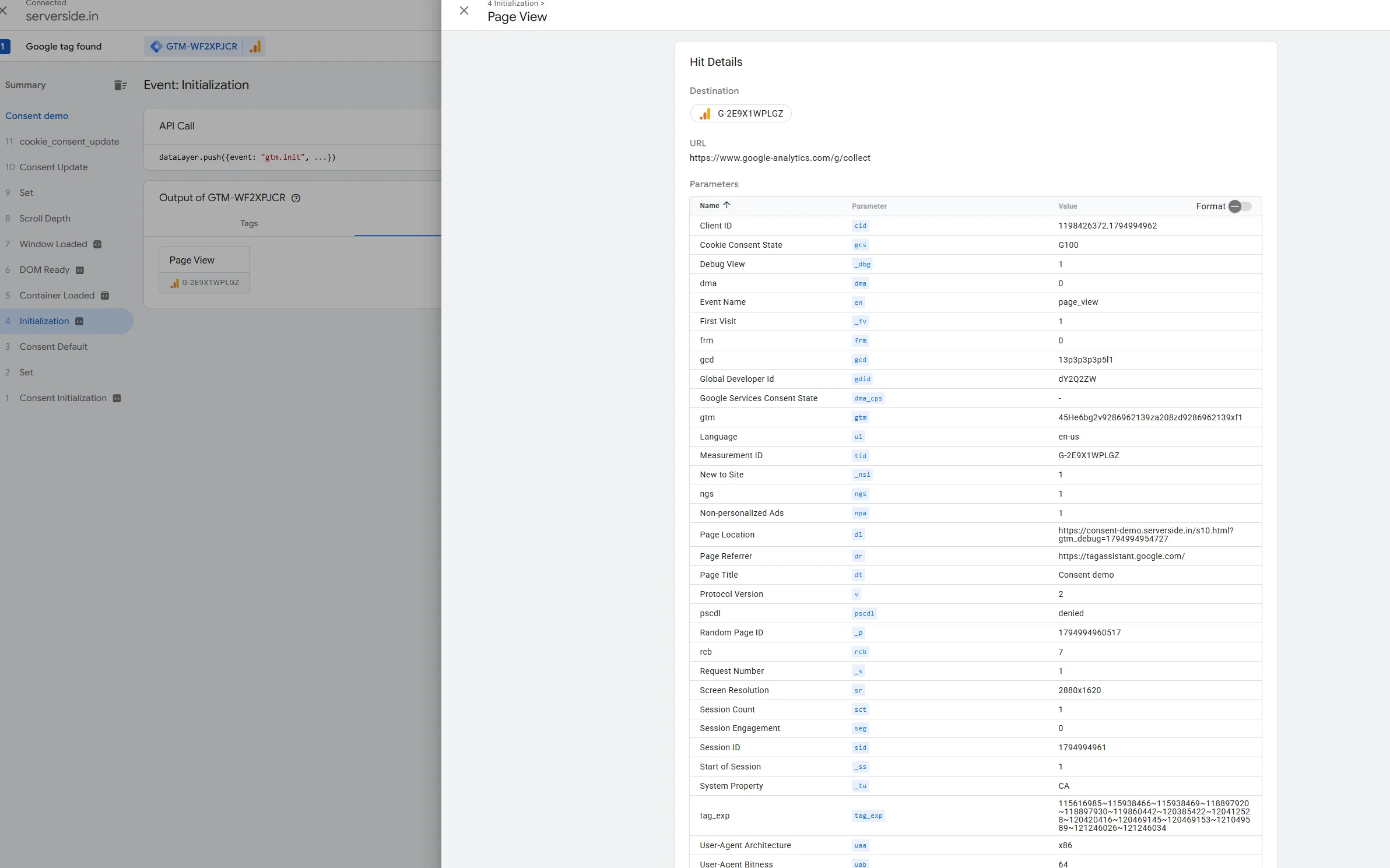
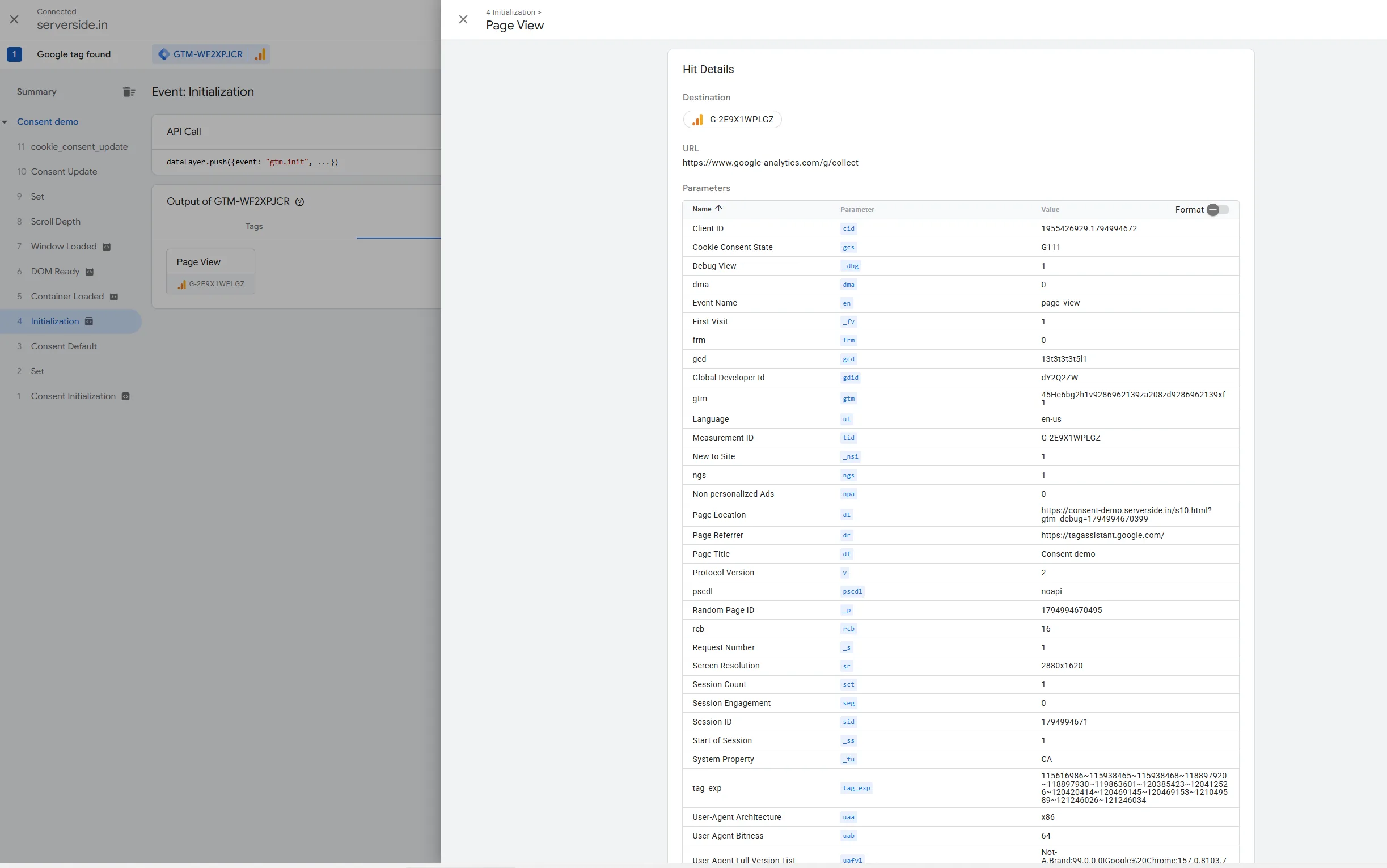
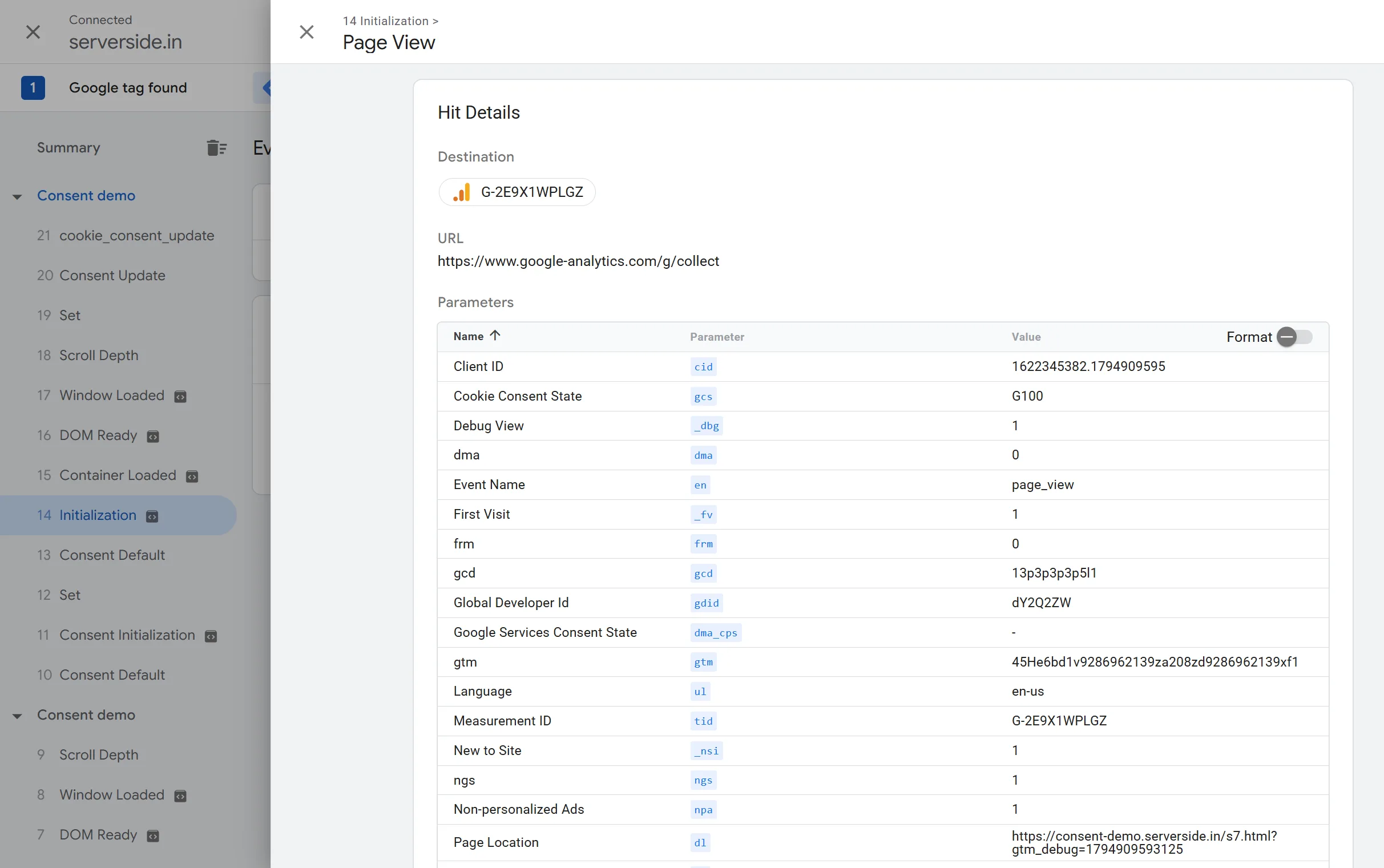
The third place was the hit itself. Open the Hits Sent tab, click a hit, and look at gcs first. It carries ad_storage and analytics_storage: G100 means both denied, G111 means both granted, and no gcs at all means the hit was sent with no consent signal. npa=1 means no personalized ads. The gcd parameter holds much more, and it gets its own section near the end.
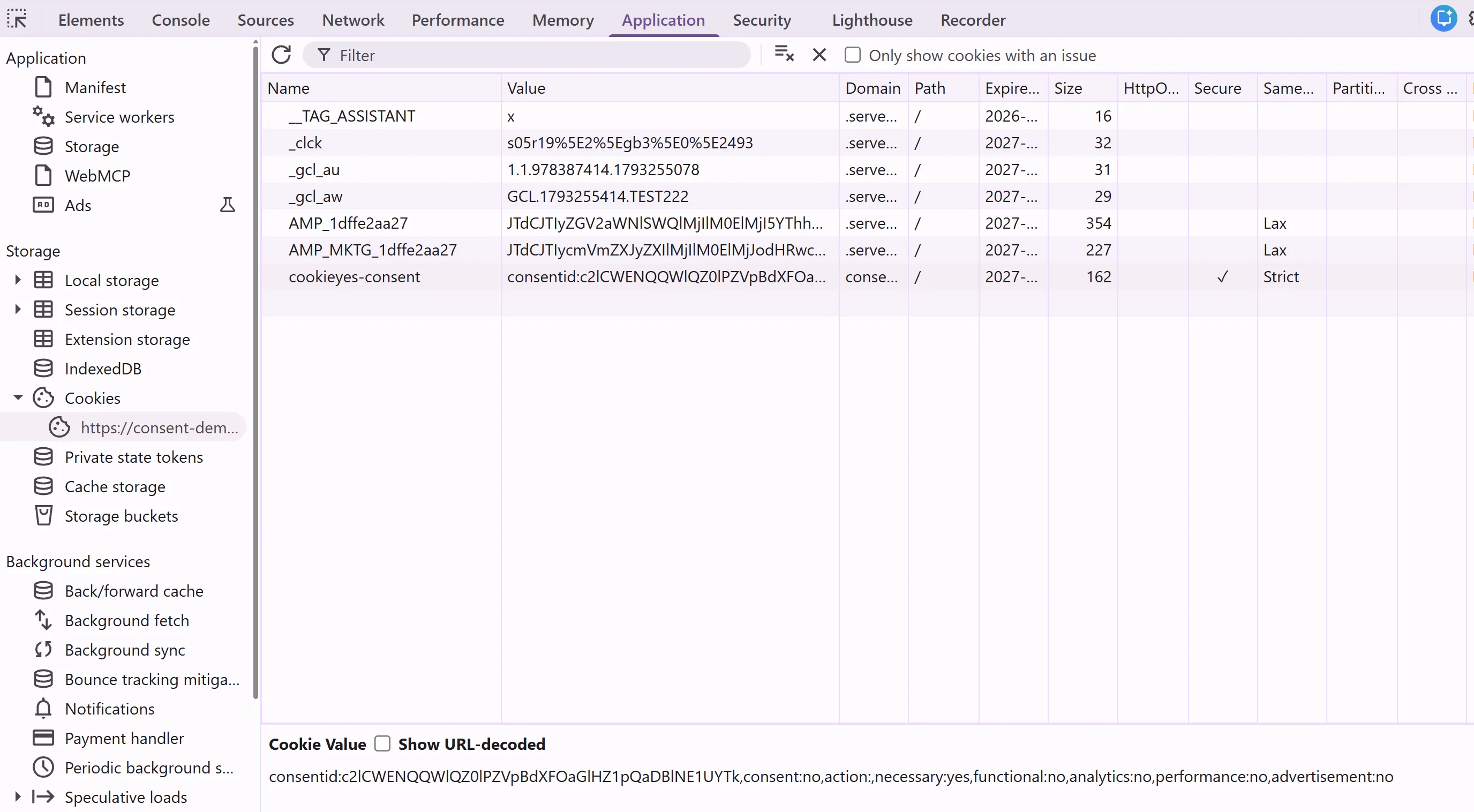
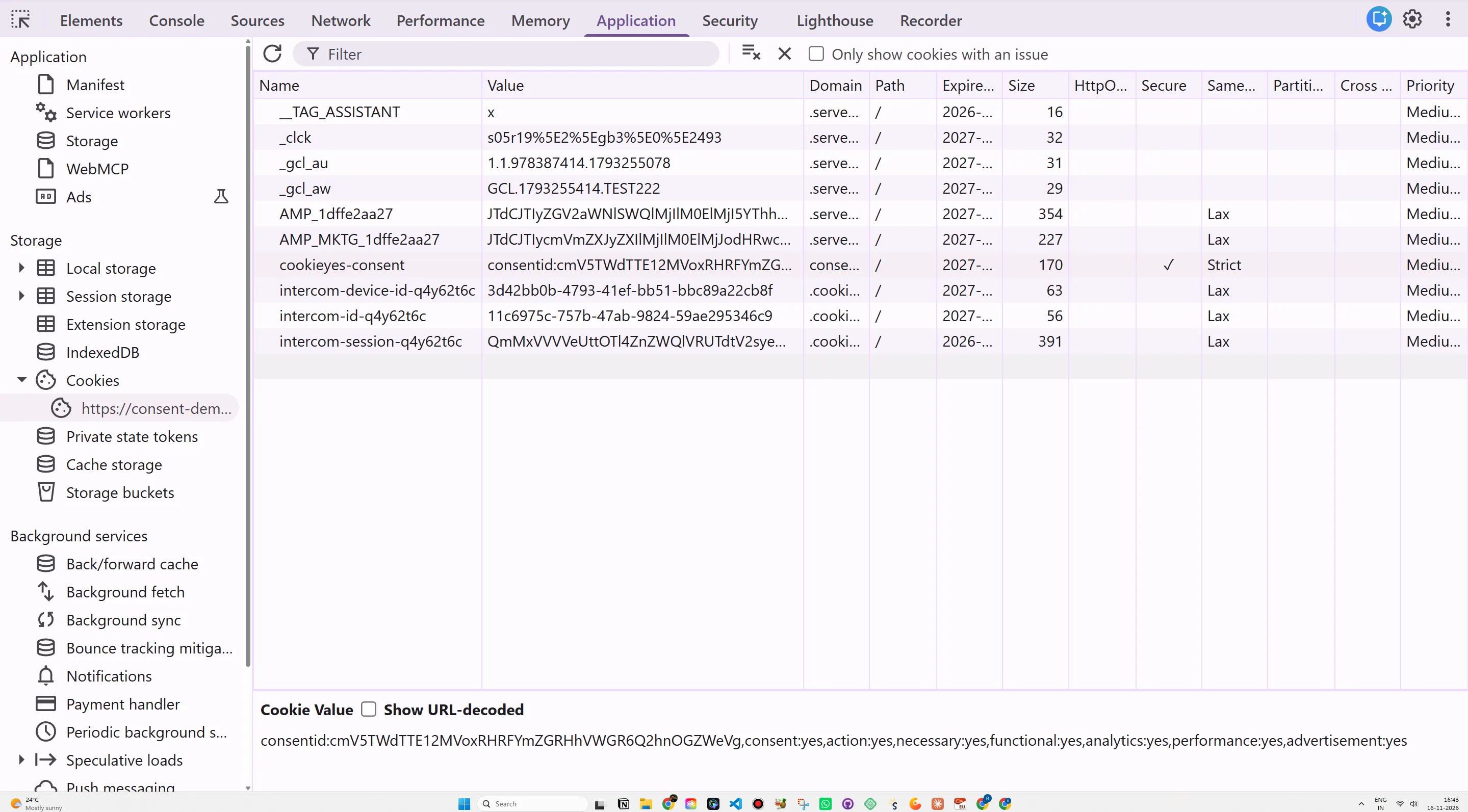
One habit saved me a lot of confusion: delete the cookieyes-consent cookie before every run (DevTools > Application > Cookies). The visitor’s choice is stored in that cookie, and on the next page load, CookieYes sends it again as a Consent Update, sometimes before Initialization.
The seven consent settings and their order of priority
These are the seven switches I mentioned earlier. I’ll use these names for the rest of the post.
| Switch | What it does | Where you set it |
|---|---|---|
| Page Default | It is a gtag('consent', 'default', ...) line in the page code that sets the starting consent state before the visitor makes a choice. | You can set it anywhere on the page by copy-pasting the code; however, we generally set it above the GTM Snippet. |
| CMP Default | It is the starting consent state that the consent banner tool sends. | The CookieYes tag in GTM, under Default Consent Settings. |
| Google Override | It sets the four main consent signals to denied at page load, and they stay denied until a consent update is sent. | GTM container Settings, override consent mode defaults. |
| Data Marking | It marks the data as consented for Google when no one (code or user) on the page has set a consent state. | GTM container Settings (also GA4 Admin, Consent settings): manage default consent settings for data collection. |
| Visitor Choice | The visitor’s Accept or Reject on the banner is sent to the Google tags as a consent update. | The CookieYes banner on the page. |
| CMP Bridge | It passes the visitor’s choice from the banner to the Google tags. | The CookieYes dashboard, Support GCM. |
| Transmission Filter | It sets what a hit can still send to Google while consent is denied, and it does not change the consent state. | GTM container Settings, Manage data transmission. |
Page Default is a line of code in your page (gtag('consent', 'default', ...)) that sets the starting consent state for Google tags before the visitor makes a choice. Developers usually add it by hand, sometimes years before anyone thinks about consent again.
CMP Default is the same instruction, sent by the consent banner tool instead of your page code. In CookieYes, it’s the Default Consent Settings row in the CookieYes tag in GTM. If a site has both a Page Default and a CMP Default, only one of them is applied in the end.
Google Override is a setting in the Google tag that sets the four main consent signals to denied when the page loads, regardless of the site’s defaults, and keeps them denied until the banner sends an update. In GTM, it is called Override consent mode defaults.
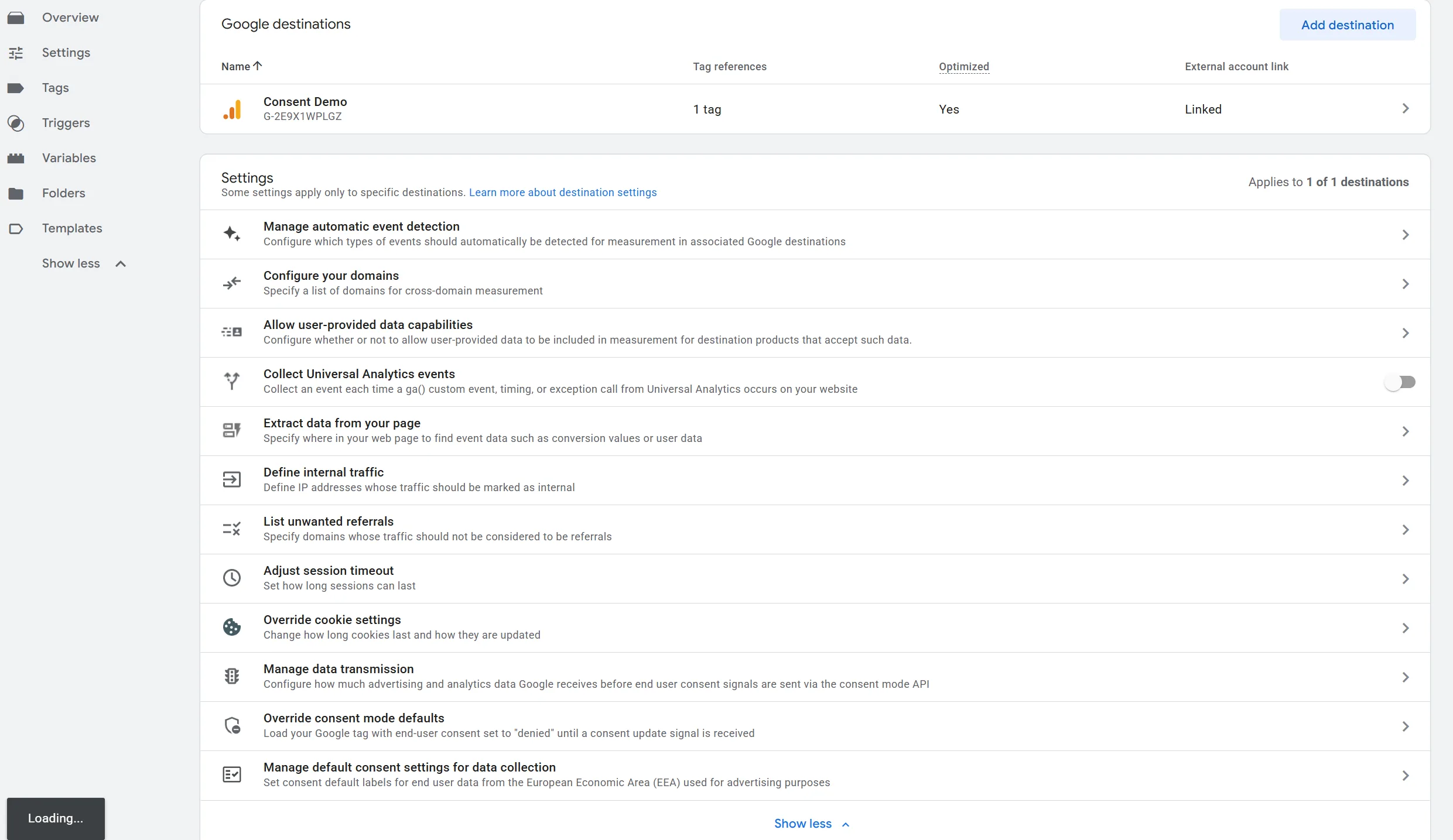
Data Marking is a setting that labels the data for Google rather than changing the consent state on the page. When it is set to Yes, Google treats the data it receives as consented, but only if nothing else on the page has set a consent state. Its full name in the settings is Manage default consent settings for data collection.
Visitor Choice is what the visitor clicks in the banner, either Accept or Reject, which the CMP then sends to the Google tags as a consent update. In a correct setup, this is the one that should set the final state.
CMP Bridge is what connects the banner to the Google tags, and in CookieYes it is the Support GCM setting in the dashboard. If it is switched off, the banner still saves the visitor’s click in its cookie, but the choice is never passed on to Google.
Transmission Filter is the Manage data transmission setting, which also sits in the GTM container Settings. Unlike the other six, it does not change the consent state at all, and gcs and gcd had the same values with it on or off. What it controls is how much a hit is still allowed to send once consent is denied, and I cover it in its own section later.
The table below shows the order in which these settings took priority in my tests. You can simplify it for your own team, but I would keep the order as it is.
| Rank | Switch | What I saw in my tests |
|---|---|---|
| 1 | Visitor Choice | After Accept, the state changed to granted even with Google Override on. |
| 2 | Google Override | It set the four main signals to denied even when the Page Default and the CMP Default were both set to granted. |
| 3 | Page Default or CMP Default, whichever is applied last | The CookieYes default was applied after a granted Page Default, and the state changed to denied. |
| 4 | Data Marking | A denied CMP Default overrode it. It is only applied when nothing else on the page sets a state. |
| Gate | CMP Bridge | It is not part of the ranking, but when it is switched off, the visitor’s choice is never passed to the tags. |
| Separate | Transmission Filter | It did not change gcs or gcd. With consent denied, the behavioral analytics option stopped the GA4 ping, and the advertising Prevent option stopped the Google Ads ping. |
A granted Page Default with a denied CMP Default
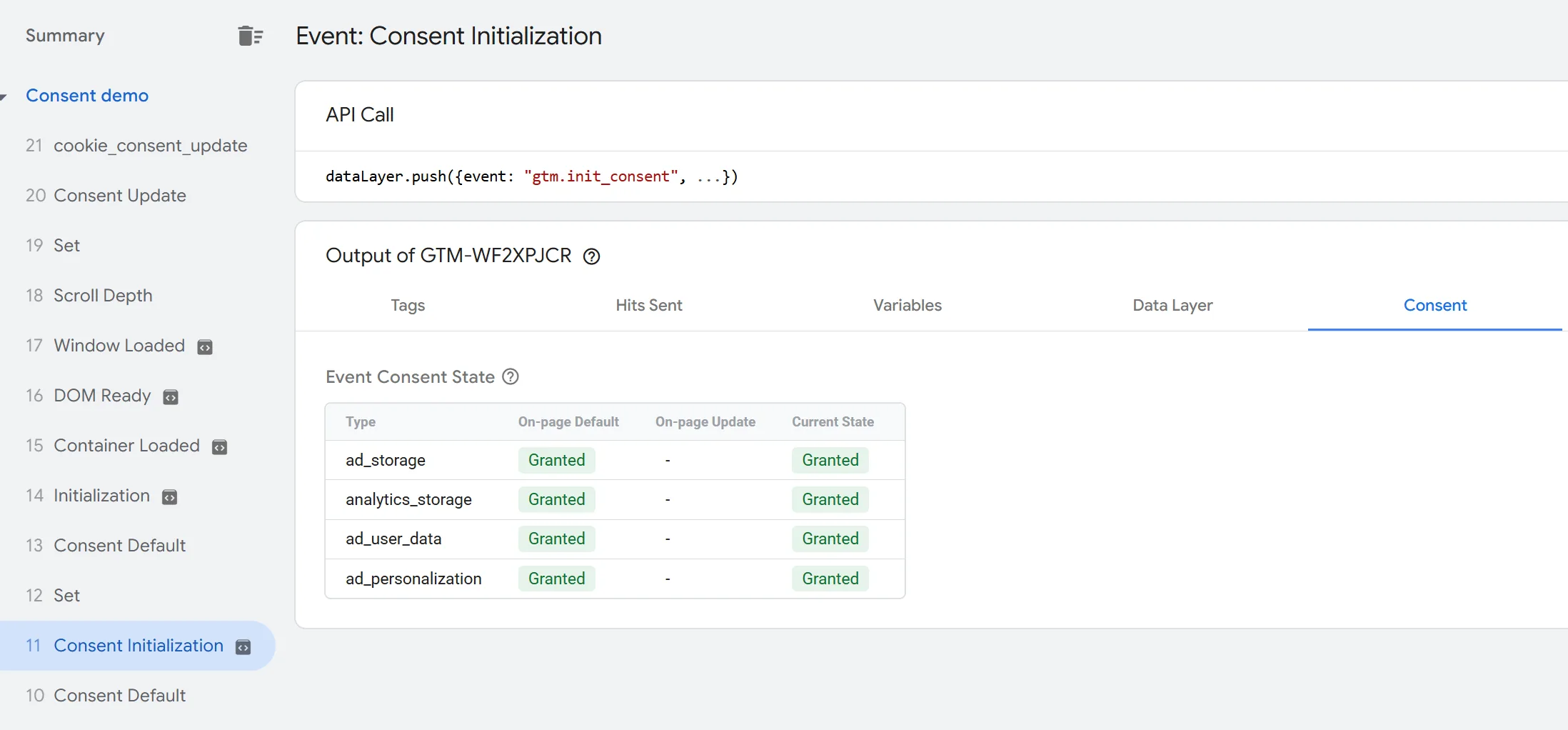
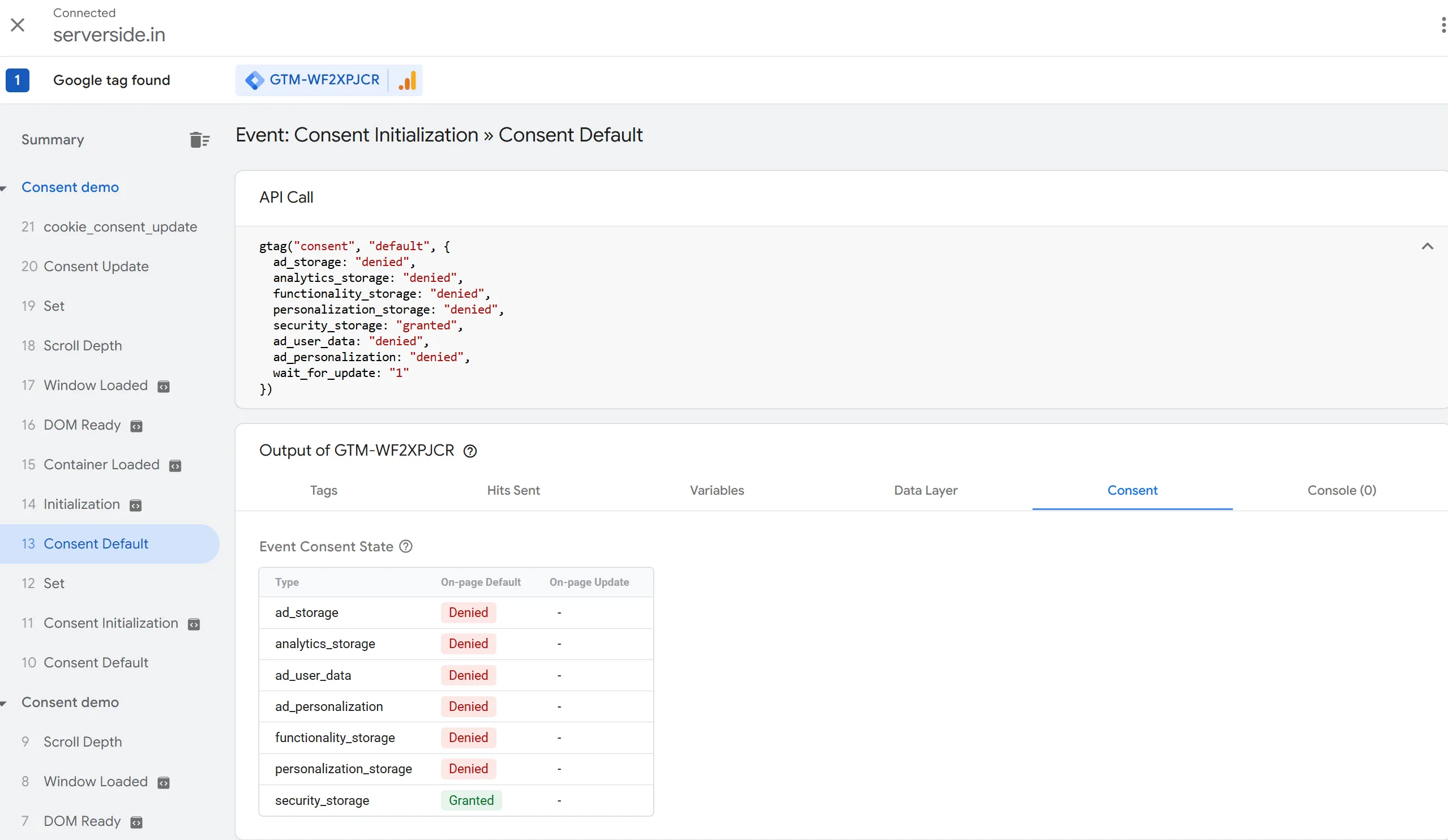
A common situation is a site where a developer added a Page Default that grants everything a long time ago, and someone in marketing later installed CookieYes with a denied CMP Default. I set up the same thing on the test page, with all four signals granted in the page code above the GTM snippet and the CookieYes tag on the Consent Initialization trigger. In Tag Assistant, the Page Default appeared first as event 10 with everything granted, and the CookieYes default came next as event 13 with everything denied. The page_view was sent at Initialization with gcs=G100 and npa=1, so the later default was the one applied, and the final state was correct. However, for the short time between events 10 and 13, the consent state was granted, and the consent check for any tag that fired in that window would have returned granted.
When Google Override is on
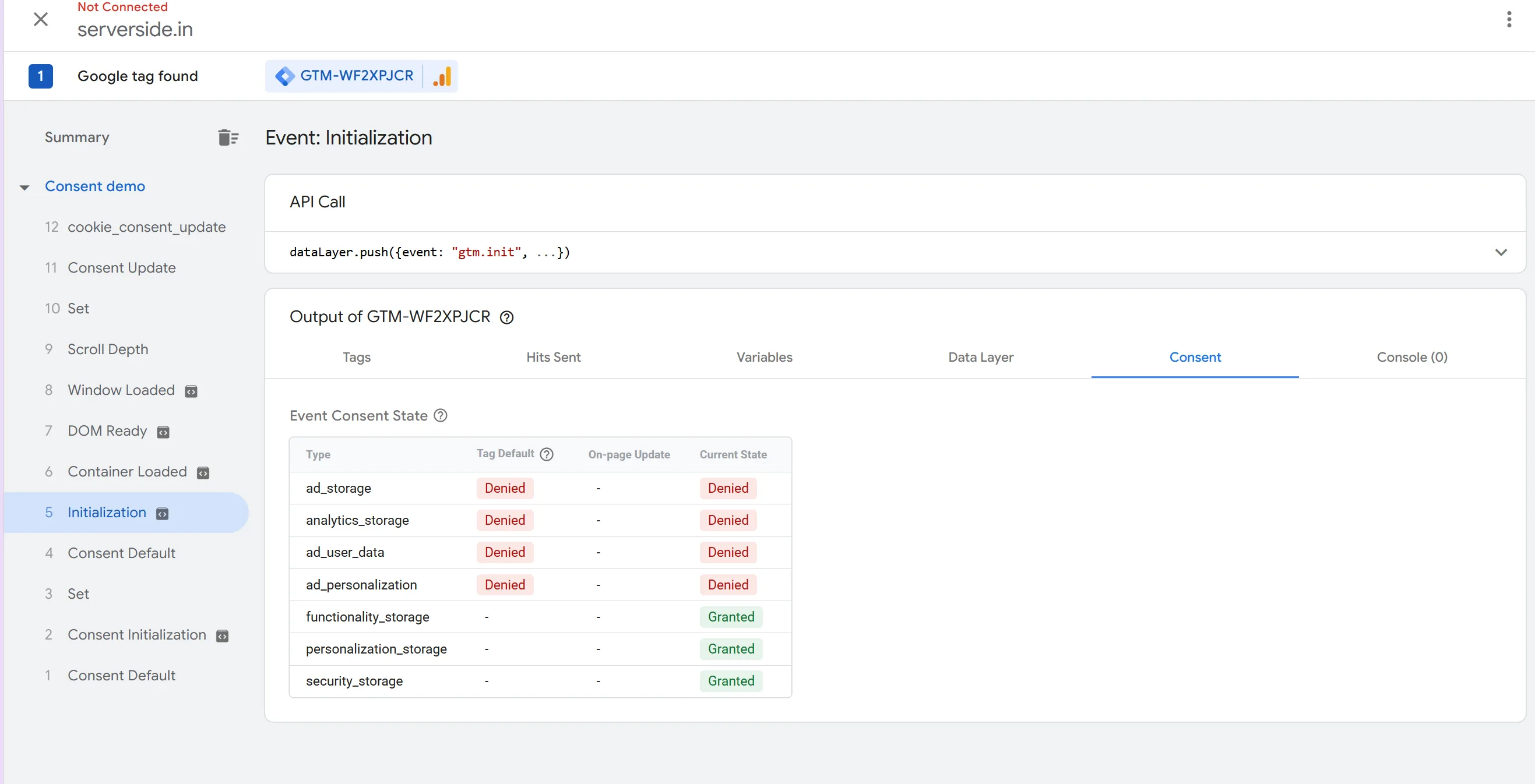
For the second test, I switched Google Override on and set both the Page Default and the CMP Default to granted. On the Consent Initialization event, the Consent tab showed Tag Default as denied for all four main signals, and the Current State showed the same, even though both defaults were set to granted. In the runs where Google Override was on, the page_view was still sent as a cookieless ping with gcs=G100, npa=1, and pscdl=denied. When I clicked Accept, the state changed to granted, which means Google Override only sets the starting point, and the visitor’s choice still sets the final state.
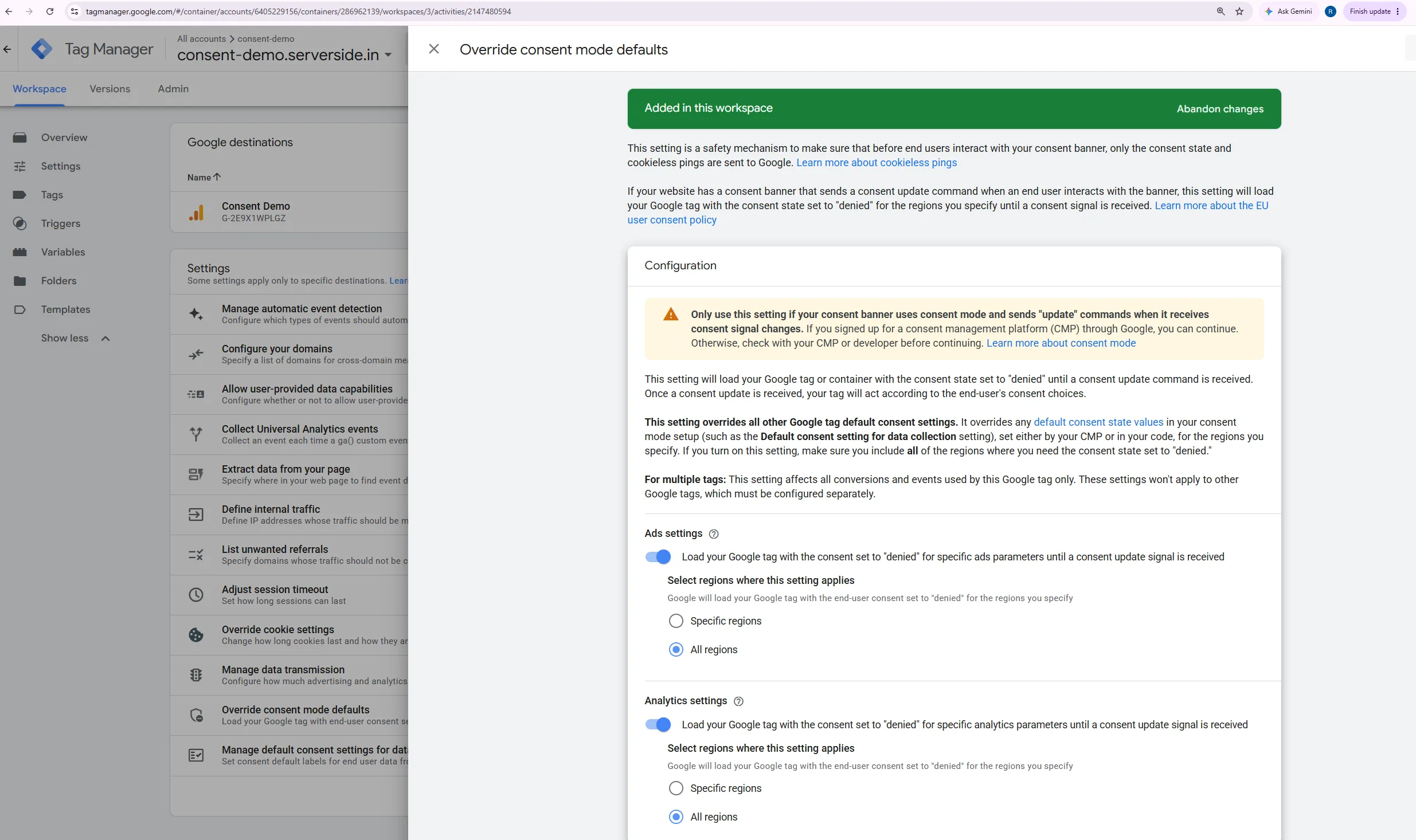
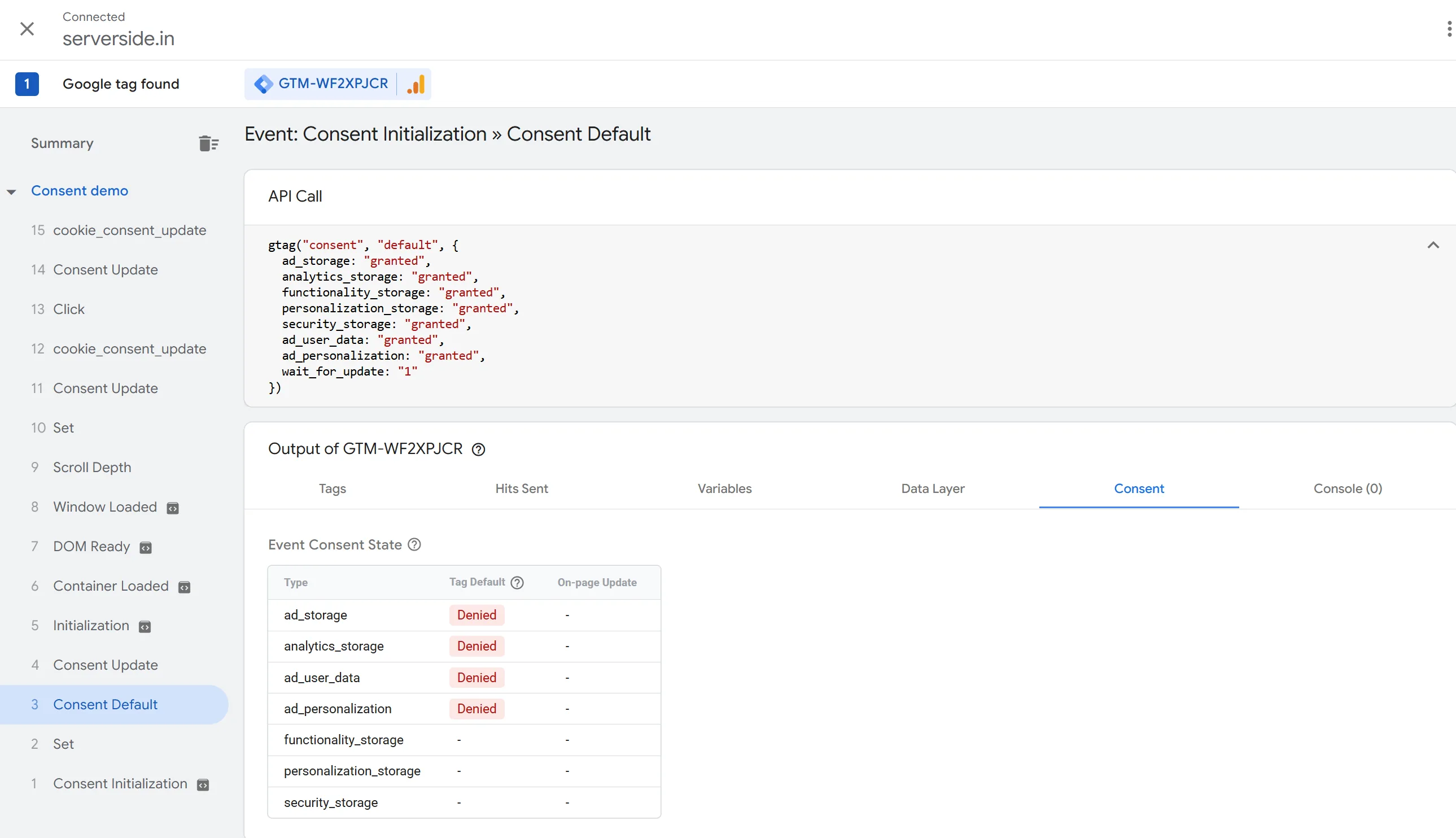
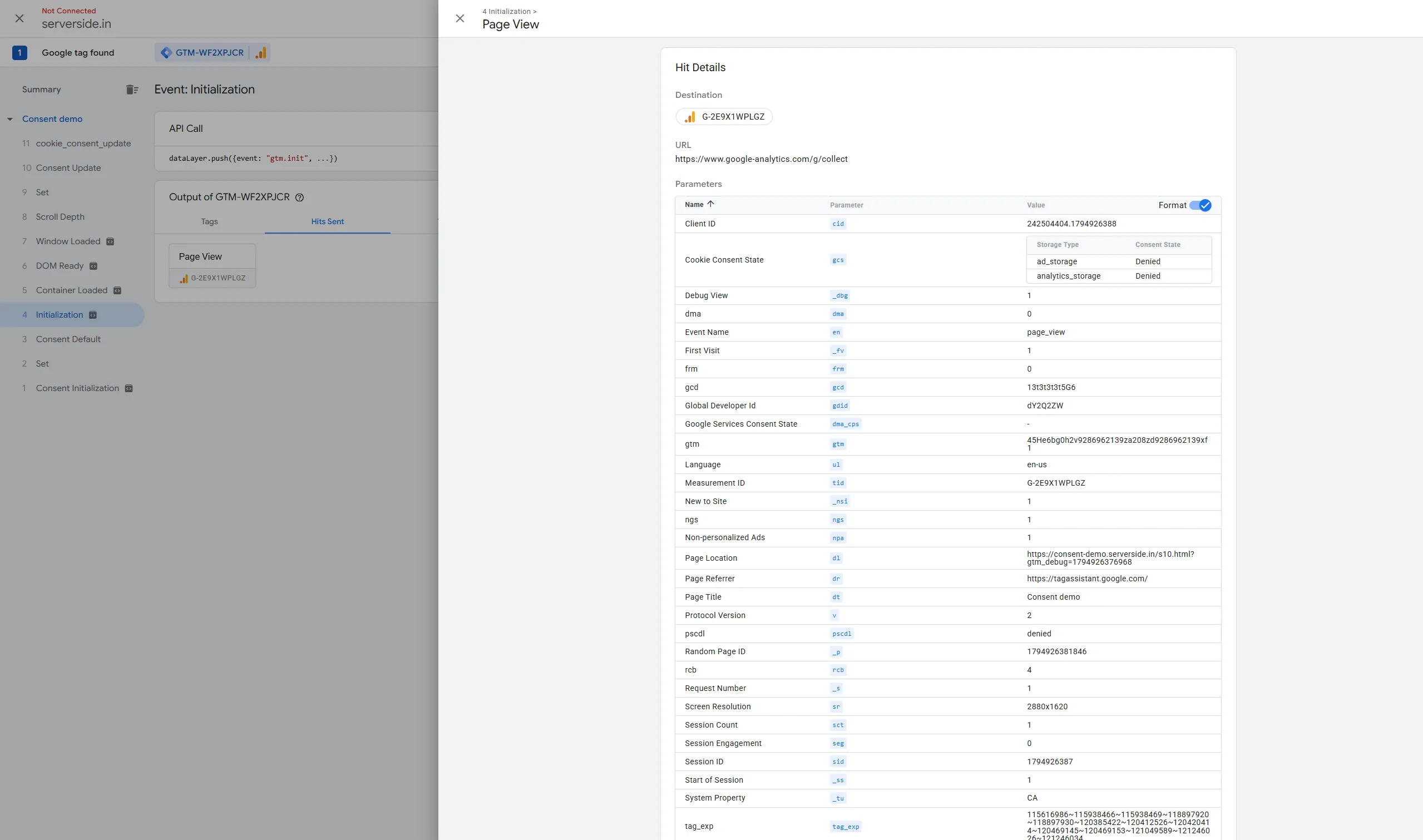
I also noticed that Google Override applies only to ad_storage, analytics_storage, ad_user_data, and ad_personalization. The other three signals that CookieYes sends, functionality_storage, personalization_storage, and security_storage, still had the value CookieYes set, which was granted in this run. So if a non-Google tag in your container depends on one of these three signals, Google Override does not change anything for that tag.
Consent setup observations
The setups in this section all looked normal in the GTM interface, and in most of them the final consent state in Tag Assistant was also correct. The problem only showed up when I looked at the order of events or the hits themselves, so I wrote each one up with what I set up, what Tag Assistant listed, and what the hit carried.
The CookieYes tag on the wrong trigger
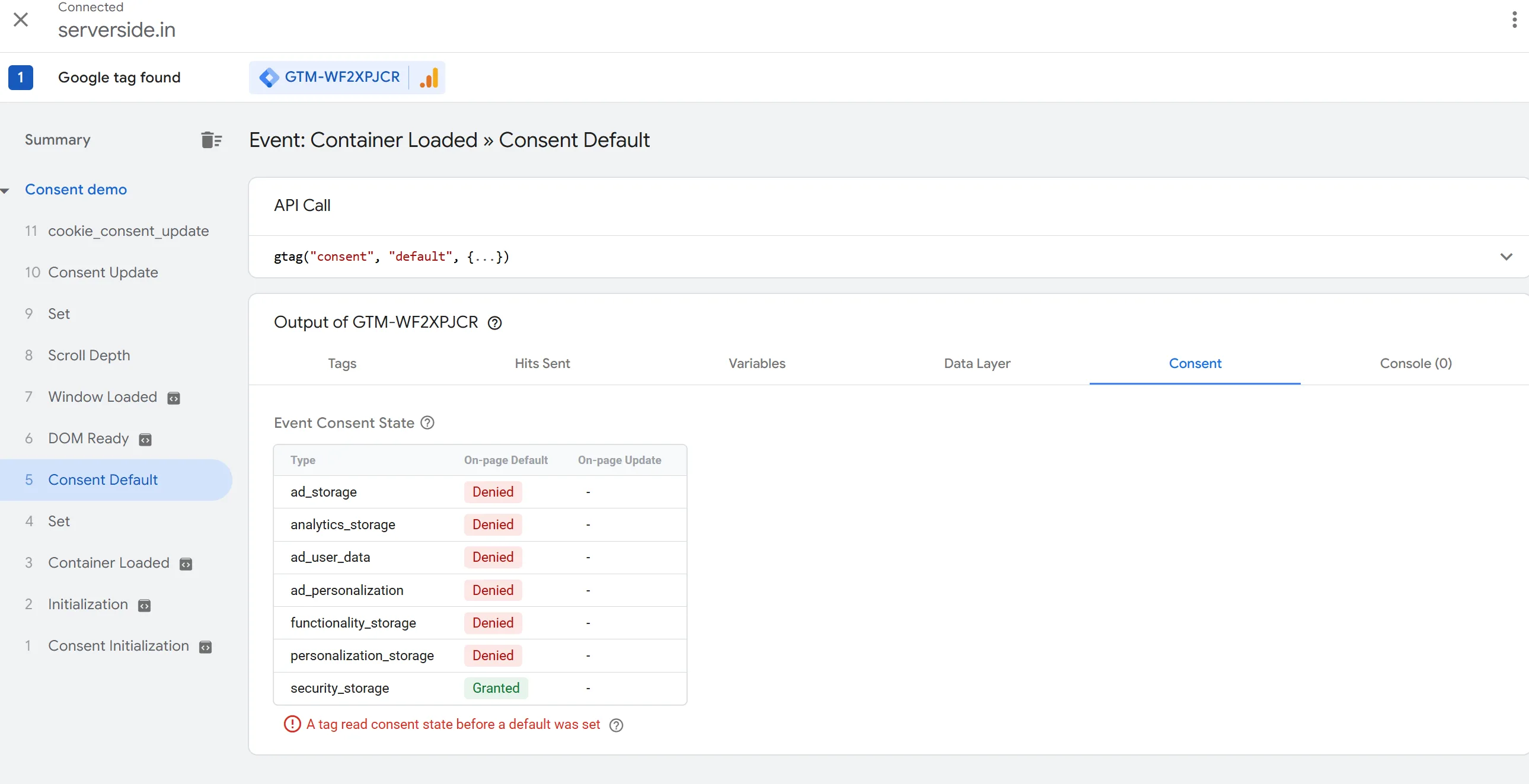
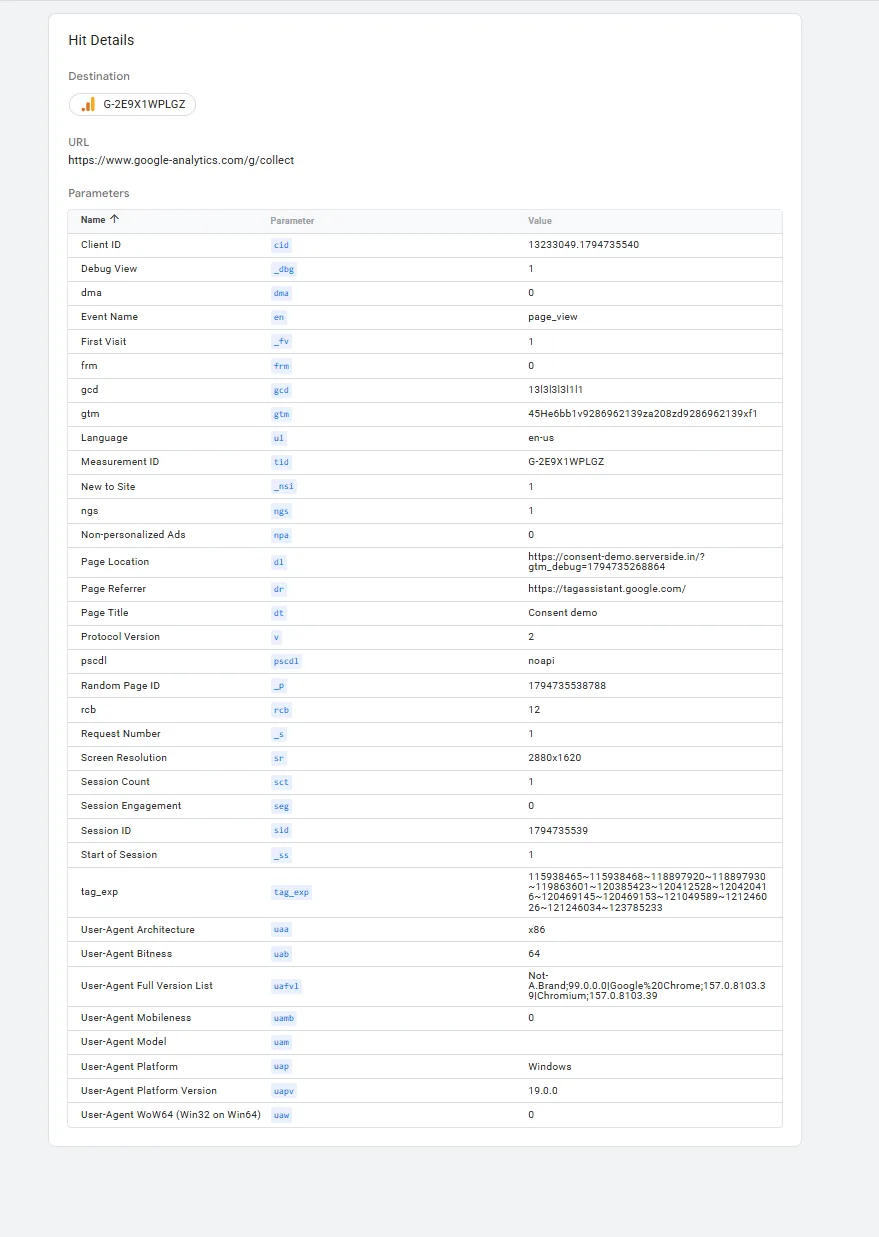
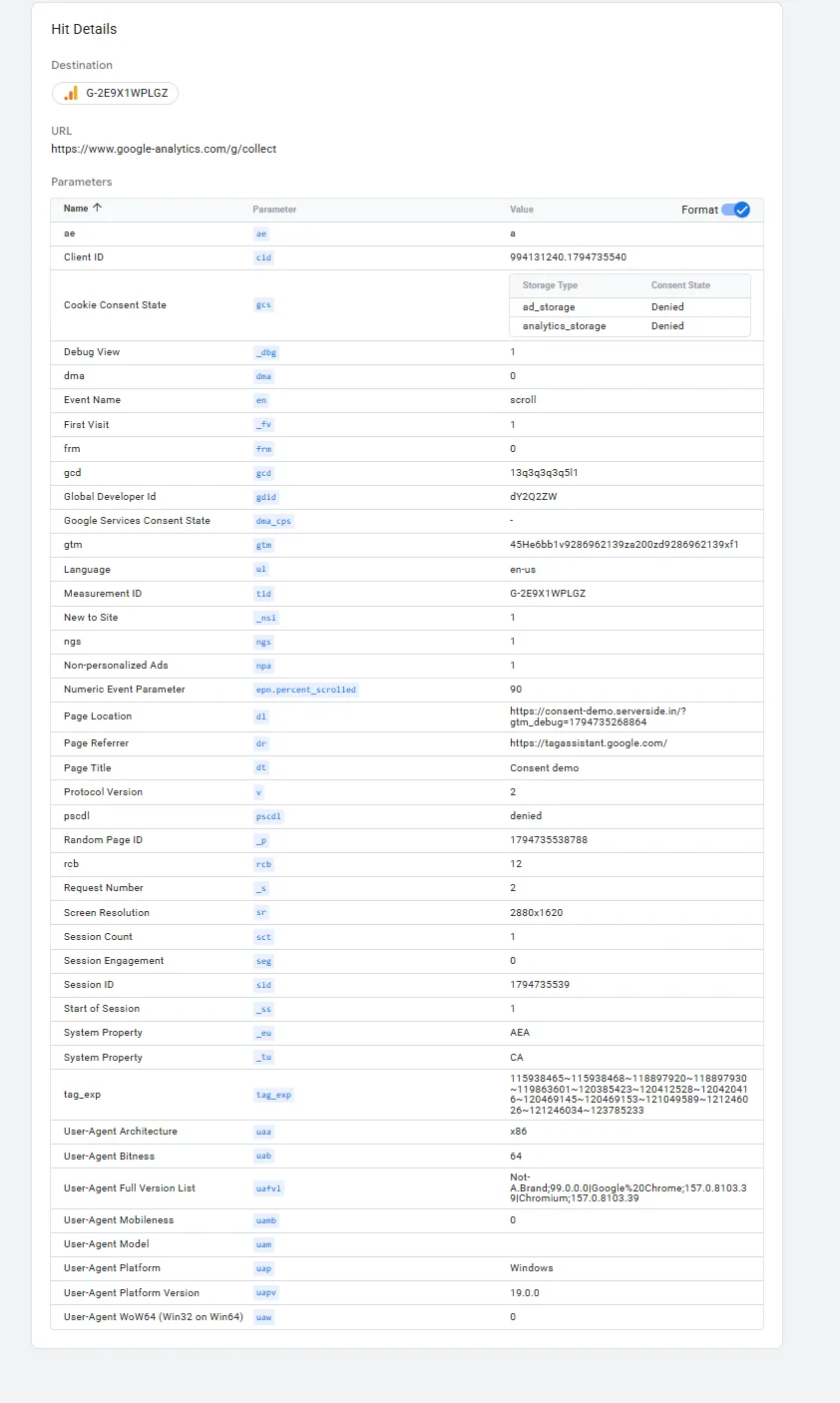
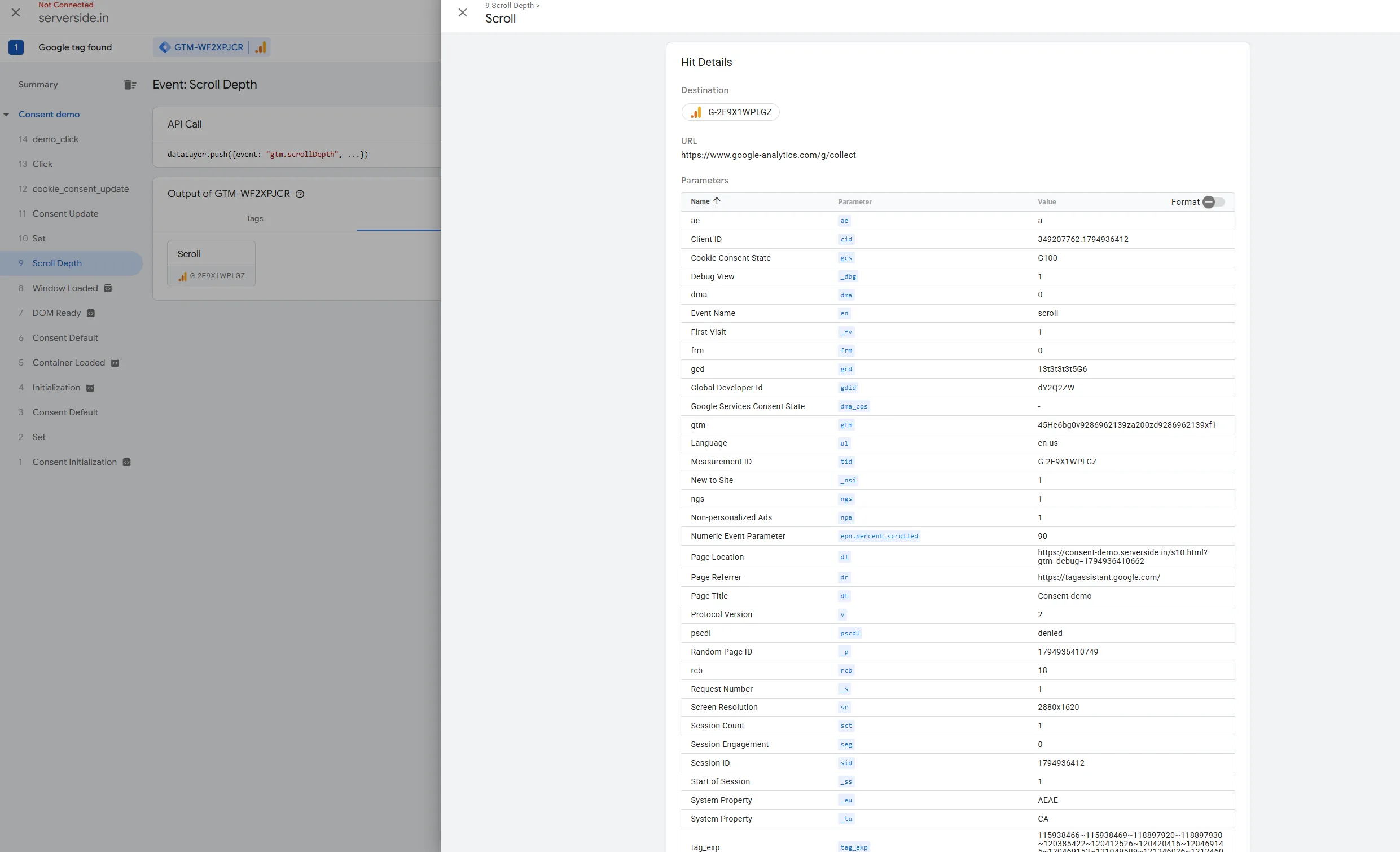
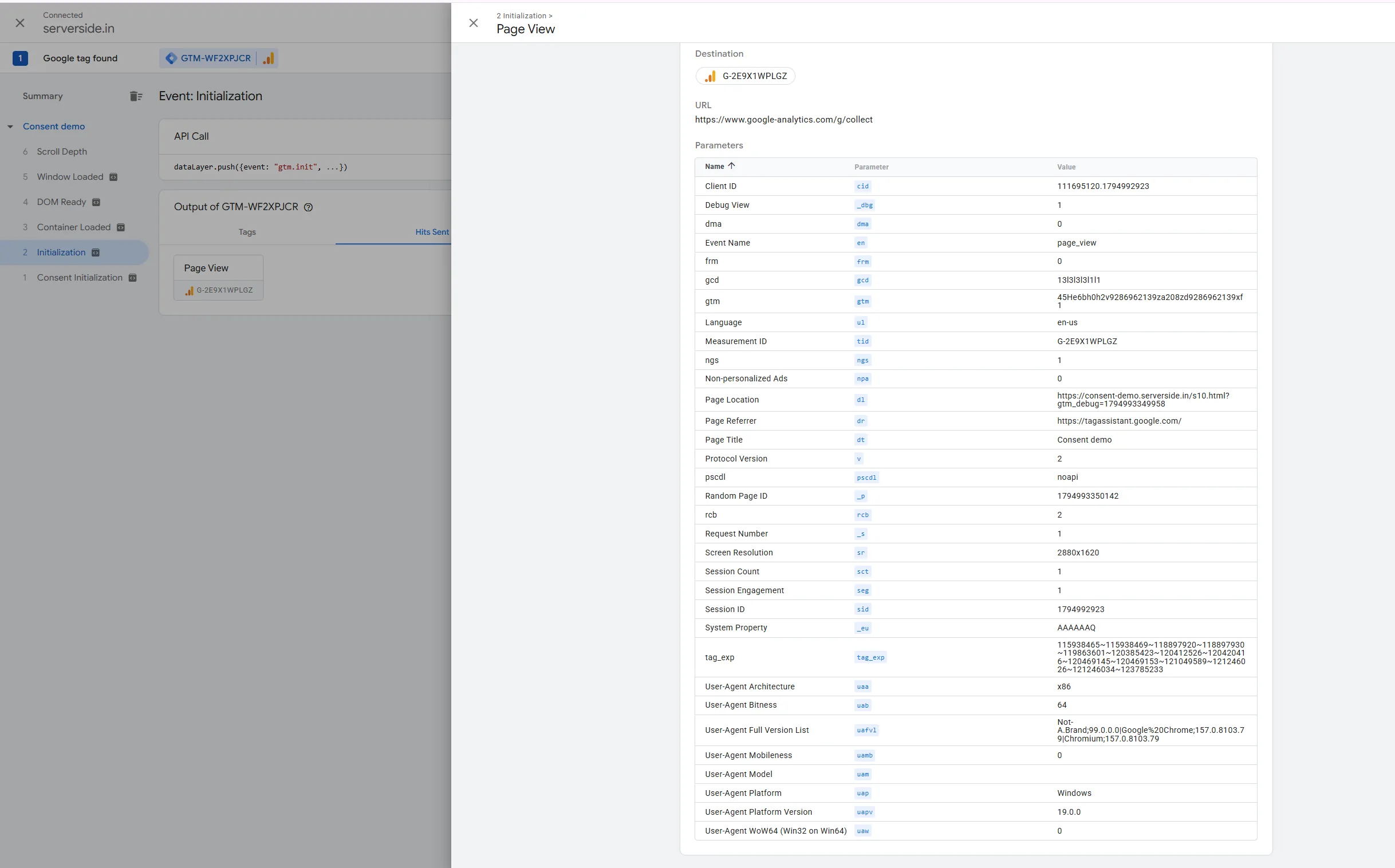
In this test, I moved the CookieYes tag from the Consent Initialization trigger to the Page View trigger. I left the GA4 Google tag on Initialization, which is an easy mistake to make when copying a tag setup from another container. Tag Assistant listed Consent Initialization as event 1, Initialization as event 2, Container Loaded as event 3, and the Consent Default only at event 5, after the Google tag had already fired. The values in that default were correct, with everything denied except security_storage, but they were applied too late, and Tag Assistant displayed a red warning on that event with the text “A tag read consent state before a default was set”. The page_view hit had no gcs at all, with npa=0 and pscdl=noapi, which means it was sent with no consent signal and no restriction. The scroll hit that came later on the same page carried gcs=G100 and npa=1 because the default was in place by then; on a single page load, the first hit was unrestricted and the second was denied.
A consent default set after a delay
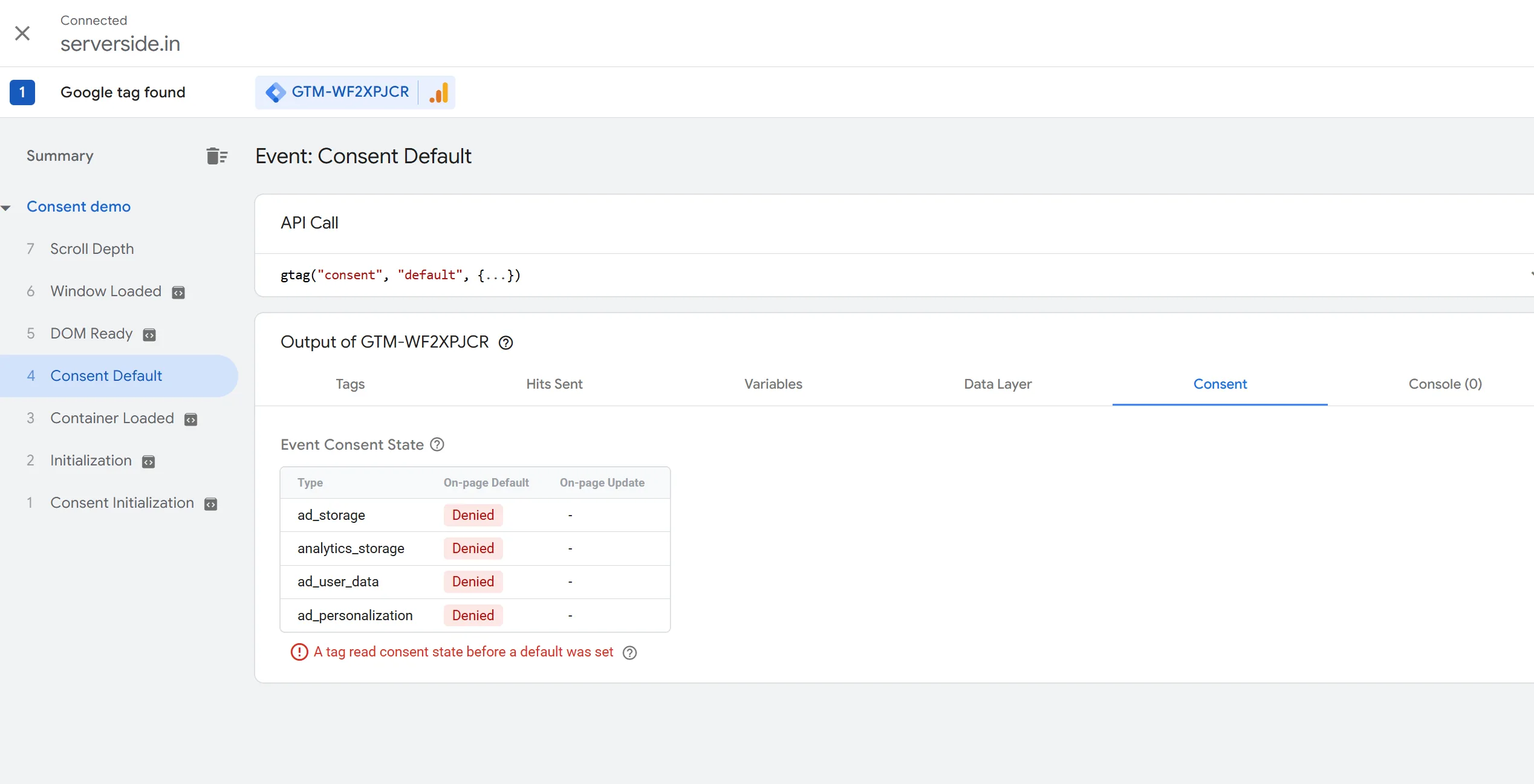
Next, I paused the CookieYes tag and put a full four-signal Page Default above the GTM snippet, but wrapped it in a setTimeout of 1,500 milliseconds, which is a common pattern in scripts that depend on another library loading first. The values were right, with all four signals denied. Still, Tag Assistant listed the Consent Default at event 4, after Initialization at event 2, and displayed the same red warning as in the previous test. The first page_view hit was again sent without gcs.
A Page Default placed below the GTM install snippet
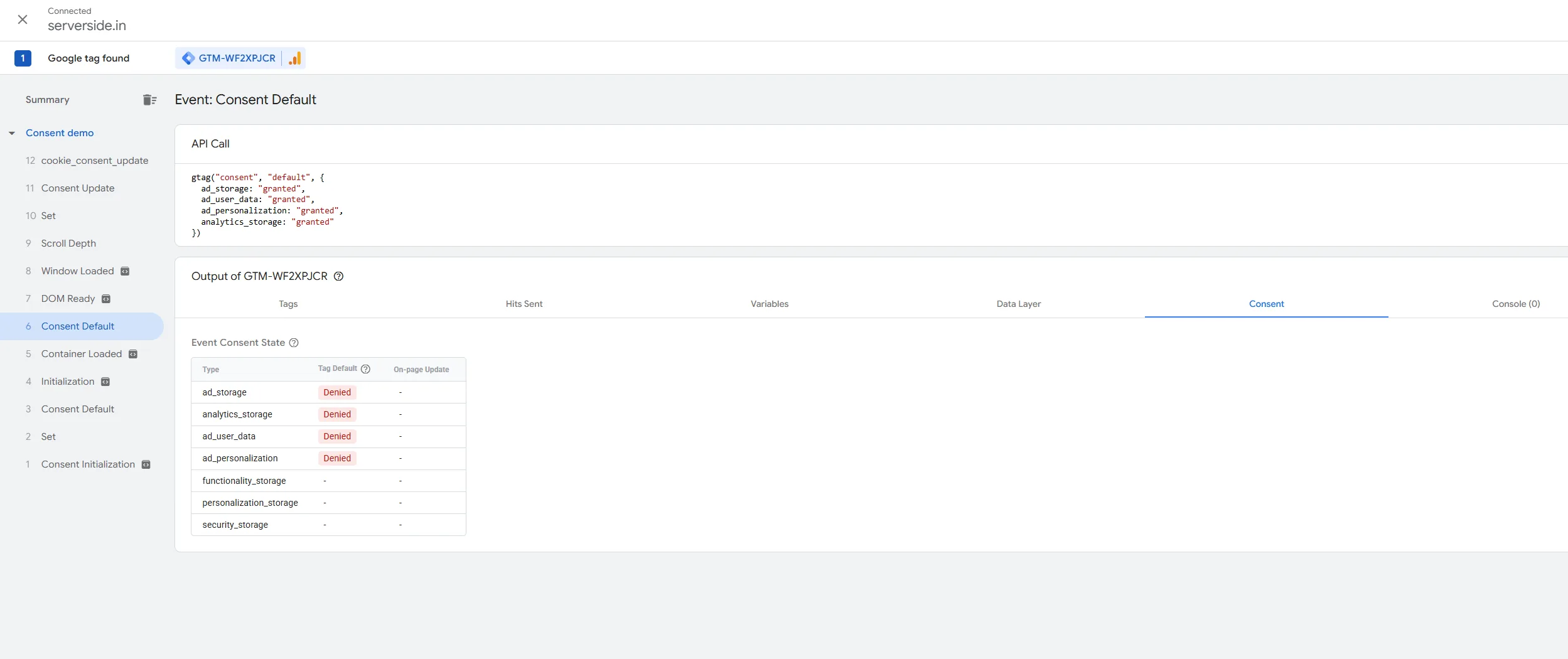
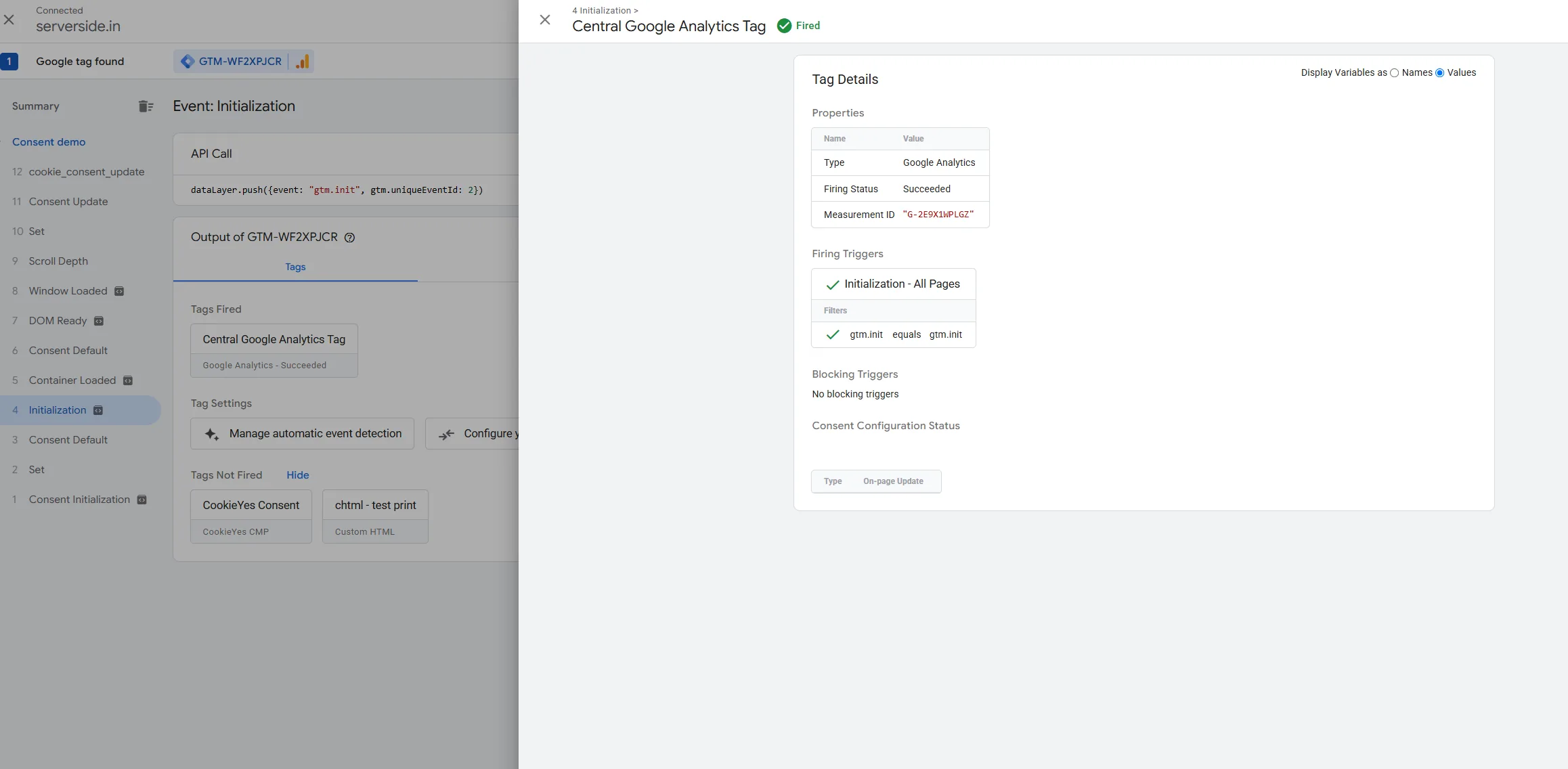
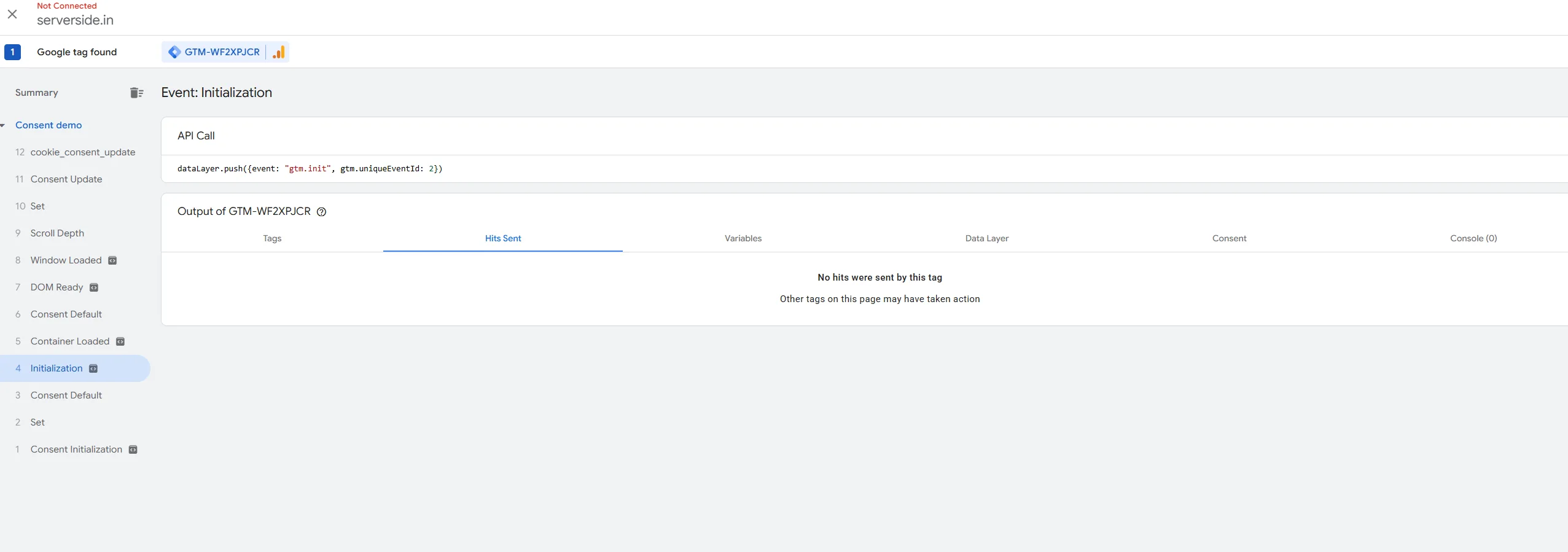
The new GTM install snippet is short, and it is tempting to paste a Page Default just below it. When I did that, Tag Assistant listed the Page Default at event 6, after Initialization at event 4 and Container Loaded at event 5, so the Google tag had already fired before the default was applied. My guess, which I have not tested, is that the snippet pushes the gtm.js event to the dataLayer first, so a gtag call placed after it is queued behind that event.
With Google Override also switched on, the first load of the page, with no CookieYes cookie in the browser, did not send a page_view at all. The first request sent from the browser was the enhanced measurement scroll event, and it carried the first-visit and session-start flags (_fv, _nsi, and _ss) that the page_view would normally carry. On a reload, with the cookie present, the page_view was sent. When I switched Google Override off, or removed the late Page Default, the page_view was sent on the first load as well, and moving the Page Default above the snippet also fixed it with Google Override still on. I don’t know why the page_view is missing with this combination, so I wouldn’t claim that new visitors never get one. In my tests, it needed both settings together on a first load, and keeping the Page Default above the GTM snippet avoided it.
A default that does not include all four signals
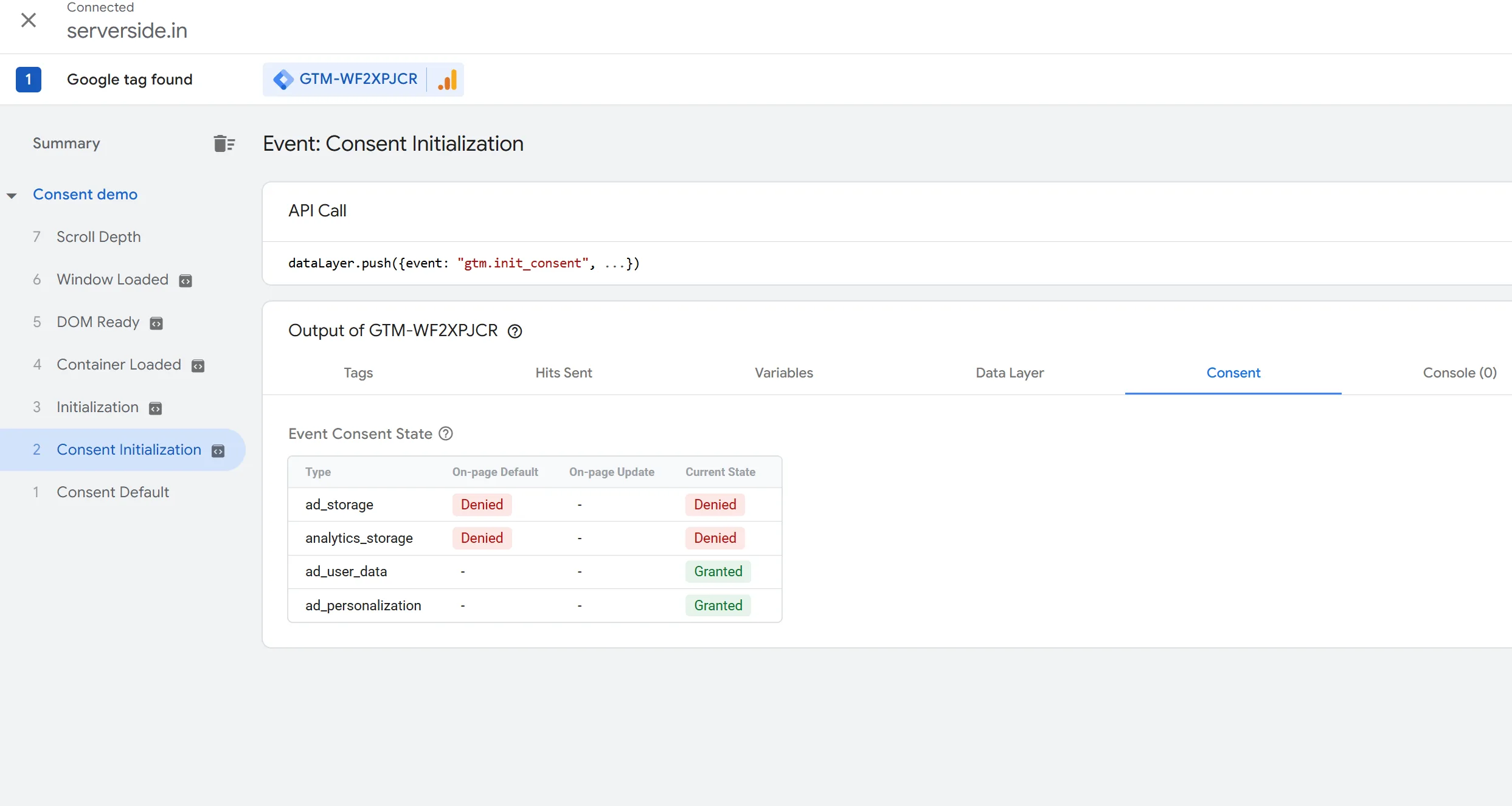
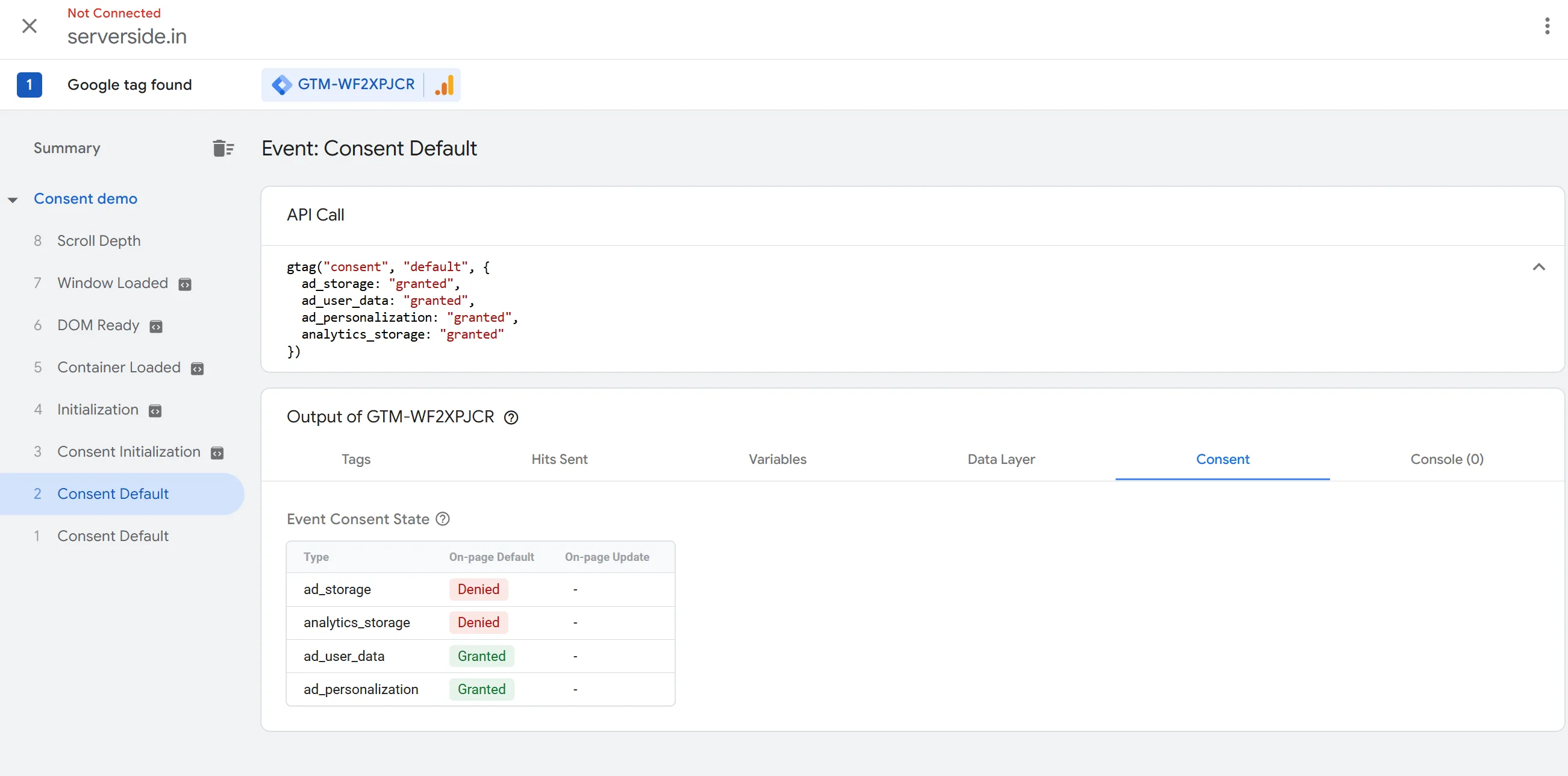
Consent Mode v2 has four main signals, and older setups often set only the first two. I ran a Page Default with only ad_storage and analytics_storage set to denied. In the Consent tab, On-page Default showed denied for those two and a dash for ad_user_data and ad_personalization, and Current State on the Consent Initialization event showed denied, denied, granted, and granted. A signal that is left out of the default was treated as granted. I have not found this stated in Google’s documentation, so I am reporting it from the Consent tab only.
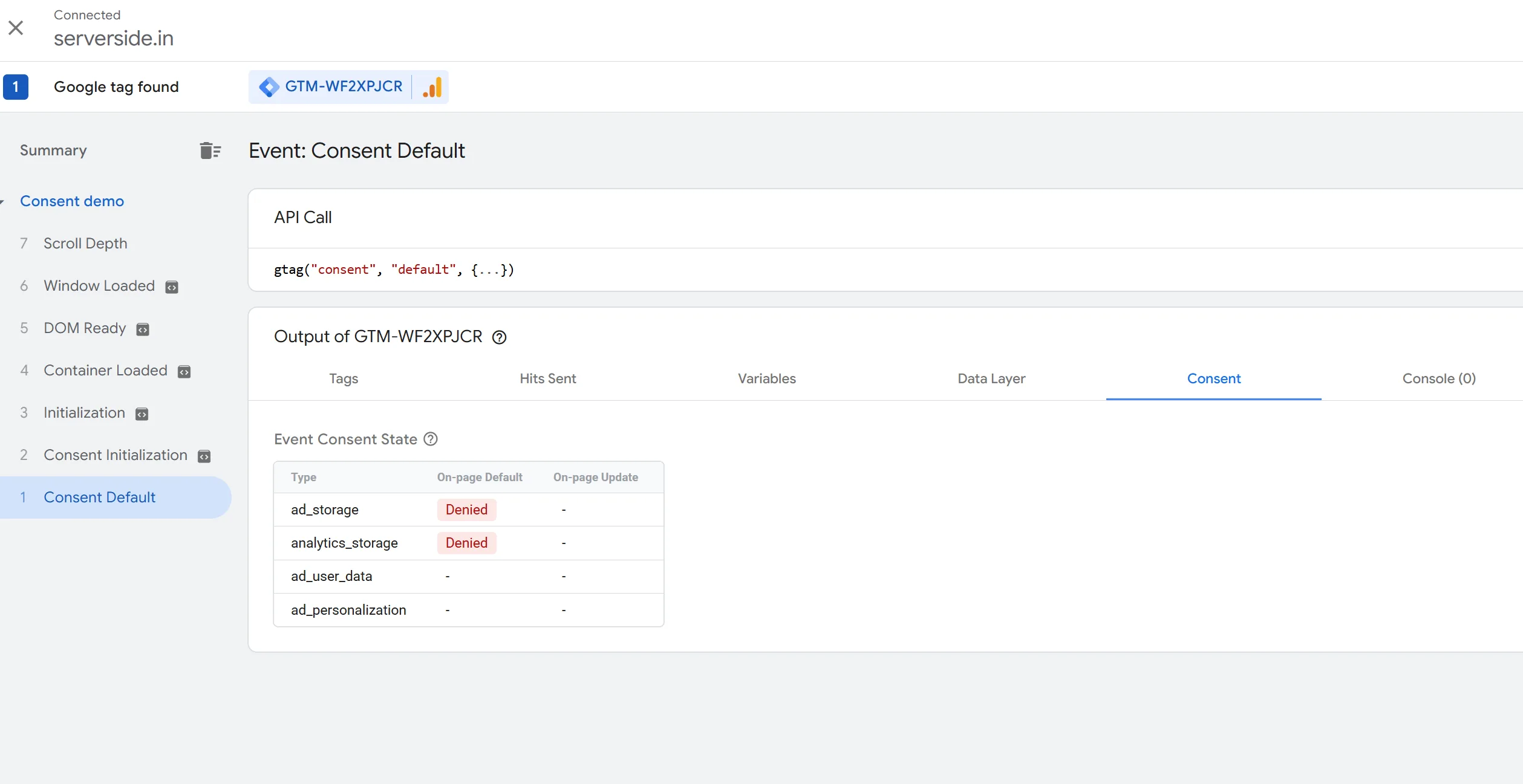
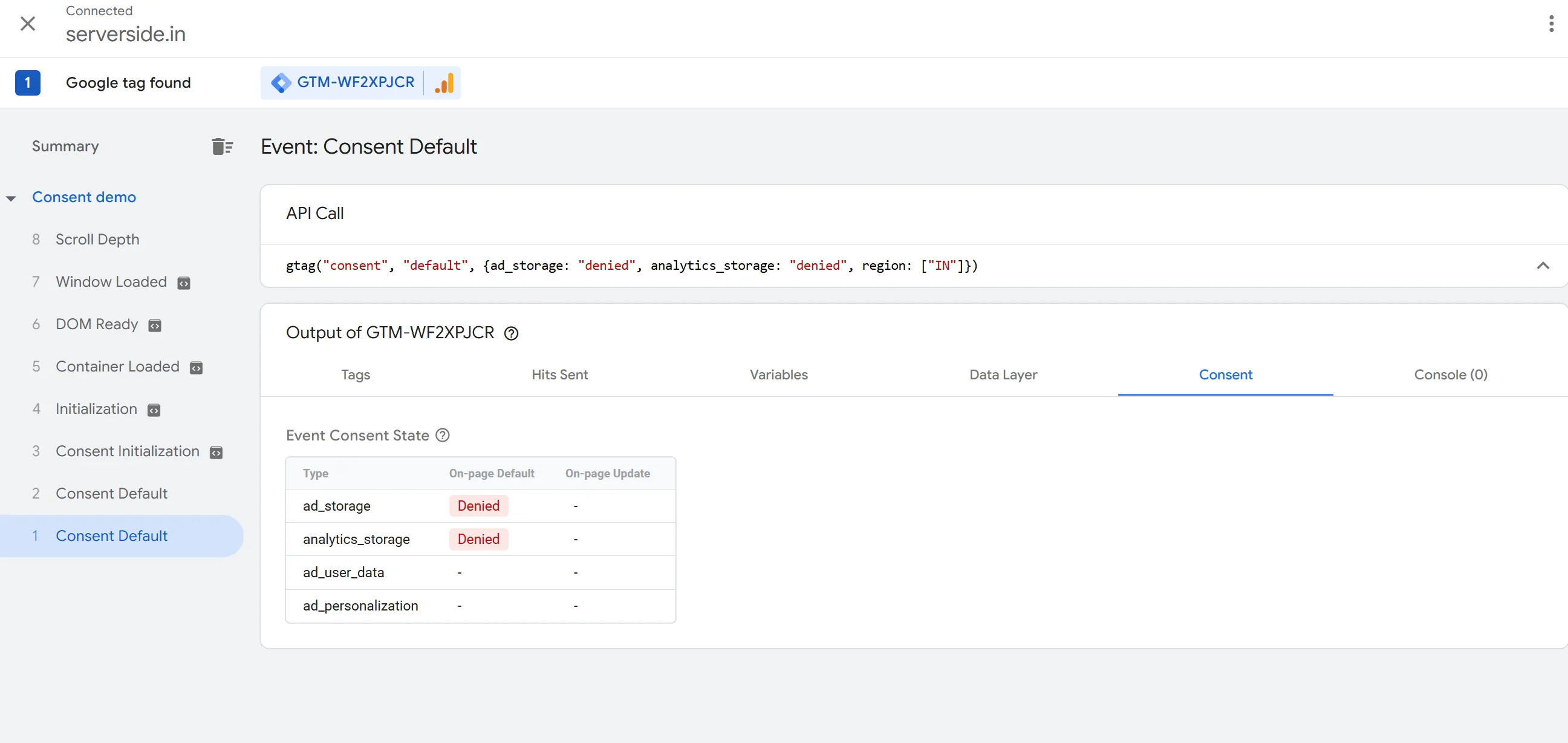
The same thing happened with a regional default. I set a default for the region IN with only ad_storage and analytics_storage denied, followed by a global default with all four signals granted. Since I ran the test from India, the regional default was applied to me for the two signals it listed, and ad_user_data and ad_personalization were set to granted by the global default, which is the opposite of what anyone writing a regional default would intend. The fix in both cases is to list all four signals in every default.
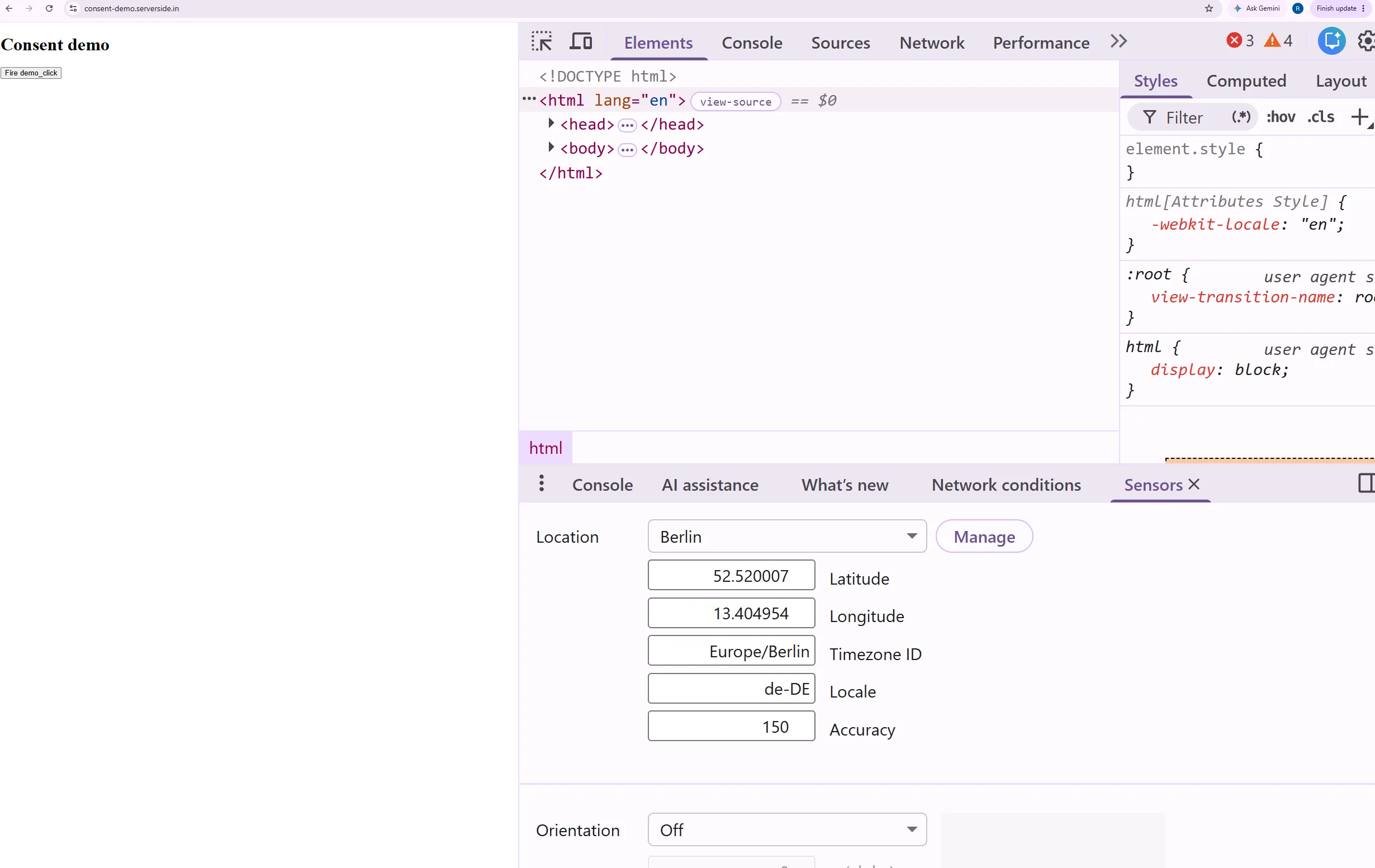
While testing regions, I also tried changing the browser’s location to Berlin in Chrome DevTools (Sensors), with a regional default for DE and FR. The browser reported a German time zone and locale, but the visitor was still handled as outside those regions, which suggests the region is determined outside the browser. In a later test through a VPN exit in Germany, the hits carried dma=1, which means Google treated the visit as coming from a DMA region. I did not repeat the DE and FR regional default test through the VPN, but if you need to test a regional default, a VPN exit in that country is the method that worked for me, and the Sensors panel is not.
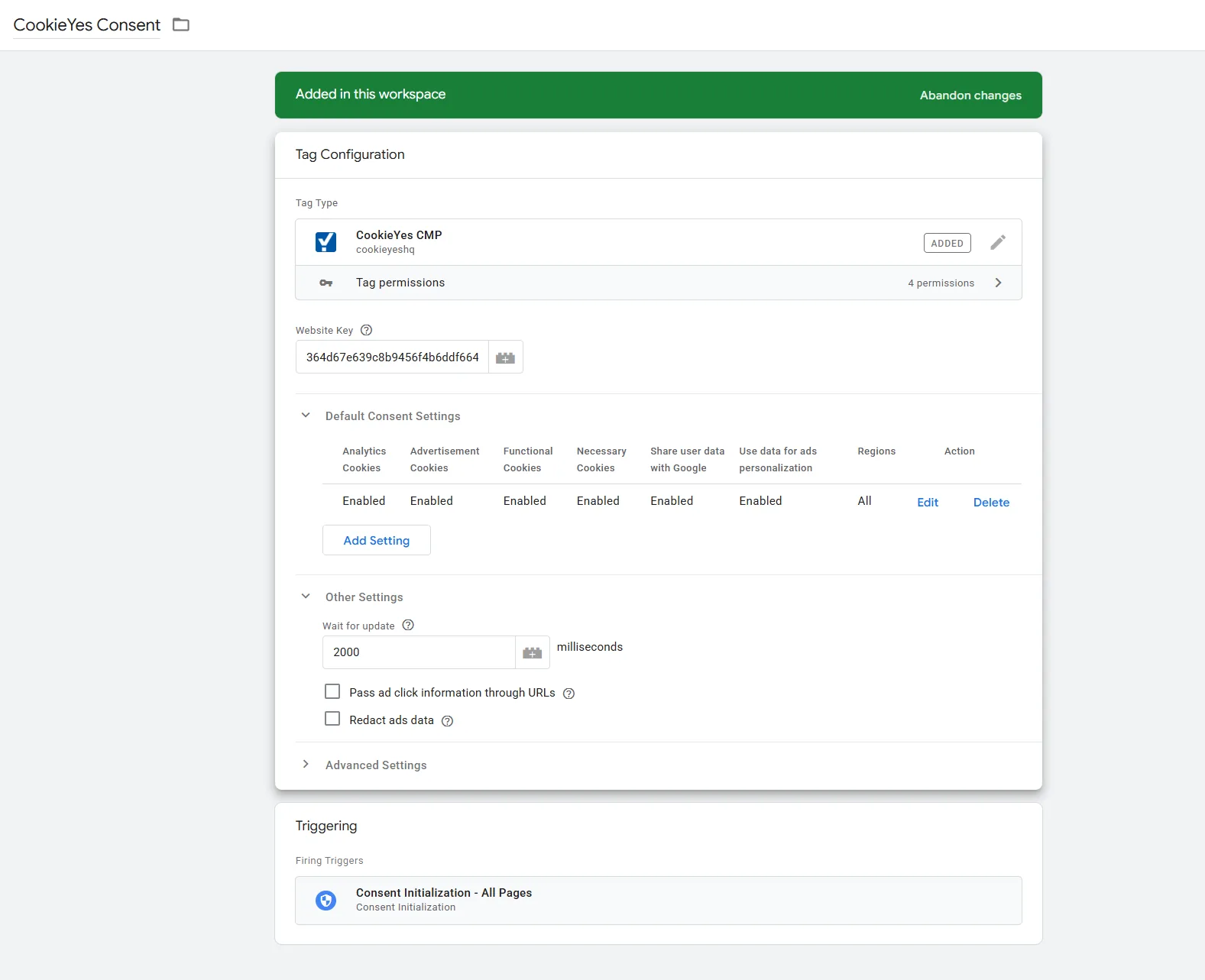
The CookieYes Default Consent Settings row is set to granted
In my very first run, Tag Assistant displayed a default of granted for everything and then a consent update fired that denied everything except security_storage, without anyone clicking the banner. The cause was in the CookieYes tag in GTM, where the Default Consent Settings row was set to Enabled for all categories, and CookieYes then applied its own initial state as a denied update. The result was denied, so the setup looked fine at a glance, but between the default and the update, the state was granted. Setting the default row to Disabled for everything except Necessary fixed it, and it is the first thing I now check in any CookieYes setup.
CMP Bridge switched off
With the CookieYes tag on and Support GCM switched off in the CookieYes dashboard, the CMP Default was still applied, but there were no consent updates after it, either on page load or after I clicked Accept. After the click, the cookieyes-consent cookie changed to consent: yes, with every category set to yes, so CookieYes had stored the choice. However, Tag Assistant showed no Consent Update and no cookie_consent_update event, and the On-page Update column stayed empty. When I switched Support GCM back on, the next page load sent the stored choice as an update, and the state changed to granted.
This failure does not cause over-collection. It causes the opposite, because the denied default remains in place for every visitor who accepted, and you lose measurement without any error showing in GTM.
Two consent updates on every page load
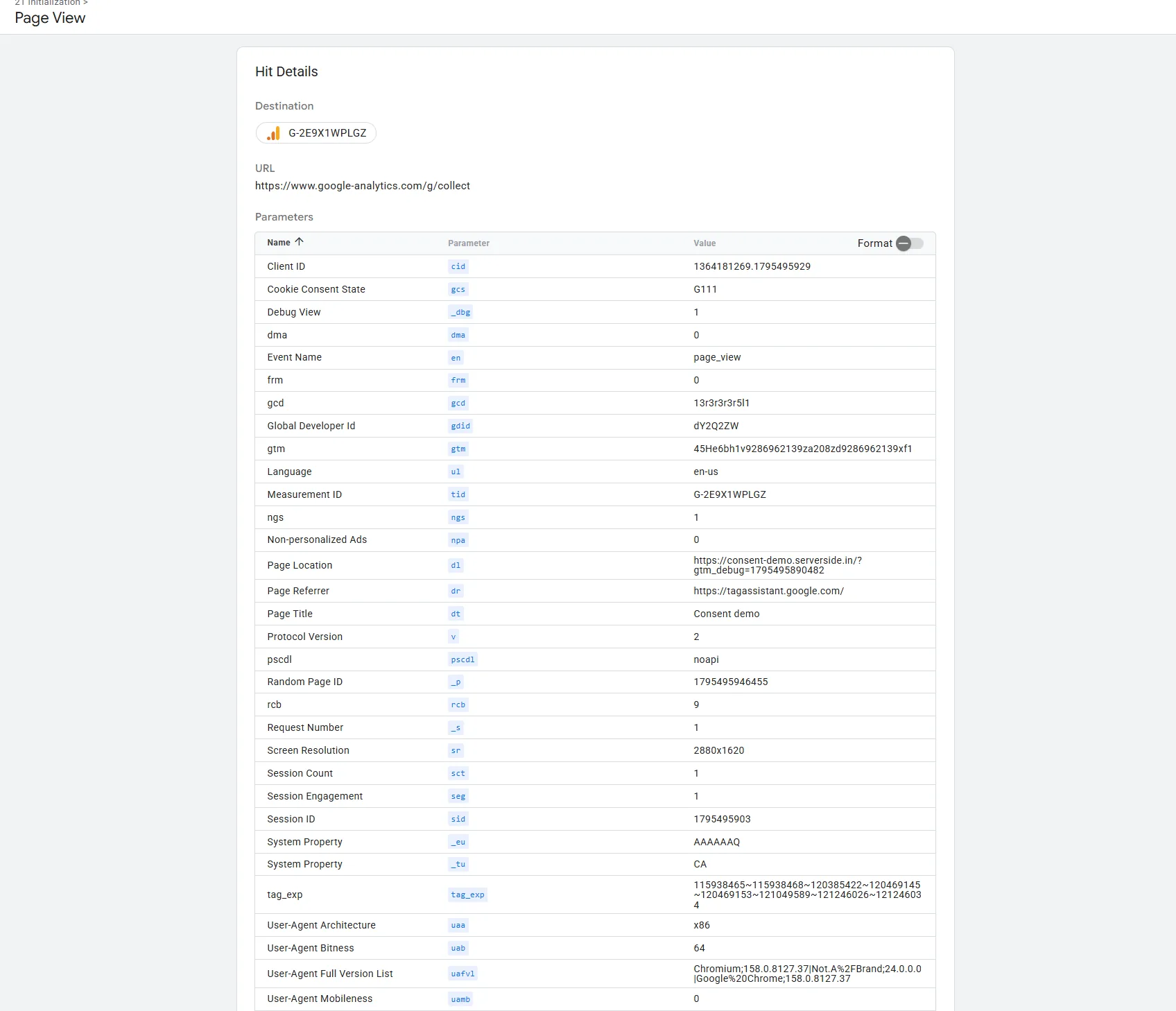
In a working CookieYes setup, if you observe the series of consent-related tags, Tag Assistant displays two consent updates on every page load: one before Initialization and one after the page finishes loading; a cookie_consent_update event follows the second in the dataLayer. The risk is when the two updates carry different values, because the later update is the one applied.
Non-Google tags with no consent requirement
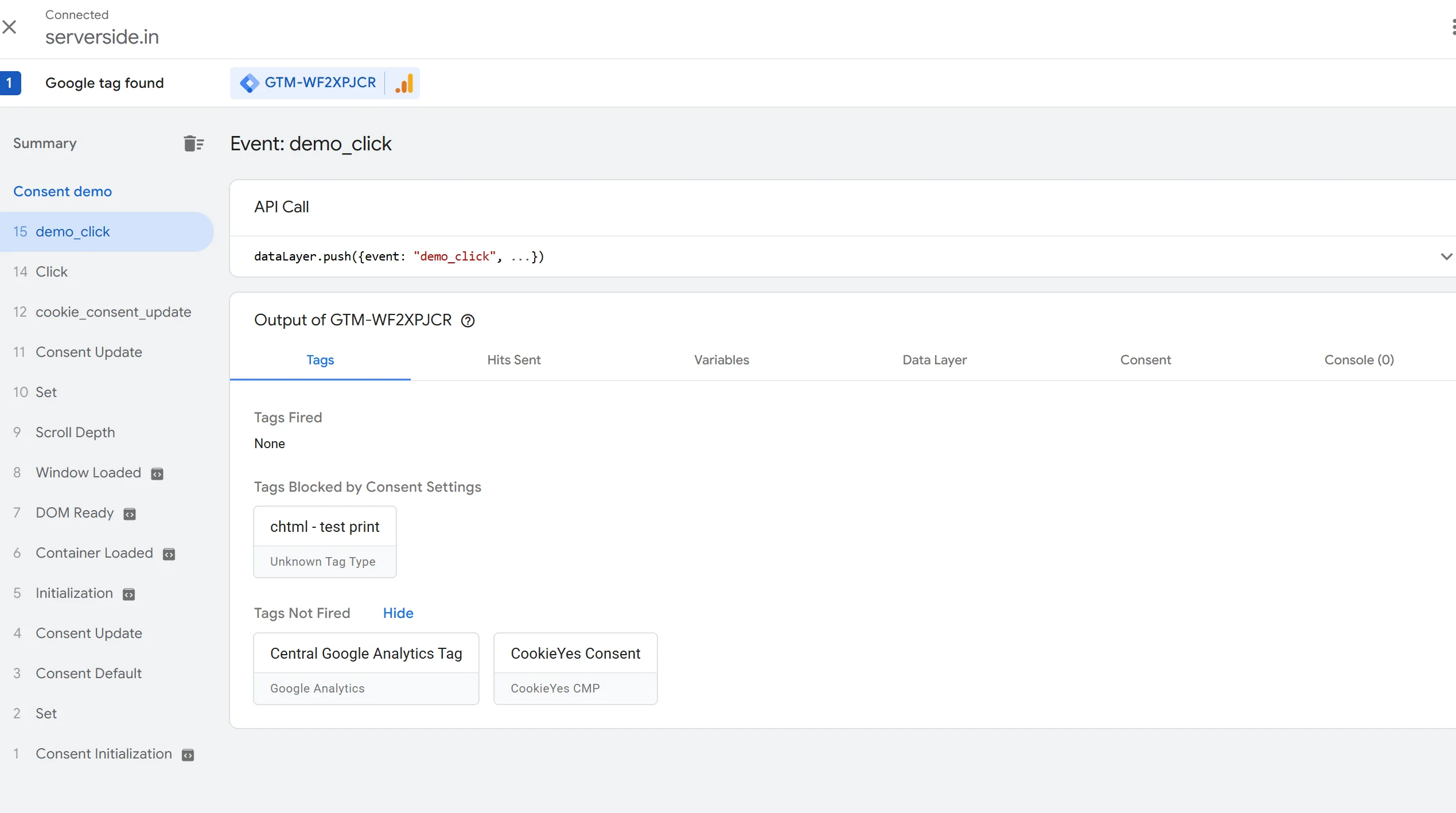
Google tags have consent checks built in, but other tags in the container do not. I set up a Custom HTML tag that only writes a line to the console, fired it on a button click, and left its consent setting at No additional consent required, and it fired while consent was denied. When I changed it to require analytics_storage, the tag did not fire, and Tag Assistant listed it under Tags Blocked by Consent Settings for that click event. A CMP sets the consent state for the page, but each non-Google tag still needs its own consent requirement, and the Tags Blocked by Consent Settings list is the place to check that the requirement is working.
Two checks that can be misleading
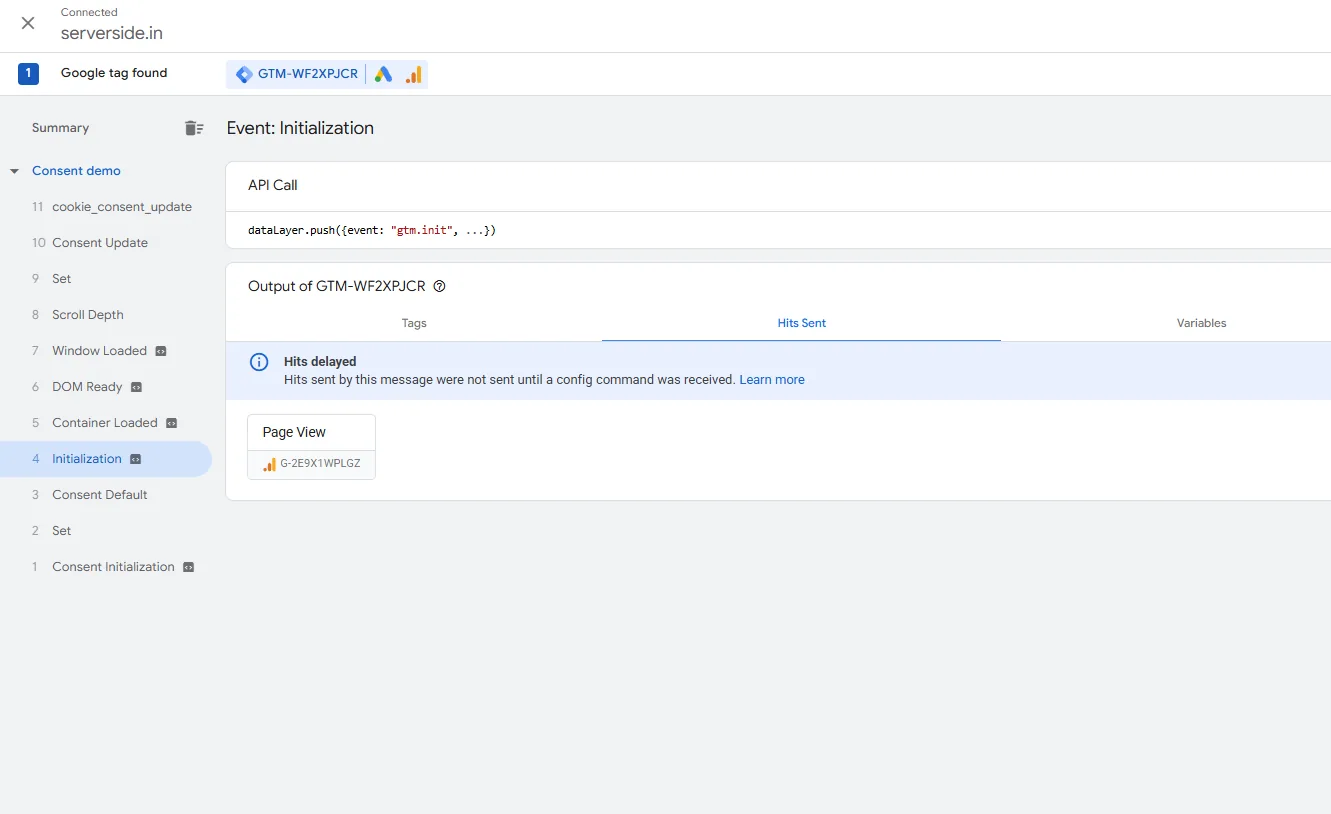
The first check is the tag status in Tag Assistant. When I switched on the Transmission Filter option that prevents advertising data, the Google Ads tag was still listed as Succeeded under Tags Fired, but no request to Google Ads was sent from the browser, and Hits Sent listed only the GA4 page_view. A tag marked Succeeded means that the tag fired, and it does not mean that a request was sent.
The second check is the GA4 report. As I mentioned in the test setup section, the denied pings did not appear in GA4’s views, while a page with no consent mode at all sent an unrestricted page_view that did appear in GA4. A blank report does not prove that the tag is broken, and a full report does not prove that consent is working, so Hits Sent and the Network tab are the two places I would trust.
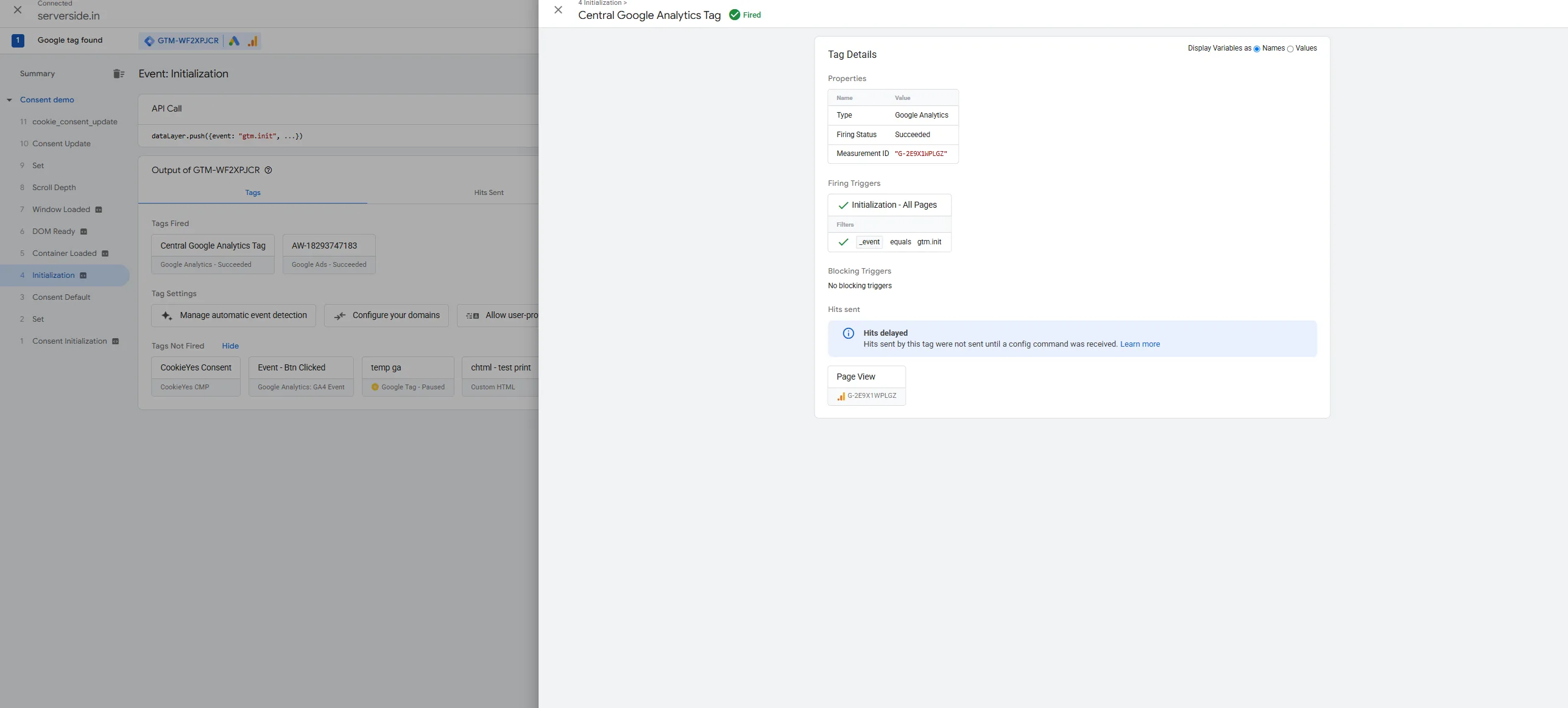
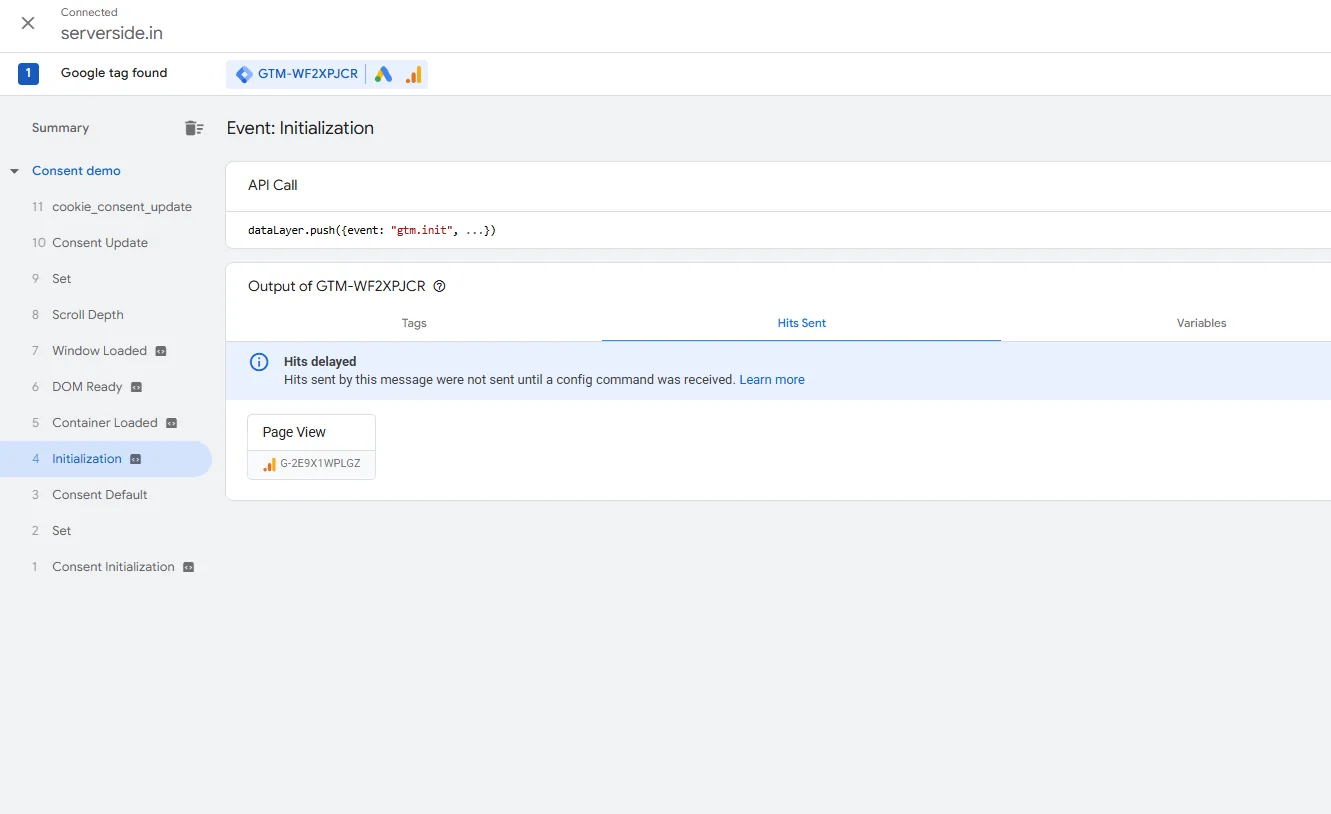
What a hit contains when consent is denied
Google describes the requests sent while consent is denied as cookieless pings. According to its help page, when analytics_storage is denied, no Analytics cookies are set, accessed, or read, and the pings are anonymized and non-identifiable Google Analytics events used for modeling. The same page notes that fields such as user_id and custom dimensions are sent normally if you set them, so anything you add to an event is not removed by consent mode.
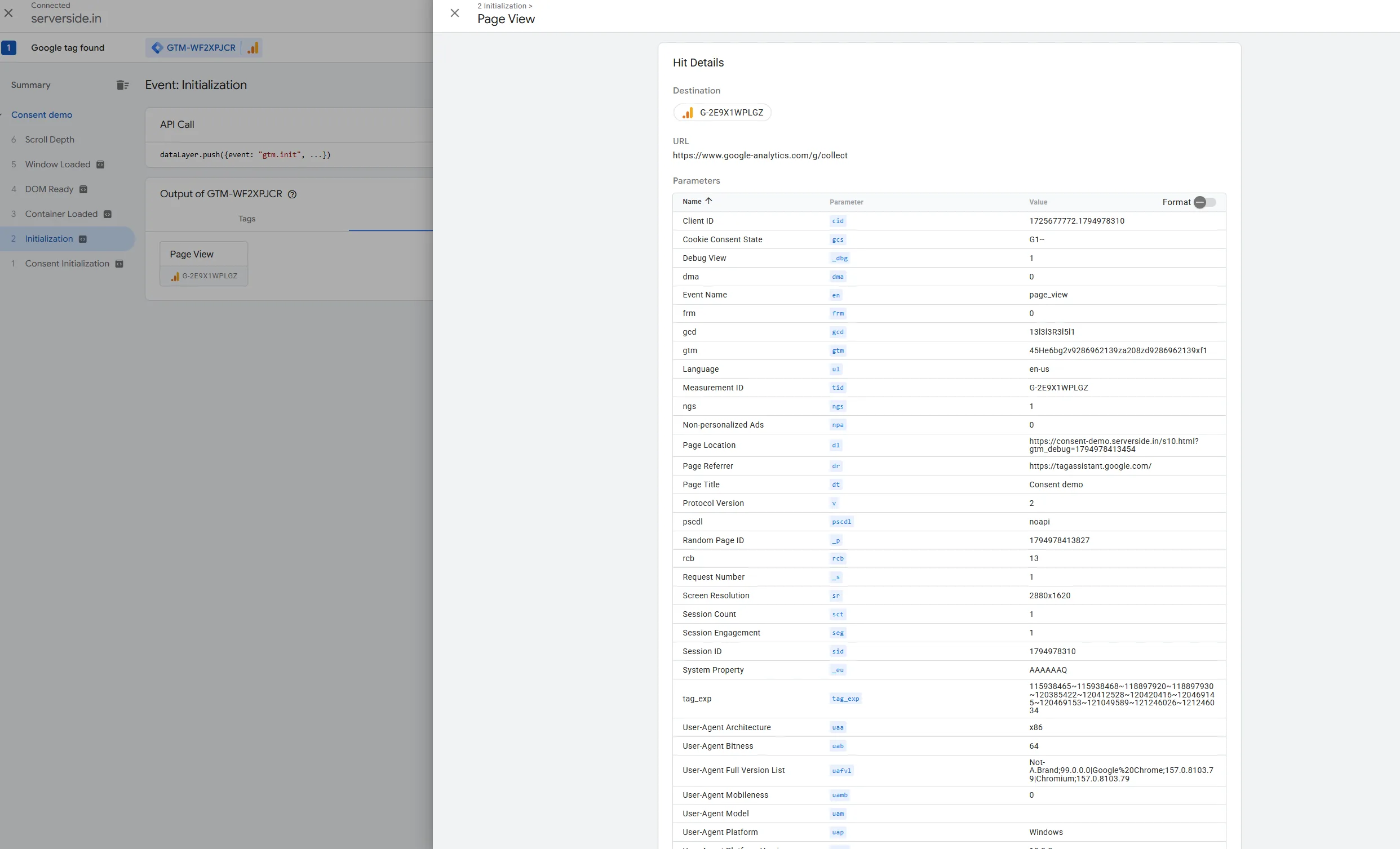
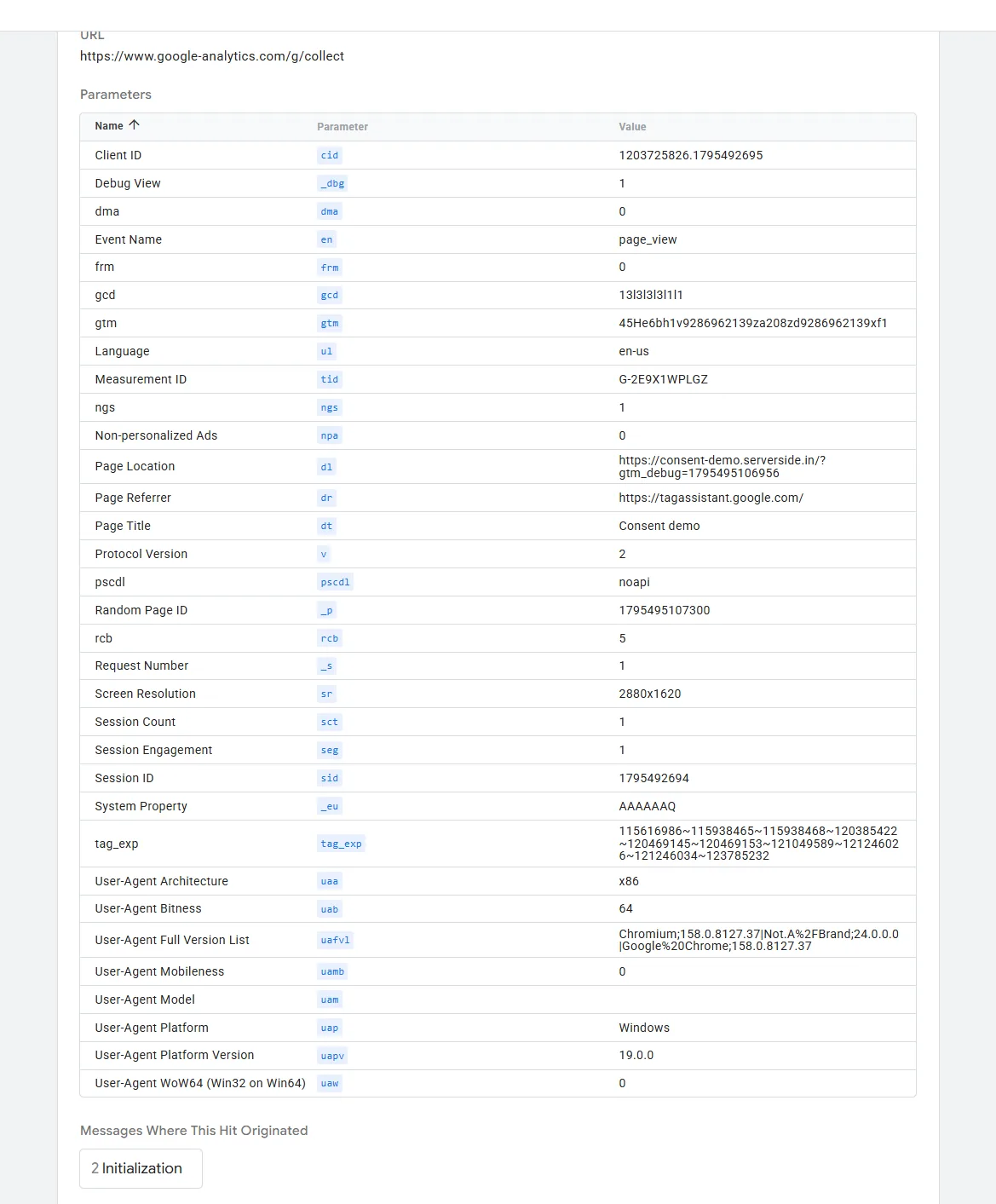
In my tests, the denied GA4 ping still carried quite a lot. Along with gcs=G100, npa=1, and pscdl=denied, it had a client ID (cid), a session ID (sid), the first-visit and session-start flags, the page location, referrer, and title, the screen resolution, the browser language, a random page ID, and the browser’s user agent details (architecture, bitness, platform, and version list). Custom events were handled the same way, and both the enhanced measurement scroll event and a button click event were sent as denied pings.
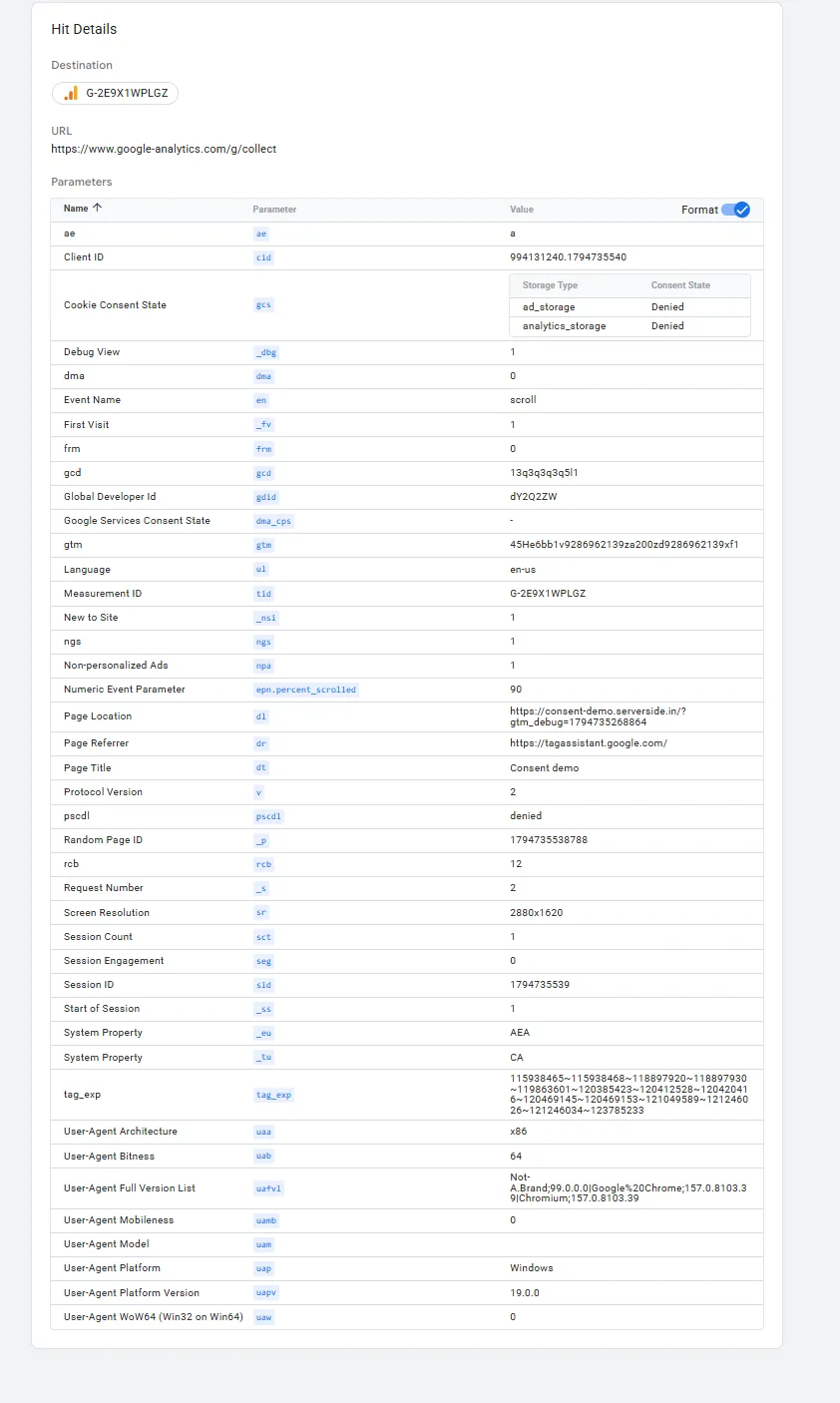
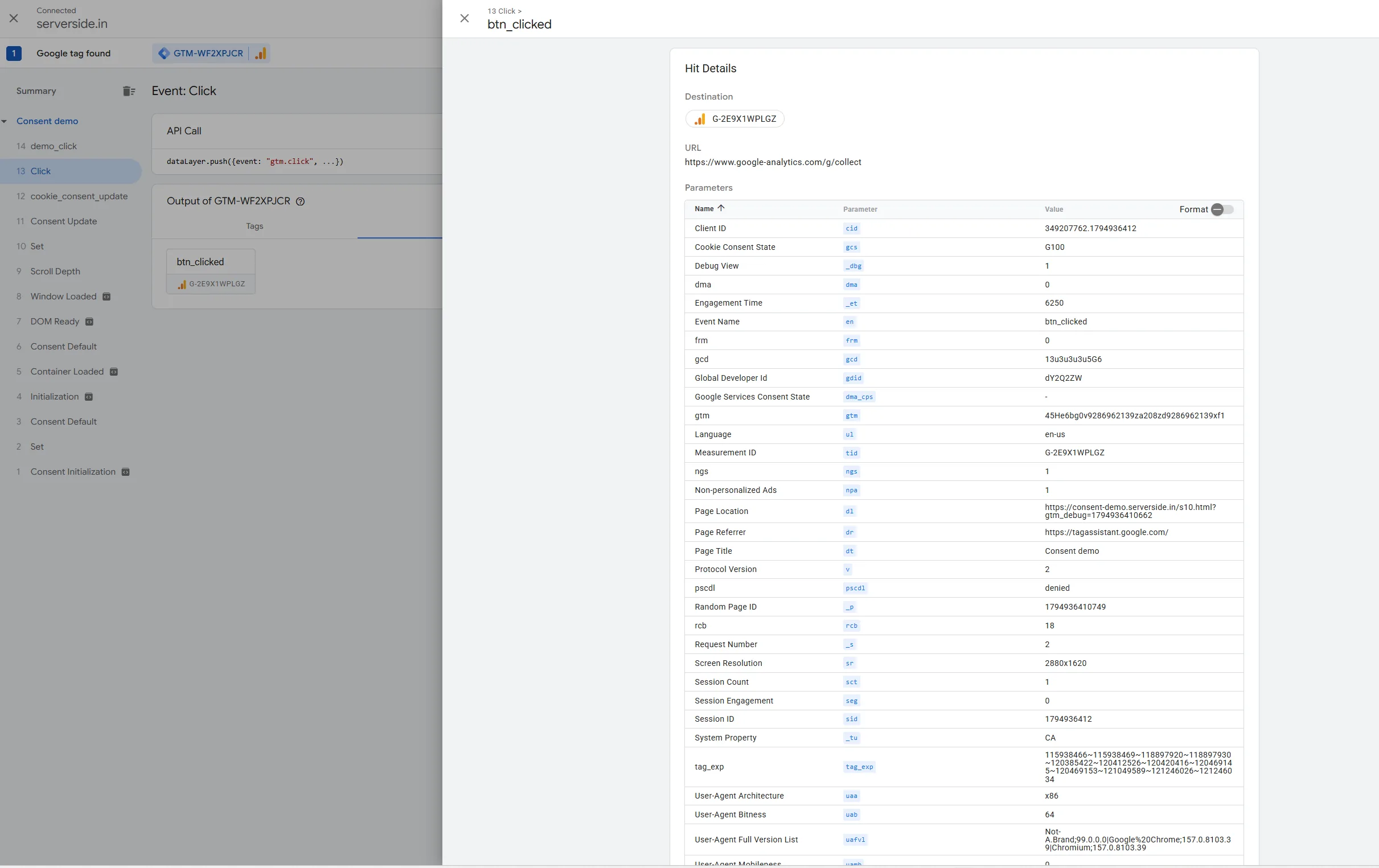
The client ID is the part I found most interesting. On two separate denied page loads in the same browser, the cid was different each time, which suggests that it was generated for the page load and not stored. However, when I clicked Accept on a denied page and reloaded, the hit after the reload carried the same cid and sid as the denied ping from before the click. So the ID that was created while consent was denied became the visitor’s regular client ID once they accepted. I didn’t check the _ga cookie at the moment of the click, so I am reporting this based on the matching IDs in the hits.
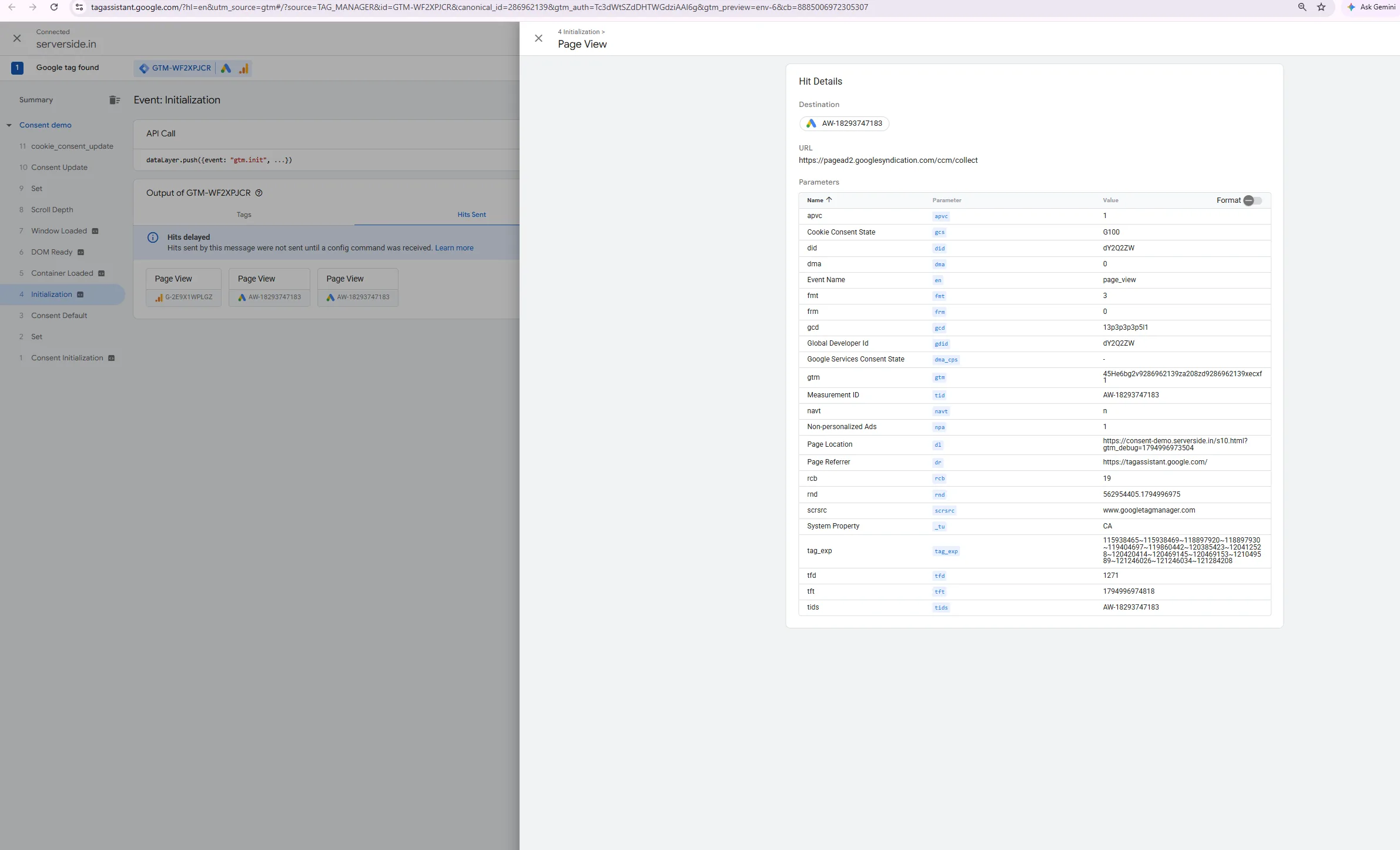
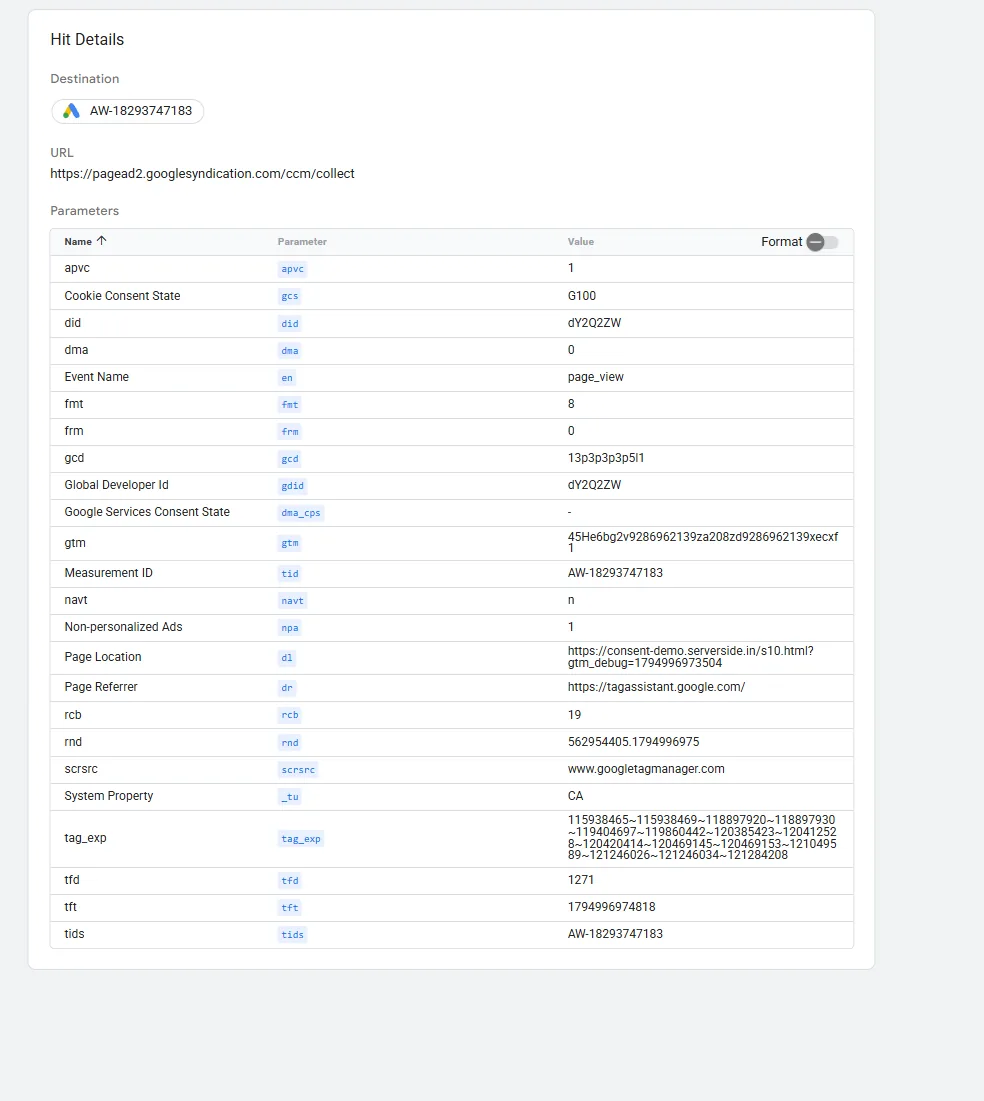
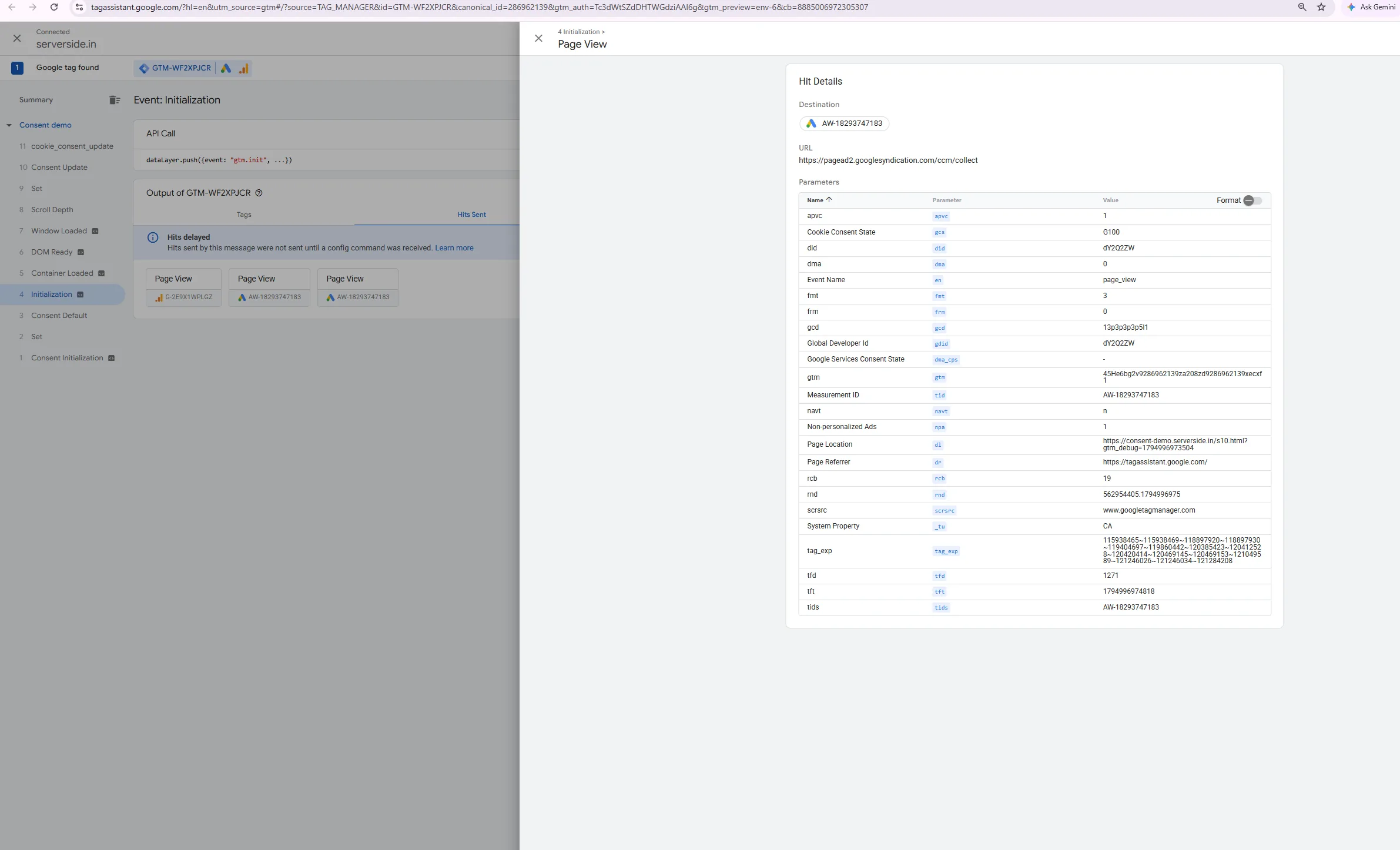
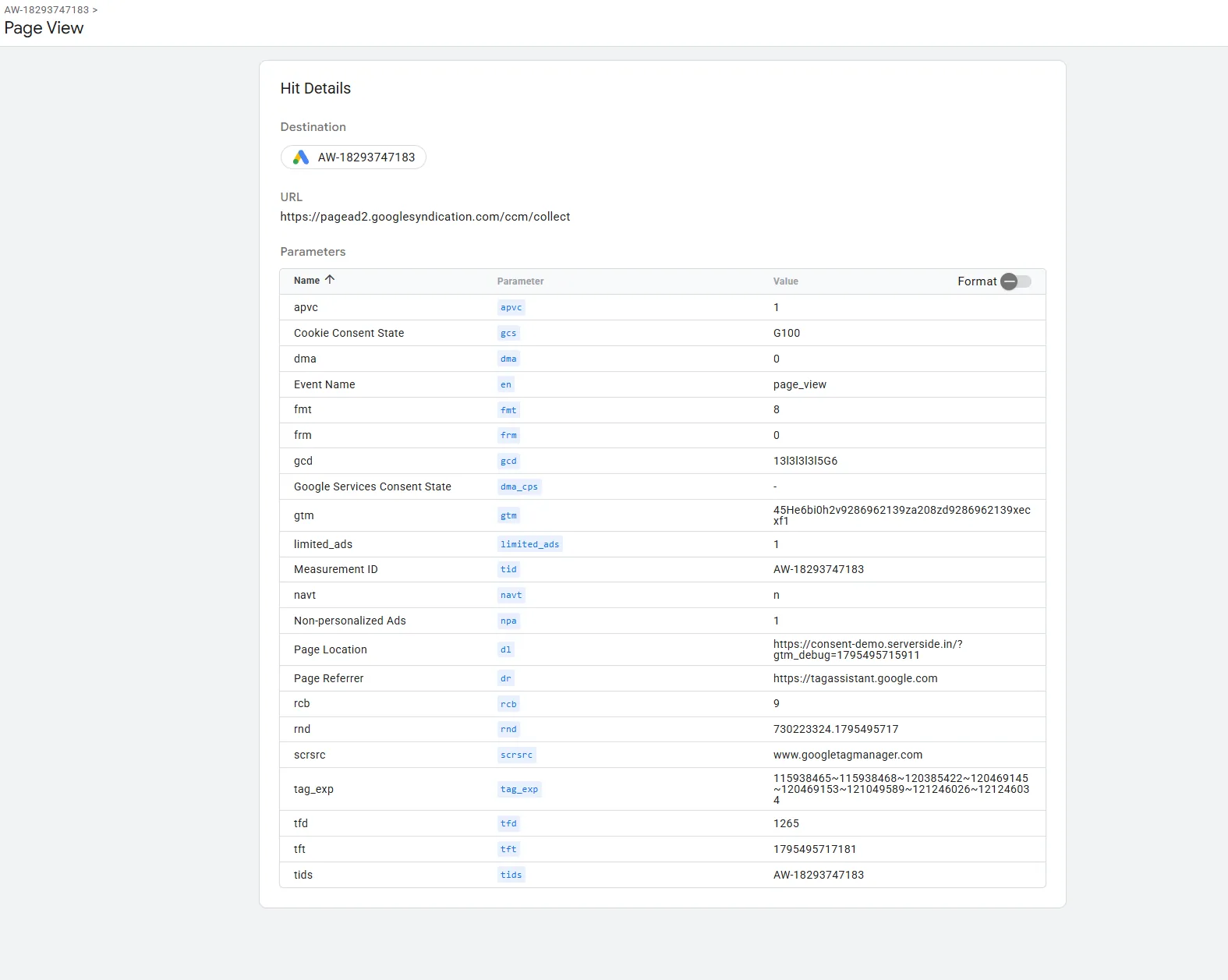
The Google Ads ping was much thinner. With CookieYes denying consent, the Google Ads tag sent its page_view to pagead2.googlesyndication.com/ccm/collect with gcs=G100, the gcd value, npa=1, the page location and referrer, a random number, timing values, and the conversion ID. It had no client ID, session ID, screen resolution, language, or user agent details. It still carried the full page URL and referrer, though, so any personal data that a site puts in its URLs would still be sent.
The Google Ads tag also sent this ping twice on every load, with identical values apart from a parameter called fmt, which was 3 in one request and 8 in the other. In the container code I saved, fmt is set by how the request is sent: 3 is an image pixel, and 8 is the browser’s fetch method, so the two requests are the same ping sent two different ways.
Data Marking
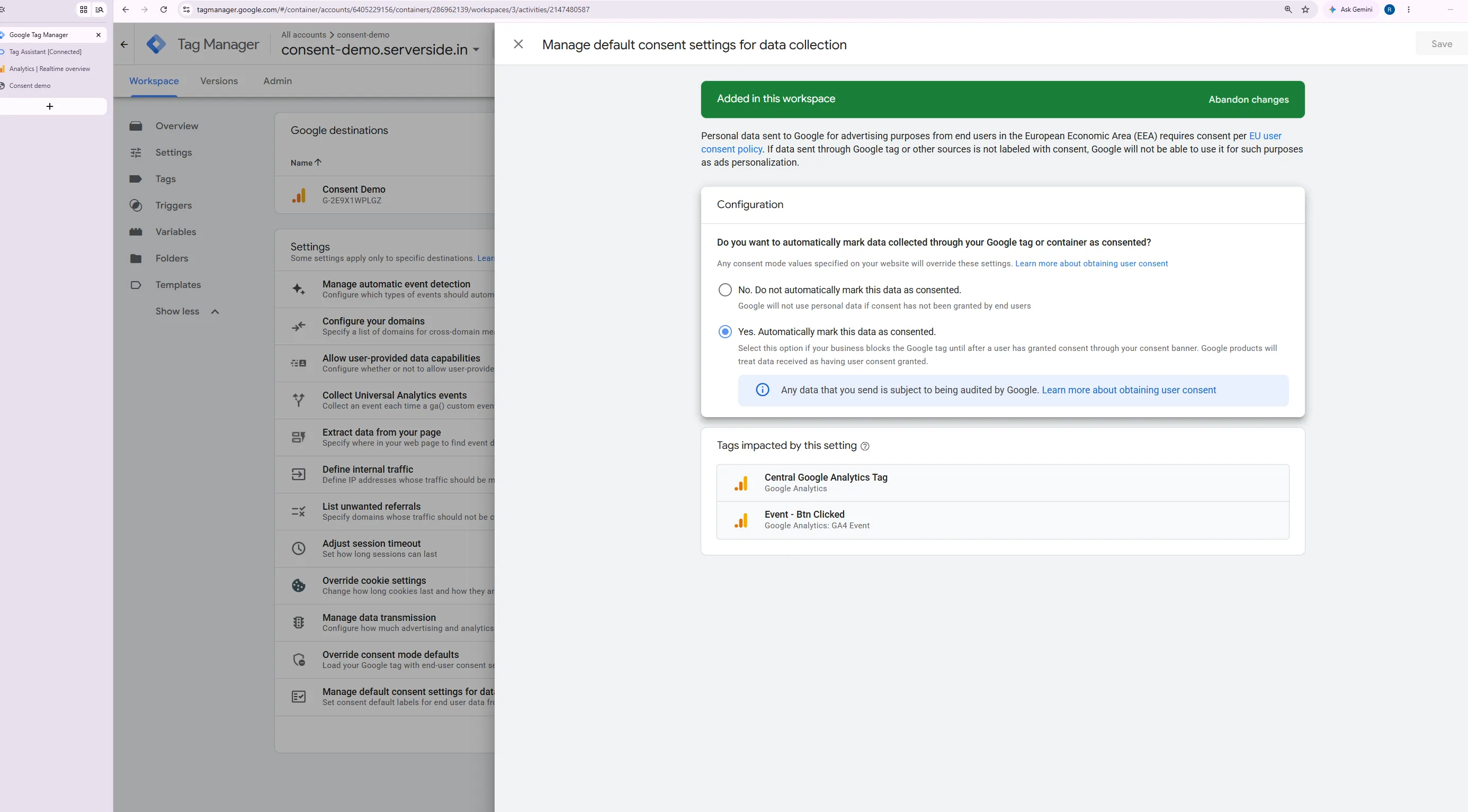
Data Marking is the setting Google uses to label and manage default consent settings for data collection. Google’s Analytics help describes it as a way to set default consent labels for end-user data from the EEA used for advertising purposes, with two options: No, which does not automatically mark the data as consented, and Yes, which automatically marks the data as consented. According to Google’s page on configuring Google tag settings, this setting applies to sites that do not use consent mode, or whose Google tags are blocked until the visitor interacts with the consent banner; if a site already uses consent mode, the default settings are not applied to its tags. The same page states that Google Override can only be used when Data Marking is set to No. According to the text in the panel, any consent mode values set on the website override it. Google does not say which consent signal the setting changes, so I tested it and then looked for the answer in the container code.
In the container code, the Yes setting declares ad_user_data as granted, and it does not set ad_storage, analytics_storage, or ad_personalization. A declared value is the lowest-priority state the code checks, after the update and the default, which explains why any default on the page overrides it. The Yes setting also switches off the setting that copies ad_user_data from ad_storage for visitors in DMA regions. This matches Google’s statement that the setting is not applied when consent mode is in use, with one detail Google leaves out: the declared value is still sent in gcd underneath the default or the update.
I first tested it from India, outside the EEA. With no consent signals on the page at all (CookieYes paused, no Page Default), switching Data Marking to Yes added gcs=G1-- to the page_view and changed gcd from 13l3l3l3l1l1 to 13l3l3R3l5l1, and Tag Assistant’s formatted view displayed G1-- as granted for both storage signals. With a denied CMP Default, the page_view carried gcs=G100 and gcd=13p3p3V3p5l1, and after Accept, it carried gcs=G111 and gcd=13r3r3X3r5l1. In both cases, the default or the update was applied, and the V and the X only mean that the declared grant was still present underneath it. The page_view was sent and appeared in GA4 in every run, with Data Marking set to Yes or No.
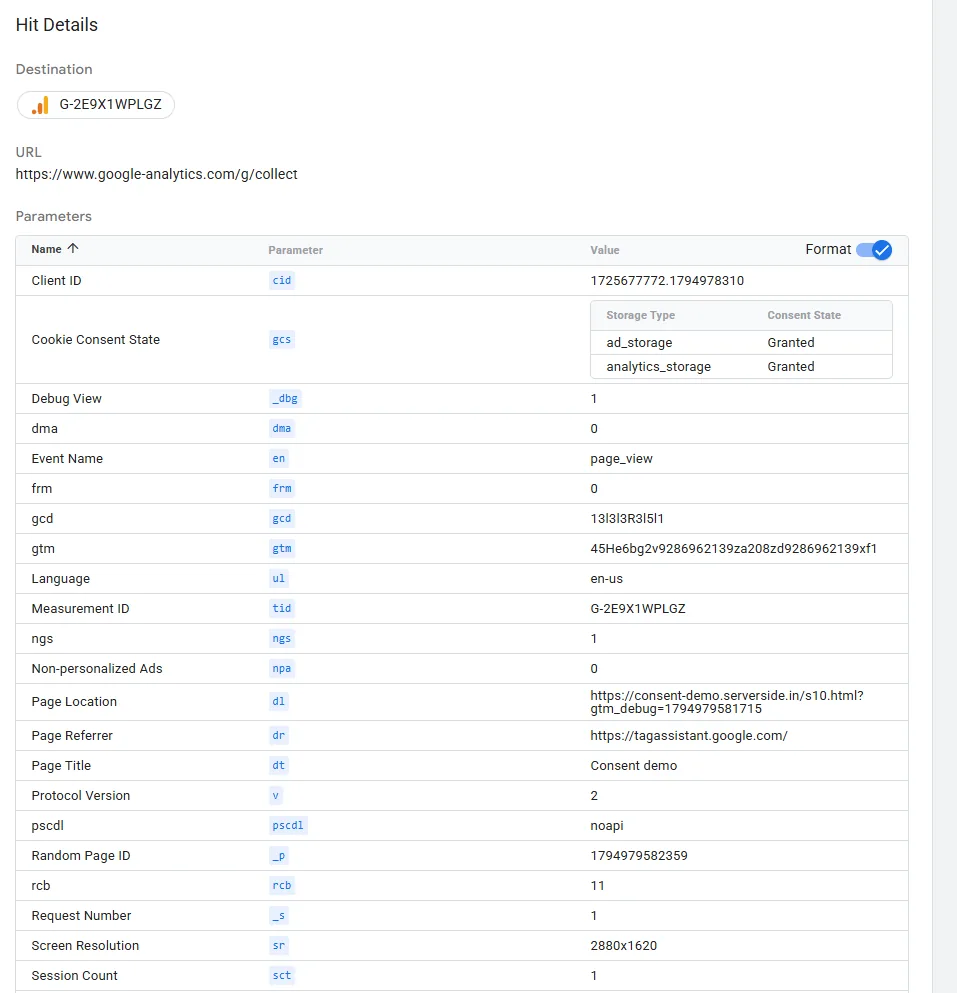
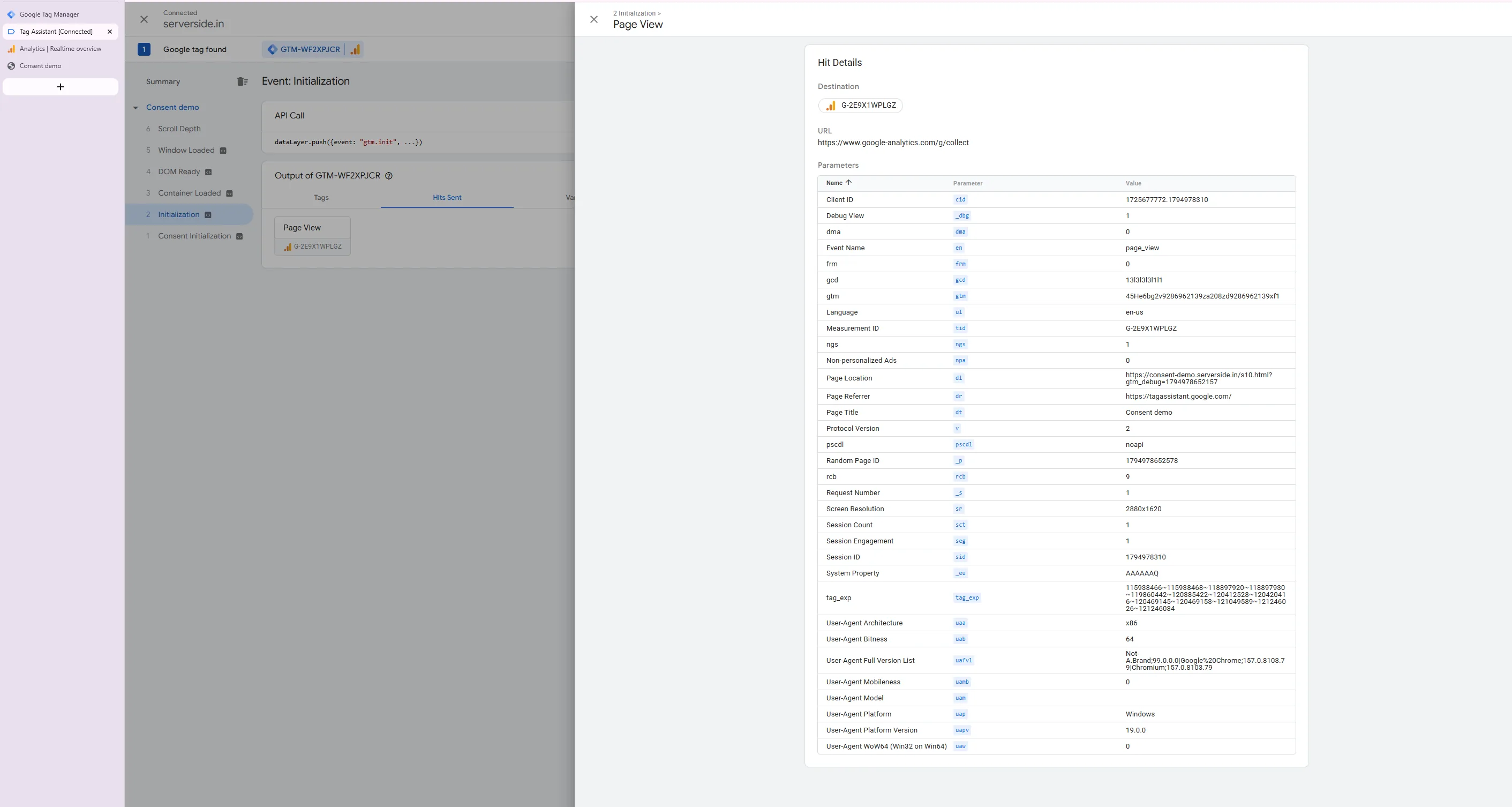
Data Marking is about EEA data, so I repeated the test with no consent signals through a VPN connection to Germany, once with Data Marking on Yes and once on No. Both hits carried dma=1, which means Google treated the visit as coming from a DMA region, and both went to region1.google-analytics.com. I then ran the same two tests without the VPN, and both of those hits carried dma=0 and went to www.google-analytics.com. The table below compares all four hits.
| Parameter | Yes, GEOLOCATION EU | No, GEOLOCATION EU | Yes, GEOLOCATION INDIA | No, GEOLOCATION INDIA |
|---|---|---|---|---|
dma | 1 | 1 | 0 | 0 |
gcs | G1-- | The parameter was not sent. | G1-- | The parameter was not sent. |
gcd | 13l3l3R2l5l1 | 13l3l3l2l1l1 | 13l3l3R3l5l1 | 13l3l3l3l1l1 |
ad_user_data pair | 3R, which is a declared grant. | 3l, which means nothing was set. | 3R, which is a declared grant. | 3l, which means nothing was set. |
ad_personalization pair | 2l, which is an implicit denial. | 2l, which is an implicit denial. | 3l, which is an implicit grant. | 3l, which is an implicit grant. |
Flag character in gcd | 5, which means consent mode is active. | 1, which means consent mode is not active. | 5, which means consent mode is active. | 1, which means consent mode is not active. |
dma_cps | a | a | The parameter was not sent. | The parameter was not sent. |
| Endpoint | region1.google-analytics.com | region1.google-analytics.com | www.google-analytics.com | www.google-analytics.com |
| Hit sent | The hit was sent. | The hit was sent. | The hit was sent. | The hit was sent. |
The hit was sent in all four runs. Through the VPN, dma_cps had the value a with Yes and with No, and without the VPN, it was not sent at all. dma_cps is the parameter Google uses to encode consent to Google services, and in the container code its value is a unless ad_user_data is denied, so it is also a when the signal was never set. The code only sends dma_cps when the visitor is in a DMA region or when ad_user_data is not granted, which explains why it was missing without the VPN. Between Yes and No, the differences are in gcs and gcd in both regions. With Yes, the hit carried gcs=G1--, the flag character in gcd changed from 1 to 5, and the ad_user_data pair changed from 3l to 3R, which is a declared grant. In the container code, gcs is sent when consent mode is active or when a storage signal is not granted, and each dash in G1-- means that the storage signal was not set. In the container code, a signal that was not set is handled as granted, so cookies are still used, and that is why Tag Assistant’s formatted view shows G1-- as granted. An explicit grant would appear as G111 instead, as it did after Accept in the India tests. The declared grant is enough to make consent mode count as active, which explains both the G1-- and the 5. The ad_personalization pair was 2l in both runs. The 2 is the implicit state I explain in the gcd section, meaning Google treats ad_personalization as implicitly denied for an EEA visitor when nothing on the page sets it, which matches Google’s documentation that ad_personalization is denied by default for EEA users. The same pair was 3l in every hit I sent without the VPN.
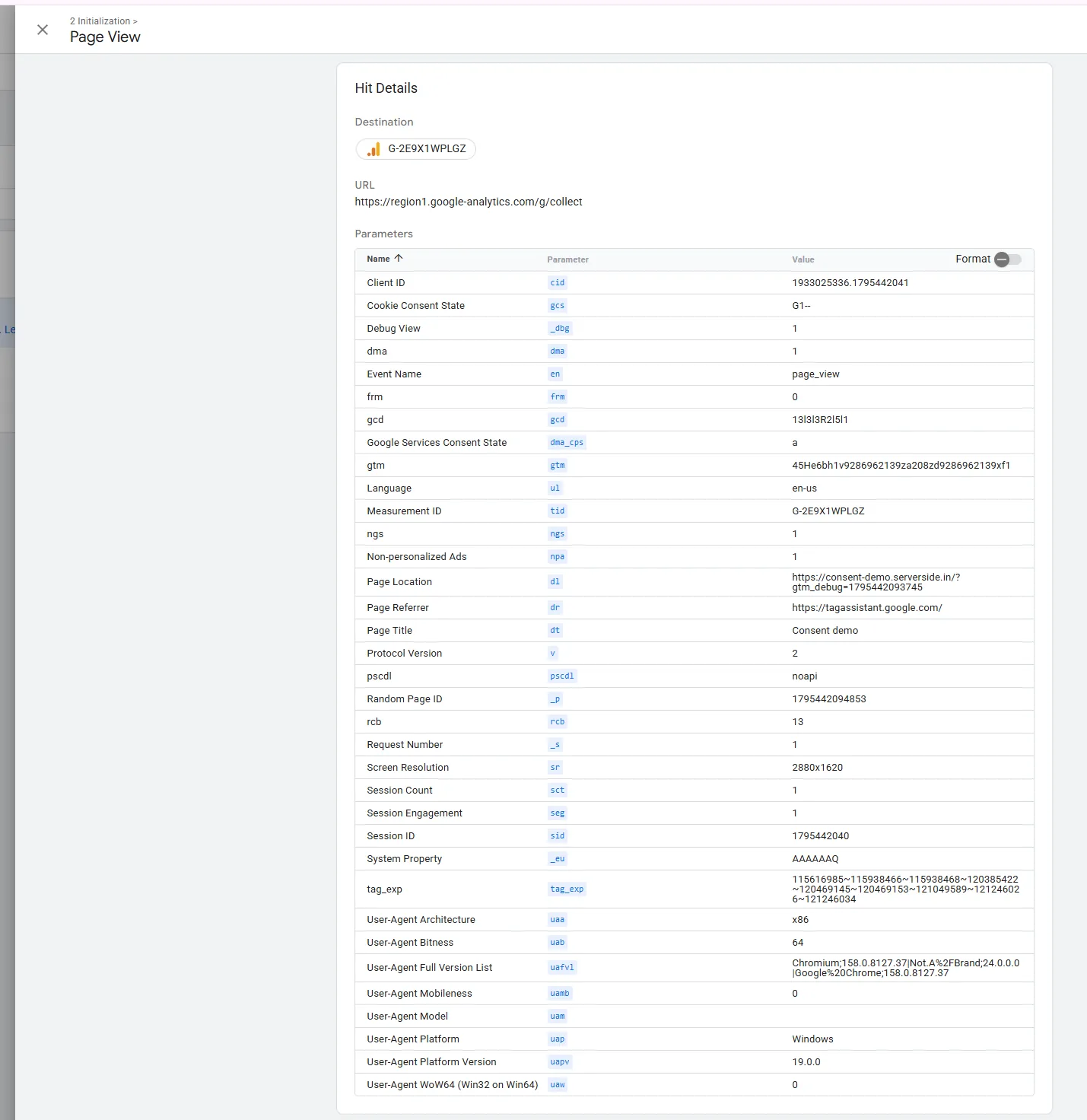
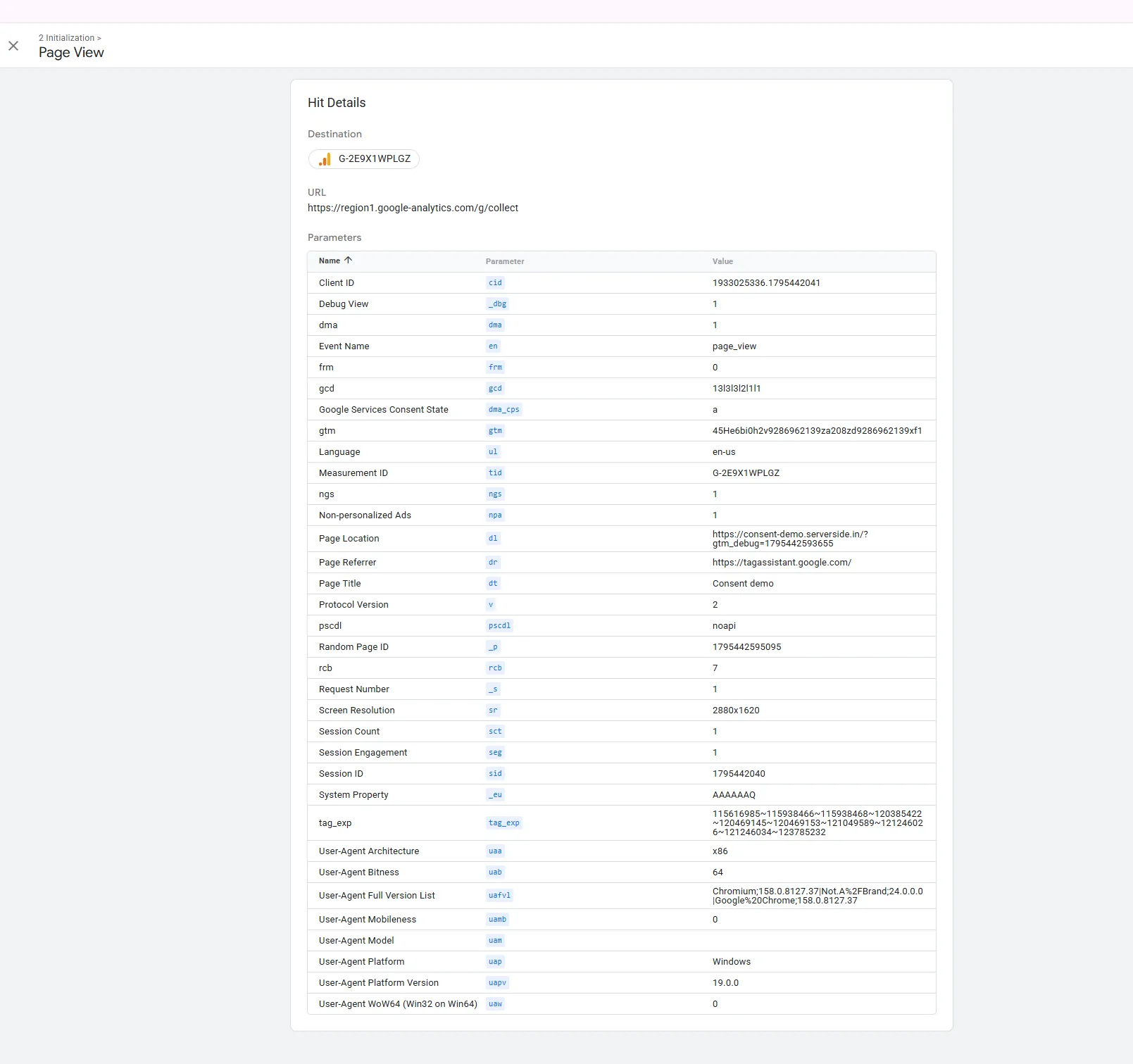
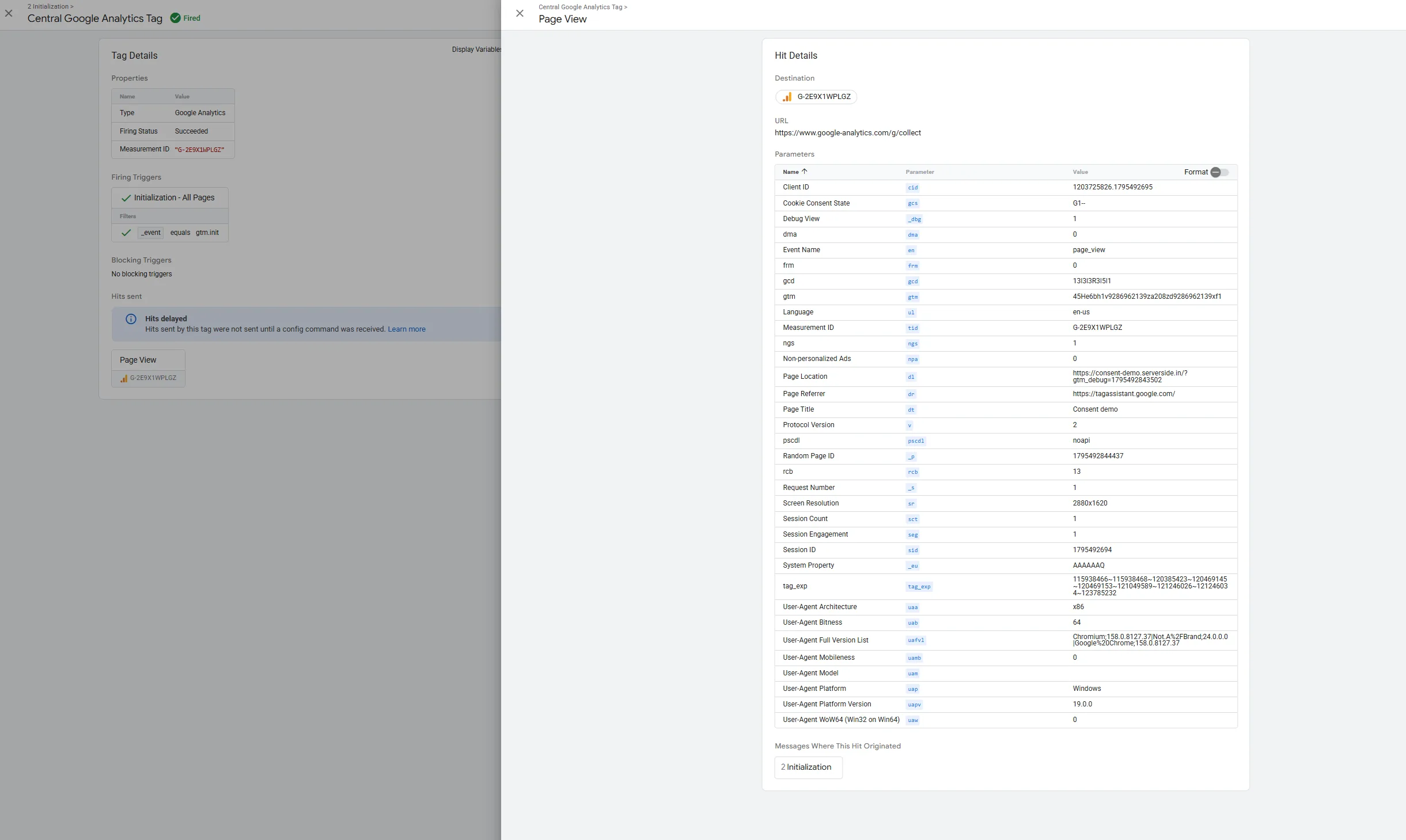
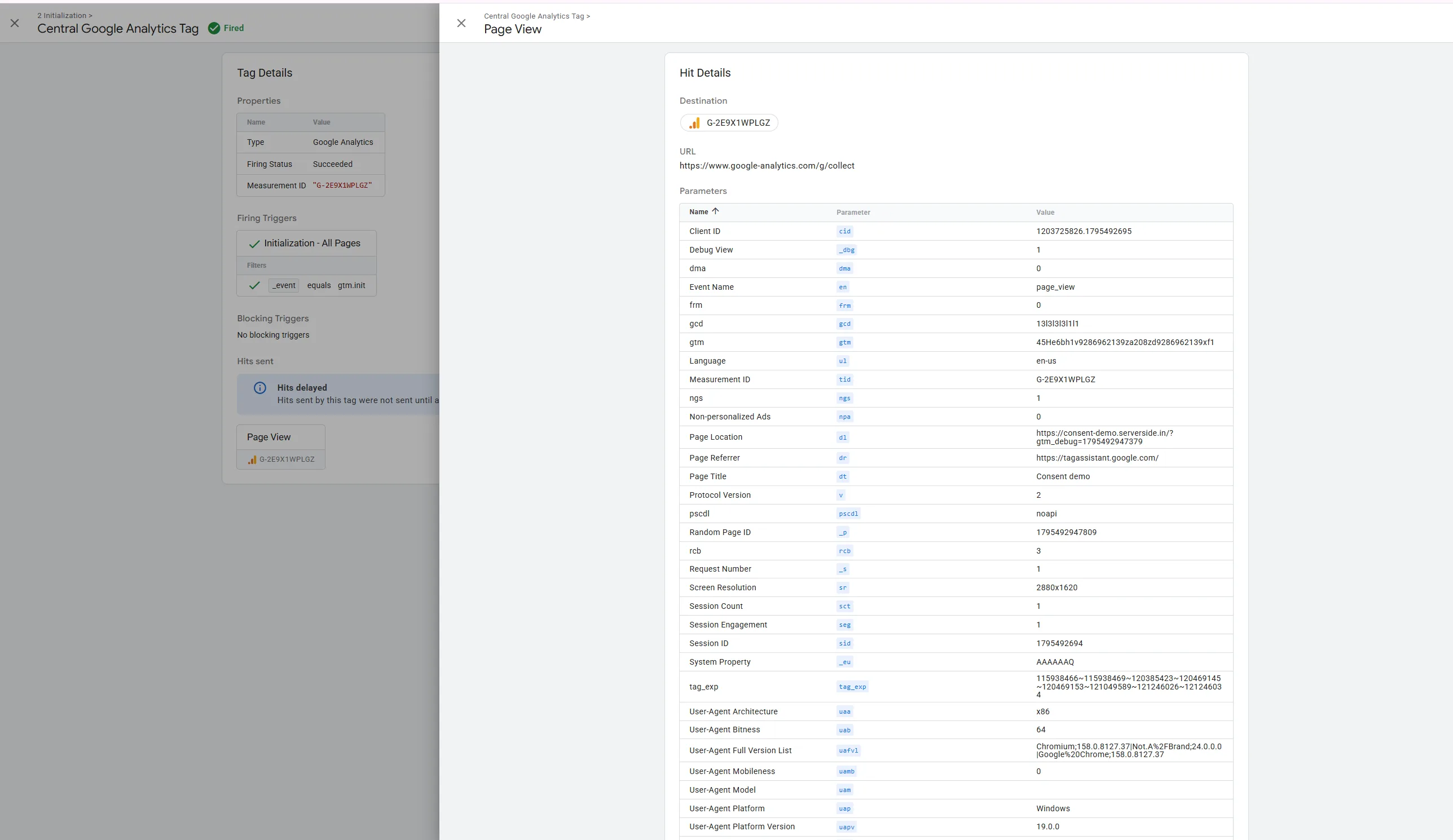
So, in the browser, Data Marking changes nothing you can see happen, because the hit is sent either way. Its effect is the label Google receives for EEA traffic when the site sends no consent signals, where ad_user_data is either not set or declared granted, and ad_personalization stays implicitly denied either way. Google’s documentation explains why that label matters. For EEA ads measurement, the ad_user_data consent mode parameter is required for Analytics, and when ad_user_data is denied, using personal data for online advertising is disabled. Personalized advertising requires more than this one signal because both ad_user_data and ad_personalization must be granted, and Data Marking does not set ad_personalization. My inference, which I have not checked in GA4 or Google Ads, is that Yes can clear the ads measurement warning in GA4 for EEA traffic. At the same time, EEA audiences and remarketing still have no consent for personalization, because ad_personalization stays implicitly denied.
I also switched Google Override on, with Data Marking set to Yes, CookieYes off, and nothing else on the page, without the VPN. According to Google’s page on configuring Google tag settings, Override can only be used when Data Marking is set to No, but I could still switch both on in the container. The page_view carried gcd=13l3l3R3l5G6, gcs=G100, npa=1, and dma_cps=-, so Override was applied, and ad_user_data was treated as denied, even though the declared grant was still in gcd as the R. Google receives both values in the same hit: a declared grant for ad_user_data and the denial from Override. I have not found any documentation on how Google’s servers handle that combination. I did not repeat this test through the VPN.
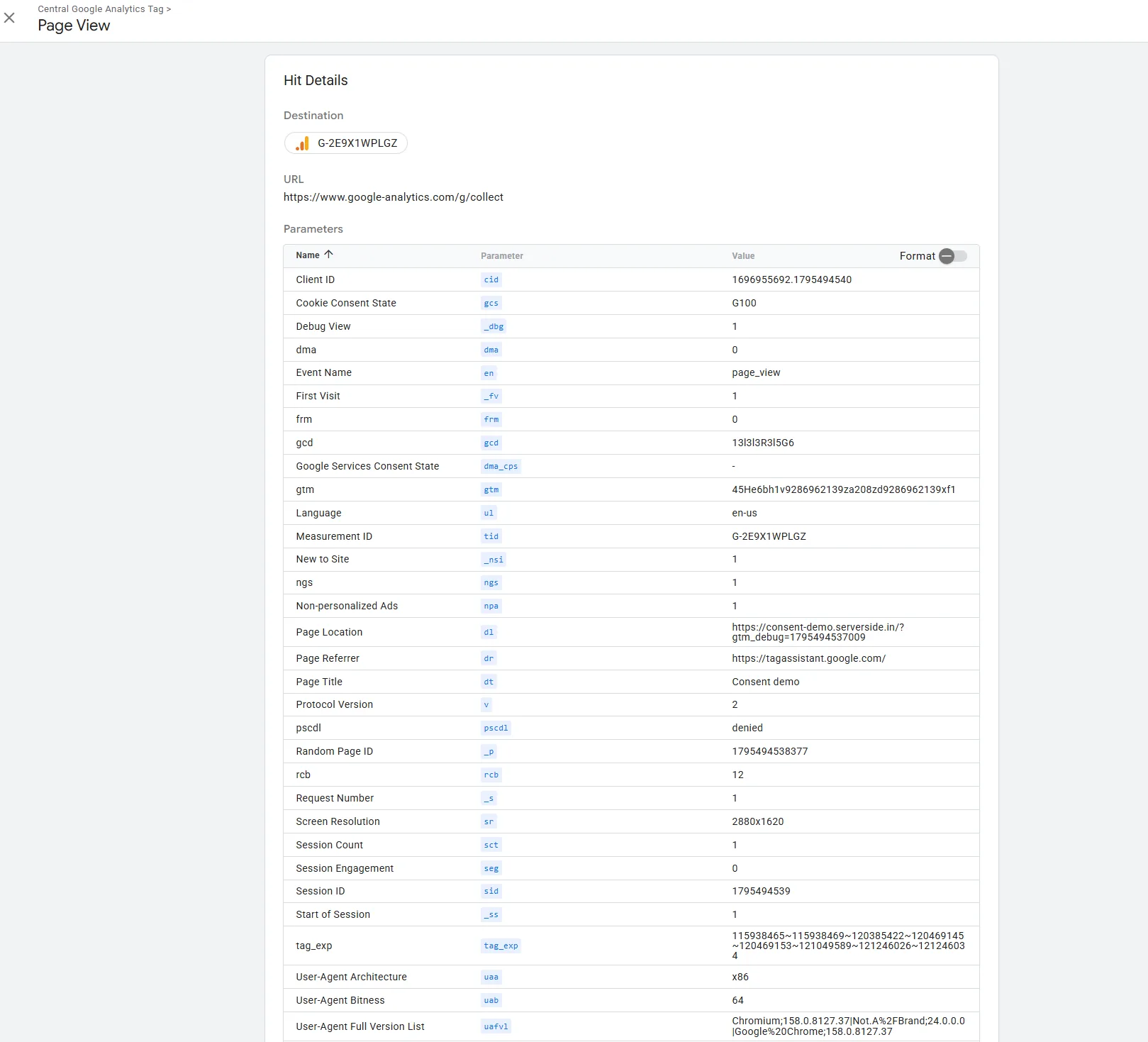
So, the purpose of Data Marking is narrow. With it, a site that blocks its Google tags until the visitor accepts, but does not use consent mode, can send Google a consent signal for EEA ads measurement, and that signal is the declared grant for ad_user_data. Without it, those hits are sent to Google with no consent information at all. The G1-- that appears with Yes is a side effect of consent mode counting as active, and it is not a separate grant for storage.
My recommendation is to keep Data Marking on No for any site with a CMP that sends consent mode signals, because a real default overrides it anyway, and Yes only adds a confusing letter to gcd. Yes is meant for sites that block the Google tag completely until the visitor consents, where any hit that is sent already implies consent. Choosing Yes on a site with no CMP is a claim the site owner makes to Google that EEA visitors consented to their data being used for ads measurement when no banner asked them, and that is a compliance question, not a setting to switch on to clear a warning. Bounteous reports that teams are often unsure when to choose Yes or No, and CookieHub’s setup guide recommends No.
Transmission Filter: the Manage data transmission setting
Manage data transmission sits in the container’s Settings panel and has three controls, one for advertising data, one for behavioral analytics data, and one for diagnostics data. According to Google’s help page, the controls are set only in the interface and are not available through gtag or an API; nothing changes unless you opt in. When the advertising option is set to prevent, advertising data is not collected until consent is granted, while behavioral analytics and diagnostic data are still collected. The behavioral analytics option blocks analytics data collection when analytics_storage is denied, and Google warns that this reduces basic site measurement and behavioral modeling. The diagnostics option blocks additional tag and consent mode diagnostic data until consent is granted.
On its own, with no consent mode on the page, the setting did nothing, and the page_view was sent with gcd=13l3l3l3l1l1 as before. With a granted CMP Default, the hit was also unchanged. The setting only made a difference when consent was denied, which matches the warning in the panel that consent mode must be active for it to apply. In every run, gcs and gcd had the same values with the setting on or off, so the setting does not change the consent state.
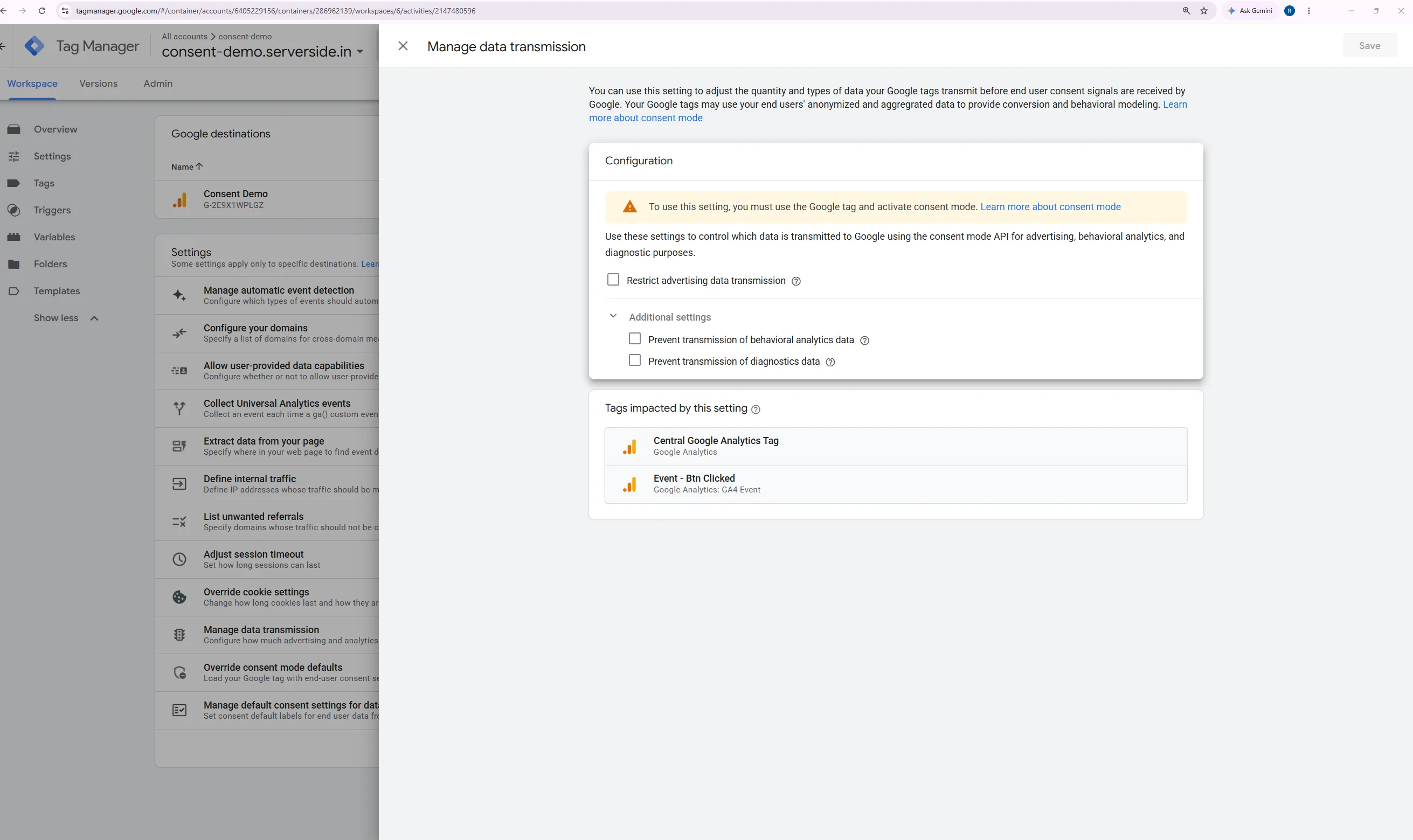
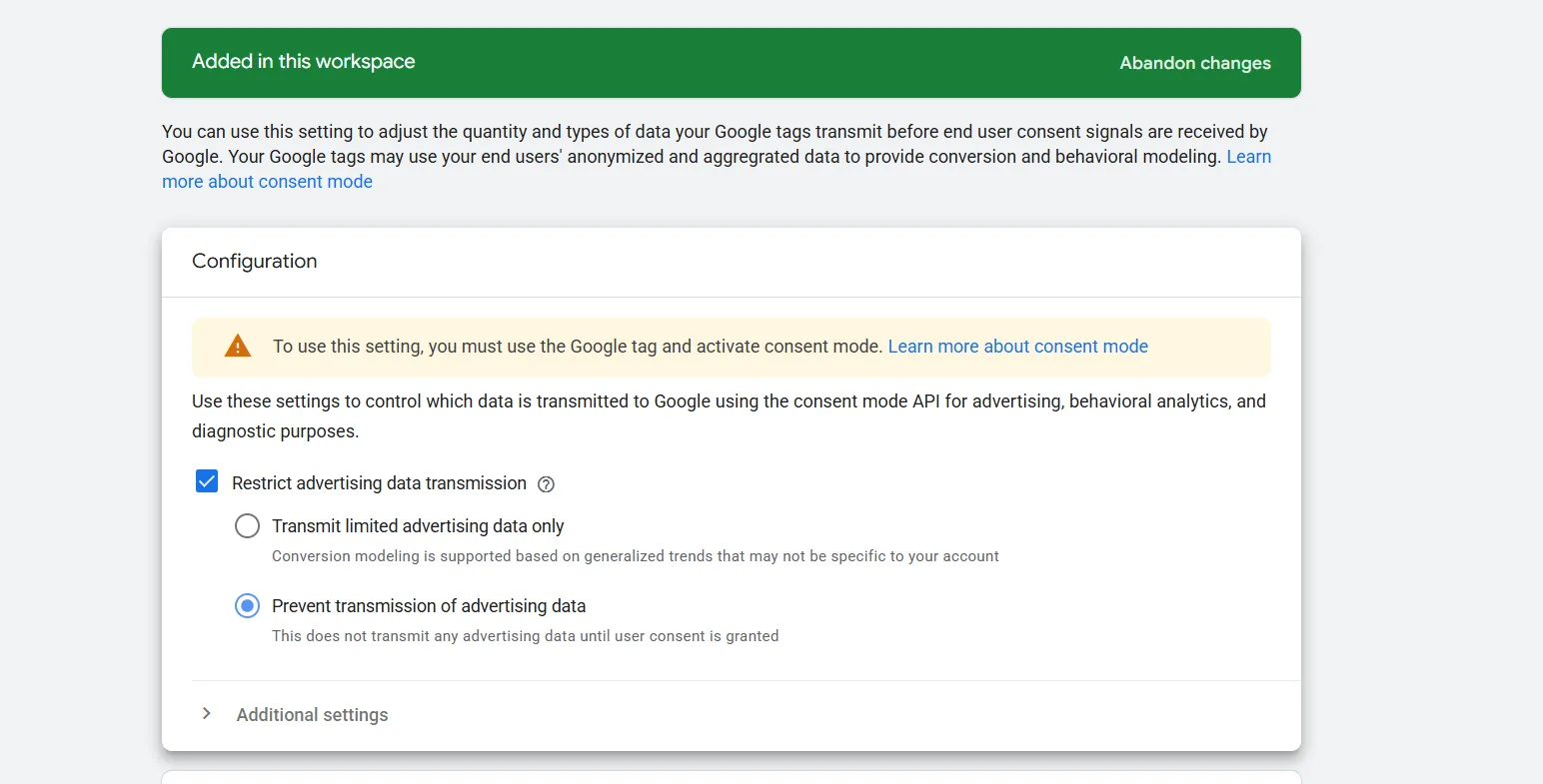
With CookieYes denying consent, the advertising option set to Prevent had no visible effect on the GA4 ping, which was still sent with gcs=G100. On the Google Ads side, it removed both Ads pings, even though the Ads tag was still listed as Succeeded. With the advertising option set to Transmit limited advertising data only, the two Ads pings were sent again, with one new parameter, limited_ads=1. Search Engine Land describes the limited option as advertising data with identifiers redacted, so conversion modeling still works. The Ads ping carried no client ID even with the setting off, so I could not see any identifier being removed.
The behavioral analytics option stopped the GA4 cookieless ping completely while consent was denied, so for GA4, an advanced consent mode setup then works like basic consent mode. The diagnostics option made no visible difference to either the GA4 or the Ads page_view. Google describes diagnostic data as information about whether the tag and consent mode are working, so it is probably sent in separate requests that I did not compare.
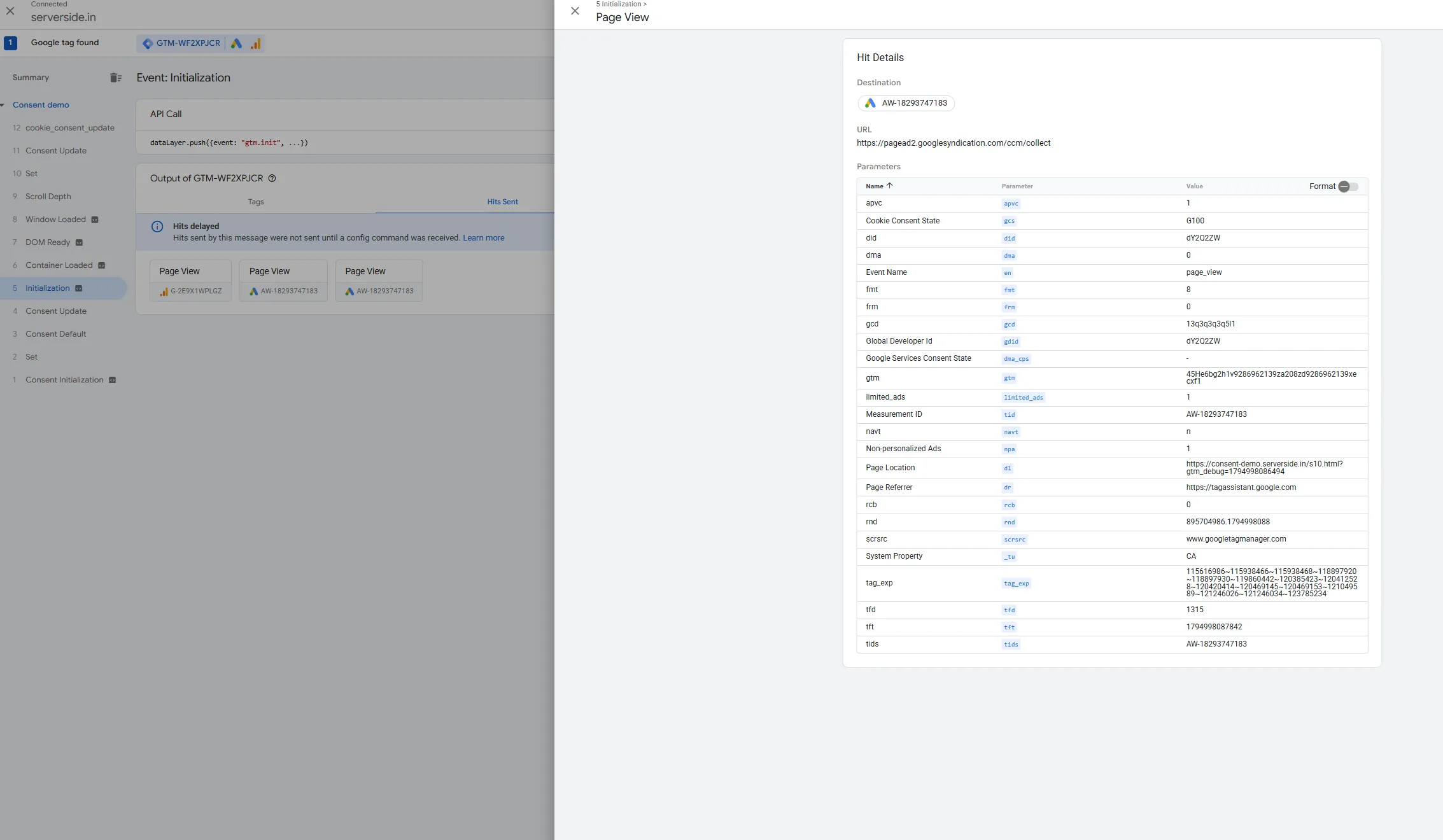
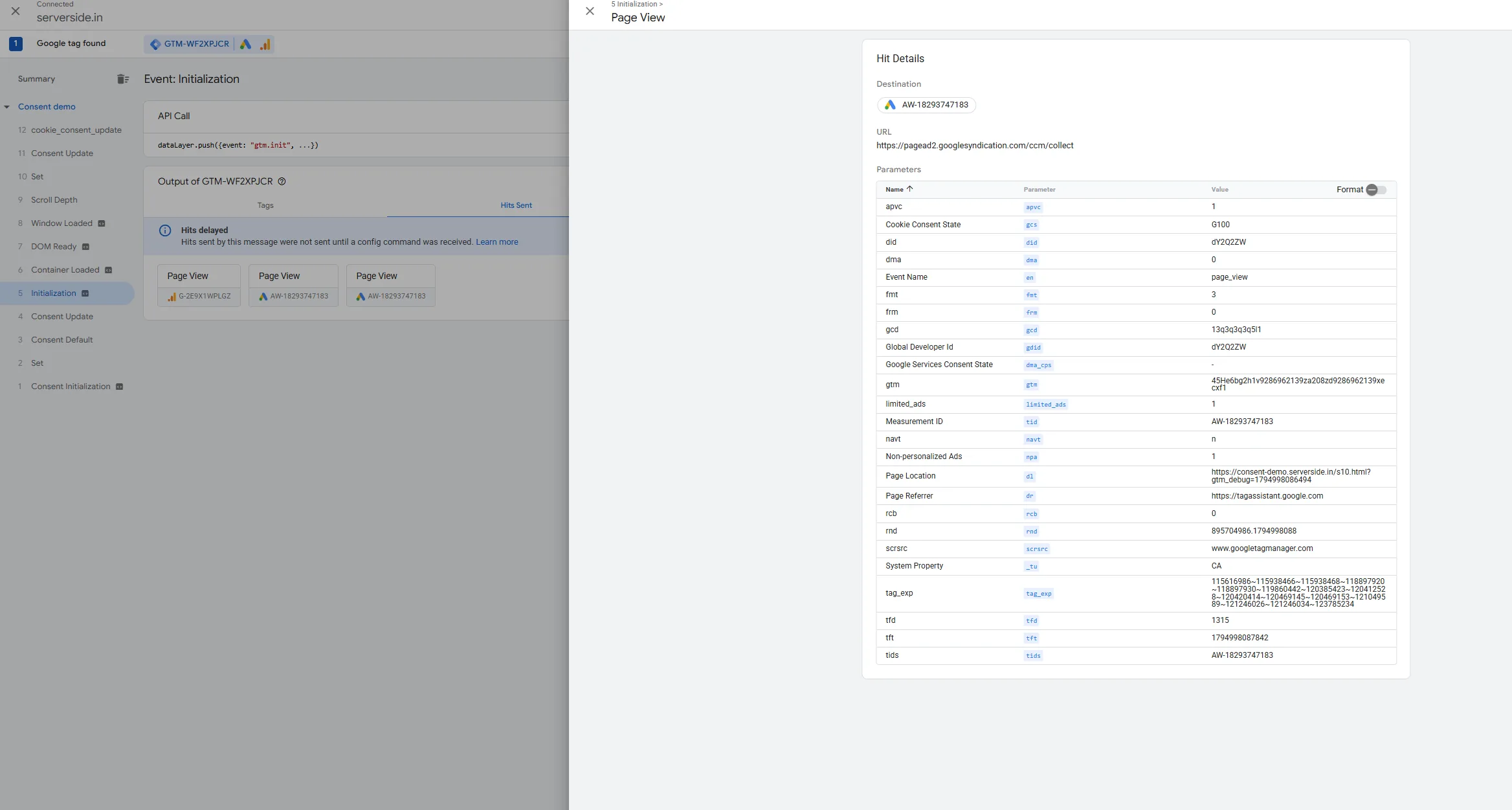
I then repeated the tests with Google Override in place of CookieYes, with the CookieYes tag paused and nothing else on the page. Override on its own was enough to make consent mode active, and the Transmission Filter then worked as it did with CookieYes. With Override off and CookieYes paused, the setting again had no effect. After I switched Override off, switched CookieYes back on, and clicked Accept, the hits were sent as normal. The table below lists the five runs.
| Setup | GA4 hit | Google Ads hit |
|---|---|---|
| Override was on, and the behavioral analytics option was prevented. | The GA4 tag was listed as Succeeded, and no hit was sent. | I did not record the Google Ads hit in this run. |
| Override was on, and the advertising Prevent option was selected. | The hit was sent with gcs=G100, gcd=13l3l3l3l5G6, and dma_cps=-. | No hit was sent. |
| Override is on, and the Limited option is selected. | I did not record the GA4 hit in this run. | The hit was sent with limited_ads=1, gcs=G100, gcd=13l3l3l3l5G6, and npa=1. |
| The Transmission Filter is on, with Override off and CookieYes paused. | The hit was sent with gcd=13l3l3l3l1l1 and no gcs, so the setting had no effect. | I did not record the Google Ads hit in this run. |
| Override off, CookieYes on, and the visitor clicked Accept. | The hit was sent with gcs=G111 and gcd=13r3r3r3r5l1. | The hit was sent as normal. |
So, a site without a CMP can use Google Override with the Transmission Filter to stop the cookieless pings. However, without a banner, nothing on the page ever sends a consent update, so the visitor has no way to grant consent, and only the data that the Transmission Filter does not block is sent while consent is denied. I did not repeat these tests through the VPN because the Transmission Filter acts on the consent state, not the visitor’s region.
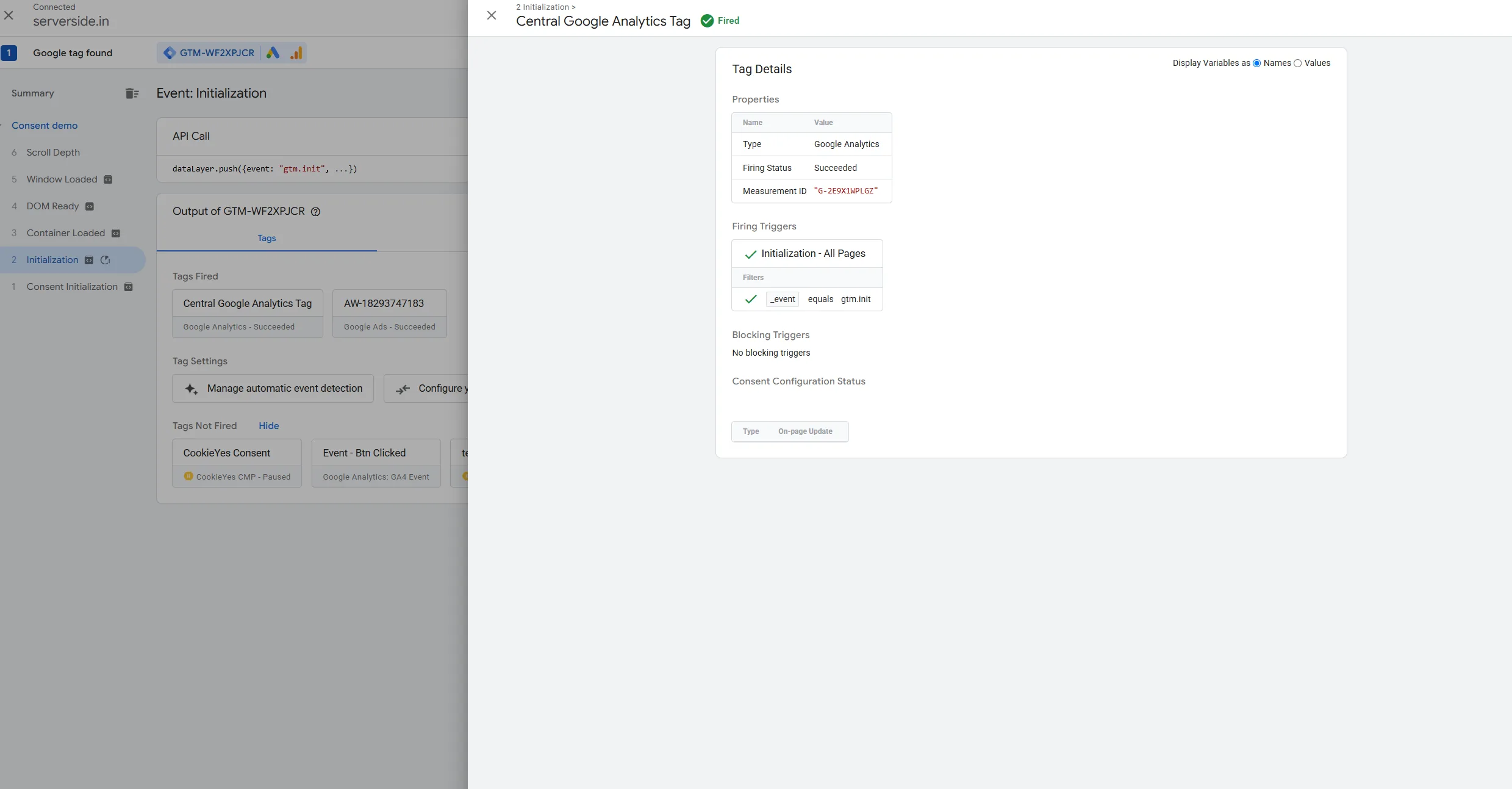
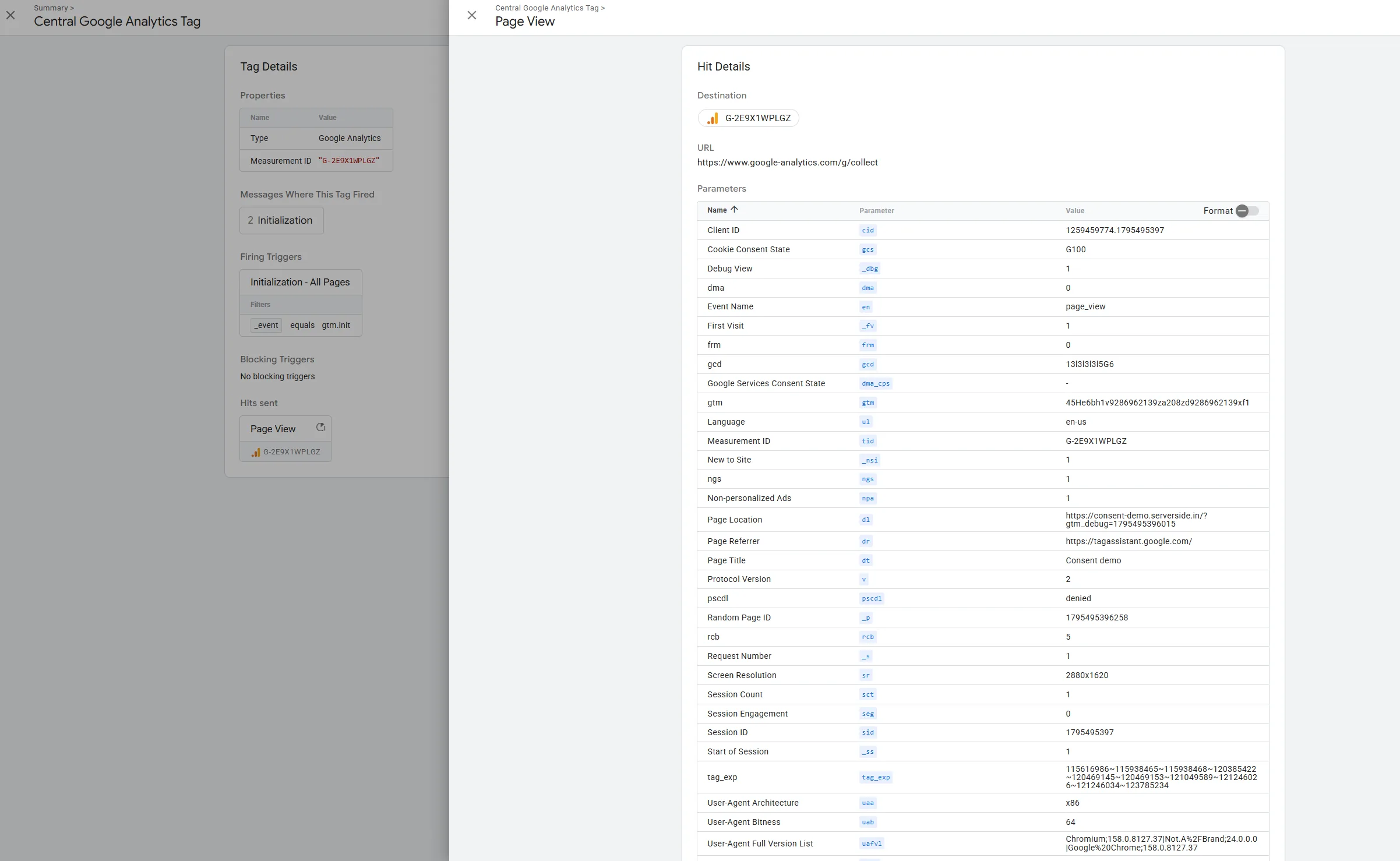
I would switch on the behavioral analytics option where the site’s legal position for EEA visitors is that nothing should be sent from the browser before consent, and accept the loss of modeling that comes with it. Where that is not the position, I would keep advanced consent mode with denied defaults and describe the cookieless pings in the privacy notice. The advertising Prevent option is worth considering for sites that use Google Ads and do not want any Ads pings before consent.
How to read the gcs and gcd parameters
The gcs parameter is the simpler of the two. It has the form G1xy, where x is ad_storage, and y is analytics_storage, with 1 for granted and 0 for denied, so G100 is both denied, G111 is both granted, and G110 and G101 are the mixed cases. It includes only two of the four main signals. With Data Marking on Yes and no other signals, I saw G1--, which Tag Assistant’s formatted view displays as granted for both, although I did not find the dash documented anywhere.
The gcd parameter carries the full consent picture, but Google does not document it. I decoded it from the GTM container code that loaded on my test page in November 2026, and I checked the decoding against the gcd values from the hits in this post, which it reproduced exactly. The lowercase letters match the tables that Littledata and others publish. Please treat what follows as reverse-engineered from one version of Google’s code, which Google can change at any time.
A gcd value such as 13r3r3X3r5l1 has a fixed prefix of 1, four character pairs for the four main signals, and three characters at the end. The table below shows each part.
| Part | Example | Meaning |
|---|---|---|
| Prefix | 1 | The value always starts with 1. |
| Pair 1 | 3r | ad_storage |
| Pair 2 | 3r | analytics_storage |
| Pair 3 | 3X | ad_user_data |
| Pair 4 | 3r | ad_personalization |
| Flags | 5 | 1 means consent mode is not active, and 5 means it is active. A visitor in a Global Privacy Control region adds 8. |
| Container defaults | l | Google Override sets this character. 1 means it is not in use, and G means it sets ad_storage, analytics_storage, and ad_user_data to denied. |
| Last character | 1 | 1 means Google Override is not in use. 6 means it is in use and ad_personalization is denied. |
In every pair, the first character is the implicit state, which is the state Google applies when nothing on the page sets that signal. A 3 means implicitly granted, and a 2 means implicitly denied. It was 3 in every hit I sent from India, and in the hits I sent through a VPN exit in Germany, it was 2 for ad_personalization. The second character is the state letter. Each letter combines three states: what the container declared through Data Marking, what the default set, and what the update set. The update is checked first, then the default, then the declared value, so the state that applies is the update if there is one, the default if there is not, and the declared value only when neither exists.
| Letter | Declared (Data Marking) | Default | Update |
|---|---|---|---|
| l | missing | missing | missing |
| m | missing | missing | denied |
| n | missing | missing | granted |
| p | missing | denied | missing |
| q | missing | denied | denied |
| r | missing | denied | granted |
| t | missing | granted | missing |
| u | missing | granted | denied |
| v | missing | granted | granted |
| B | denied | missing | missing |
| C | denied | missing | denied |
| D | denied | missing | granted |
| F | denied | denied | missing |
| G | denied | denied | denied |
| H | denied | denied | granted |
| J | denied | granted | missing |
| K | denied | granted | denied |
| L | denied | granted | granted |
| R | granted | missing | missing |
| S | granted | missing | denied |
| T | granted | missing | granted |
| V | granted | denied | missing |
| W | granted | denied | denied |
| X | granted | denied | granted |
| Z | granted | granted | missing |
| - | granted | granted | denied |
| _ | granted | granted | granted |
I saw l, p, q, r, t, u, R, V, and X in real hits. The other letters follow from the same rule and are untested, and the rows where the declared value is denied are the least certain, because in the code I read, the Data Marking setting only ever declares granted.
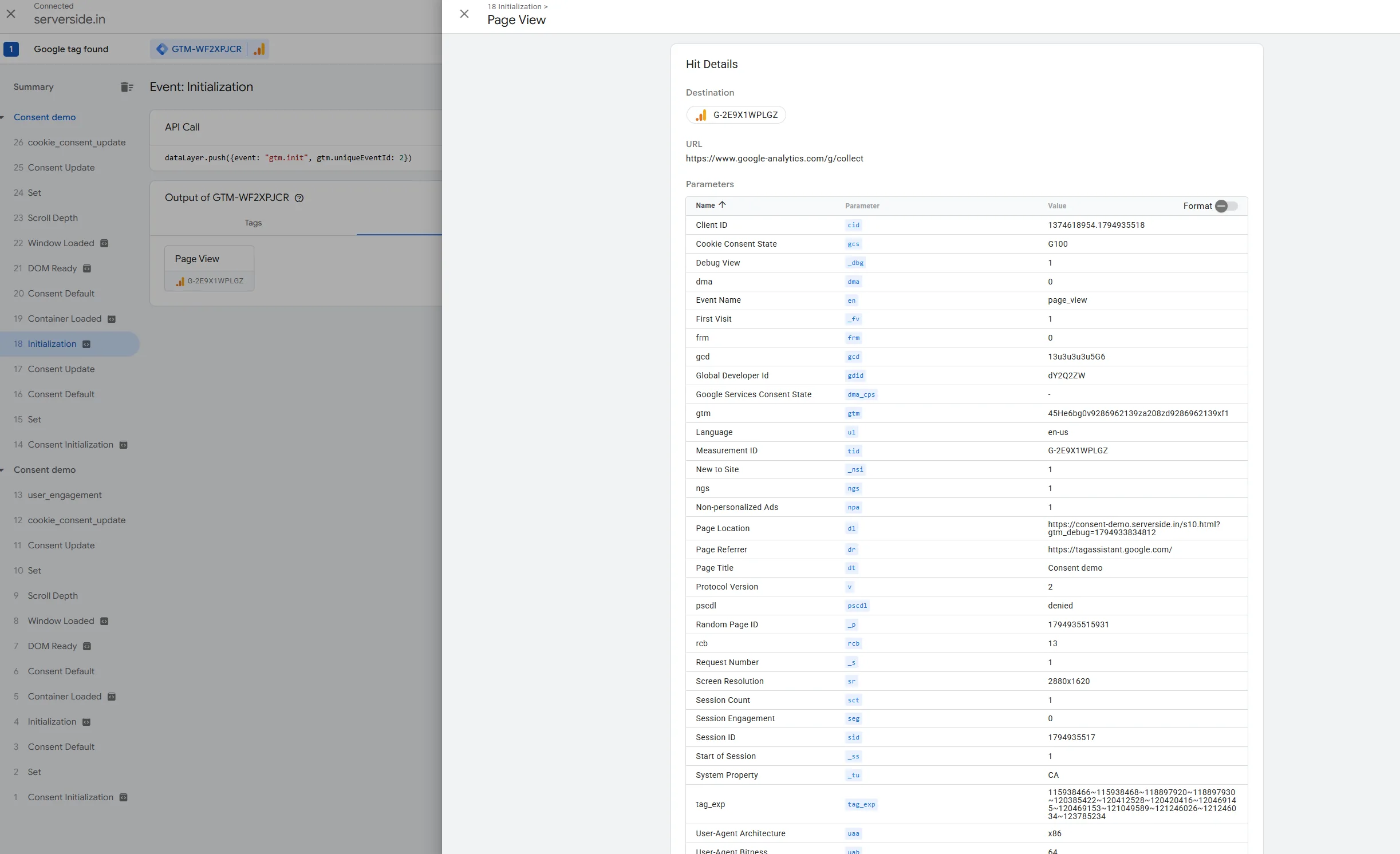
The table below lists every full gcd value I captured in these tests, with the setup that produced it and how it decodes with the letter table.
| Value | Setup | What it shows |
|---|---|---|
13l3l3l3l1l1 | The page had no consent mode, or Data Marking was on No with no other consent signals. | Every signal is missing, and consent mode is not active. |
13l3l3R3l5l1 | Data Marking was on Yes, and there were no other consent signals. | ad_user_data carries the declared grant, and the other three signals are missing. |
13p3p3p3p5l1 | The CMP Default was denied, and the visitor did not click the banner. | Every signal is on a denied default with no update. |
13q3q3q3q5l1 | A denied update followed a denied default. | Every signal is denied in both the default and the update. |
13p3p3V3p5l1 | Data Marking was set to Yes, and the CMP Default was denied. | The denied default is applied, and the V means that Data Marking declared a grant for ad_user_data below that default. |
13r3r3X3r5l1 | Data Marking was set to Yes, and the visitor clicked Accept and reloaded the page. | The granted update is applied over the denied default. |
13t3t3t3t5l1 | The CMP Default was set to granted. | Every signal is on a granted default with no update. |
13u3u3u3u5l1 | The CookieYes Default Consent Settings row was set to granted, and CookieYes then sent a denied update. | The denied update is applied over the granted default. |
13t3t3t3t5G6 | Google Override was on, and the Page Default or CMP Default was granted before any update was sent. | The default is granted, and G6 means that Google Override set the signals to denied. |
13u3u3u3u5G6 | Google Override was on, and a denied update had been sent. | The update is denied, and Google Override is still in use. |
13p3p3p3p5G6 | Google Override was on, the default was denied, and the visitor did not click the banner. | The default is denied, and Google Override is in use, so the state is denied either way. |
13l3l3l2l1l1 | Data Marking was No; there were no other consent signals, and the visit came through a VPN exit in Germany. | Every signal is missing, and consent mode is not active, and the 2 means that ad_personalization is implicitly denied for an EEA visitor. |
13l3l3R2l5l1 | Data Marking was set to Yes; there were no other consent signals, and the visit came through a VPN exit in Germany. | ad_user_data carries the declared grant; the other three signals are missing, and the 2 means that ad_personalization is implicitly denied for an EEA visitor. |
13l3l3R3l5G6 | Google Override and Data Marking on Yes were both switched on; there were no other consent signals, and the visit came from outside the EEA. | Google Override set ad_storage, analytics_storage, and ad_user_data to denied (G) and ad_personalization to denied (6), and the declared grant for ad_user_data is still in the hit as the R, although ad_user_data was handled as denied. |
Next steps
If a business asked me tomorrow, I would ask them to check how the traffic flows from their GTM container when consent is denied and when it is granted. If something doesn’t look the way they expect, the answer is probably in one of the cases above; if not, they can have an expert verify it. The checks below are the ones I would run, in this order.
- Clear the CMP cookie, open the site in Tag Assistant, and load one page without clicking the banner. Look at the earliest consent event, compare On-page Default with Current State, and check
gcson the first hit. - Click Accept, reload the page, and check that a Consent Update is listed before Initialization and that the next hit carries
gcs=G111. - In the CookieYes tag, check that the Default Consent Settings row is set to Disabled for everything except Necessary, that the tag fires on the Consent Initialization trigger, and that Support GCM is switched on in the CookieYes dashboard.
- If the site has a Page Default in its code, make sure it sits above the GTM install snippet and lists all four signals, including in any regional default.
- Open the container’s Settings panel and look at Google Override, Data Marking, and Manage data transmission. Each of them changes what is sent, so each should be set on purpose and not left as someone else’s experiment.
- Check that every non-Google tag in the container has its own consent requirement, and confirm in Tags Blocked by Consent Settings that it works.
- Judge the results from Hits Sent or the Network tab, and not from the tag status or the GA4 reports.
Want your own setup tested?
If you would like someone to run these deny and accept flows on your own container and tell you what each hit carries, get in touch. I will compare what your setup sends with what you expect it to send, and write up what I find in plain language.
In our tests the order was: the visitor\’s choice first, then Google Override, then whichever default (page code or CMP) was applied last, then Data Marking. A visitor who clicked Accept got granted even with Google Override on, and Data Marking only applied when nothing else on the page set a consent state.
No. With advanced consent mode, GA4 still received a cookieless ping with gcs=G100. It carried a client ID, a session ID, the page address, the screen resolution and browser details. Only the behavioral analytics option in Manage data transmission stopped the GA4 ping completely.
Because the consent default was applied after the Google tag had already fired. We saw this when the CookieYes tag was on the Page View trigger instead of Consent Initialization, when a default was wrapped in a delay, and when a Page Default was pasted below the GTM install snippet. Tag Assistant shows a red warning on the late default.
It passes the visitor\’s banner choice to the Google tags. With it off, CookieYes still saved the Accept in its own cookie, but Tag Assistant showed no consent update and the denied default stayed in place, so measurement was lost without any error in GTM.
It labels data for Google when nothing on the page sets a consent state, and in the container code it declares ad_user_data as granted. We recommend leaving it on No for any site with a CMP that sends consent signals. Yes is a claim to Google that EEA visitors consented, so it is a compliance decision, not a way to clear a warning.
gcs is G1 followed by ad_storage and analytics_storage, where 1 is granted and 0 is denied, so G100 is both denied and G111 both granted. gcd holds all four signals, plus whether consent mode is active and whether Google Override is in use. It is undocumented, so we decoded it from the container code, and the post includes the full letter table.
New articles, straight to your inbox.
One email when something new is worth reading — no drip sequence, no filler.
You can unsubscribe from any email. See our Privacy Policy.
Want this handled instead of read about?
I build the systems this post describes. Thirty minutes tells us whether it is a fit.
Book a free 30-minute call